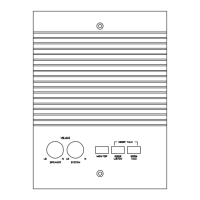
If the CD will not eject the cartridge:
Check that there are no room station cables or other wires routed behind the
Make sure that the CD chassis and plastic faceplate is installed correctly.
PCB is plugged into the mechanism.
If intercom buttons don’t function properly:
Check that intercom switches are not in th
Check that room station and patio connectors are terminated
Check for shorts or opens on intercom station cable runs.
Check for shorts or opens on chime module and door station
cable runs. (Continuous chi
me will lock up the master.
Reset master unit by inserting a paperclip in the reset hole,
which is located behind the door.
Check that there are not a lot of excess room station cables run
y wire may cause master circuit boards to
compress against each other and trigger the buttons
Check the total length of run isn't above 350' or system over
If there is no radio or intercom audio:
Check that room switches are
not in the “OFF” or “MONITOR”
Check that volume settings and controls are set properly. (See
Make sure the “SOURCE” selection is correct.
Check for shorts or opens on intercom station cable runs.
Check that room station and patio connectors are terminated
Reset master unit by inserting a paperclip in the reset hole,
which is located behind the door.


 To Next Page