5
TV GUIDE
Basics
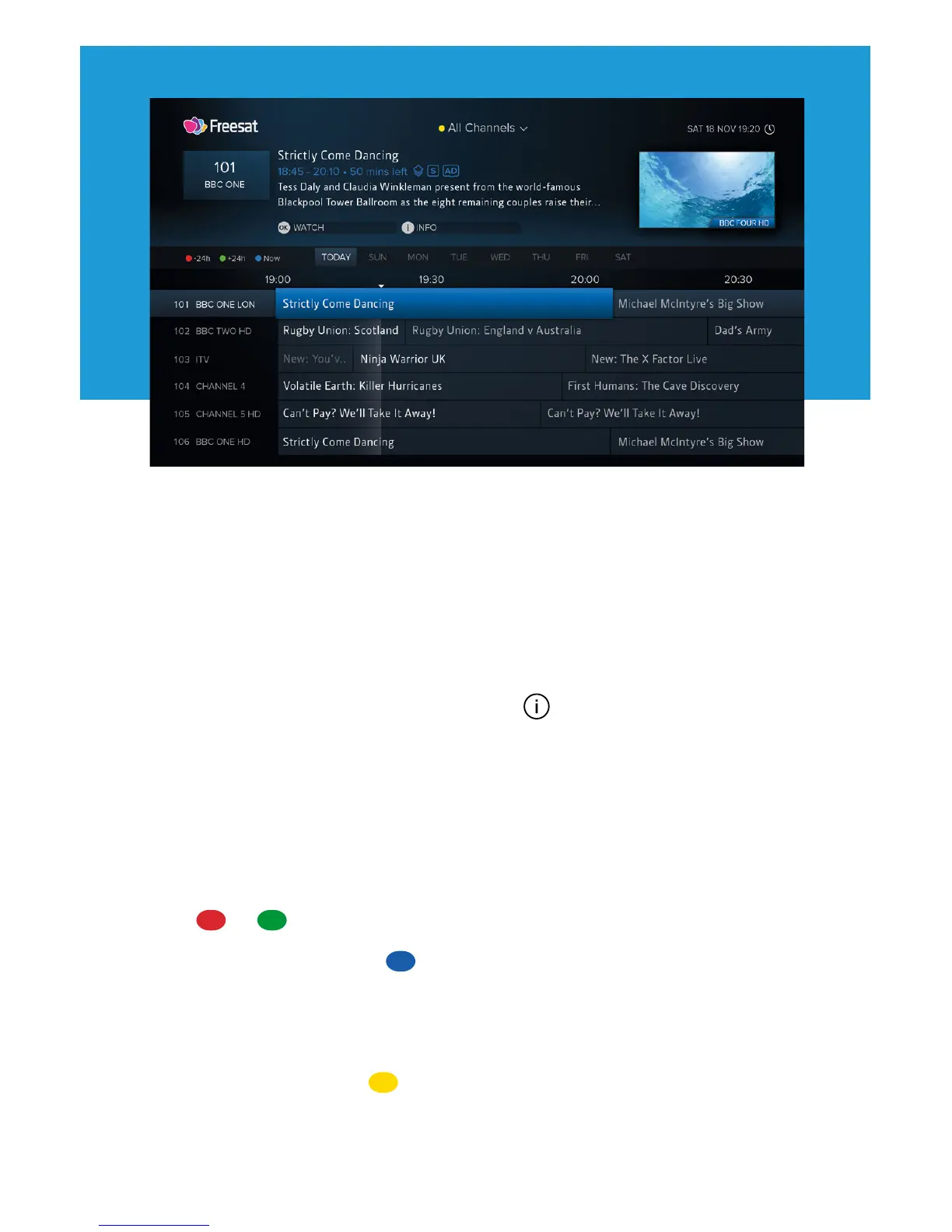
Press GUIDE to display the full TV Guide and browse what’s on across the next 7 days using
the directional pad.
• To watch a programme on now, press OK
• To set a reminder for a programme on later, press OK (see page 9)
• To view detailed info about a programme, press (see page 6)
Quickly Navigating
As there are lots of channels and programmes to browse, you can get around more quickly by:
• Pressing P-UP or P-DOWN to page up or down
• Holding LEFT or RIGHT to skip through time
• Pressing or to skip 24 hours backwards or forwards
When you’ve browsed ahead, press to skip back to what’s on now.
Lists
The TV Guide can be filtered to show only channels in a certain genre (e.g. Drama or Movies)
or your Favourite Channels. Press to select a list. You can also choose to edit your
Favourites.


 To Next Page