USER’S MANUAL
20
Note:
This function is only used for DTV source.
4. Press / button to select “Teletxt” menu and press the
button to enter sub-menu.
5. Press / button to select “Blue Screen” and press the
/ button to select “On” or “O”.
6. Press / / / button to select Mode Setting.
7. Press / / / button to select “Time Setting”.
8. Press / / / button to select “PVR Settings”.
9. Press / button to select “First Time Installation”, then
press “ENTER” button to set relevant options including OSD
language, country and tuning.
10. Press / / / button to select “OAD”, then press
“ENTER” button to enter sub menu.
11 .Press / button to select “Reset”, then press “ENTER”
a dialogue. Press button selecting “Yes” to restore all setting
to default setting.
PC
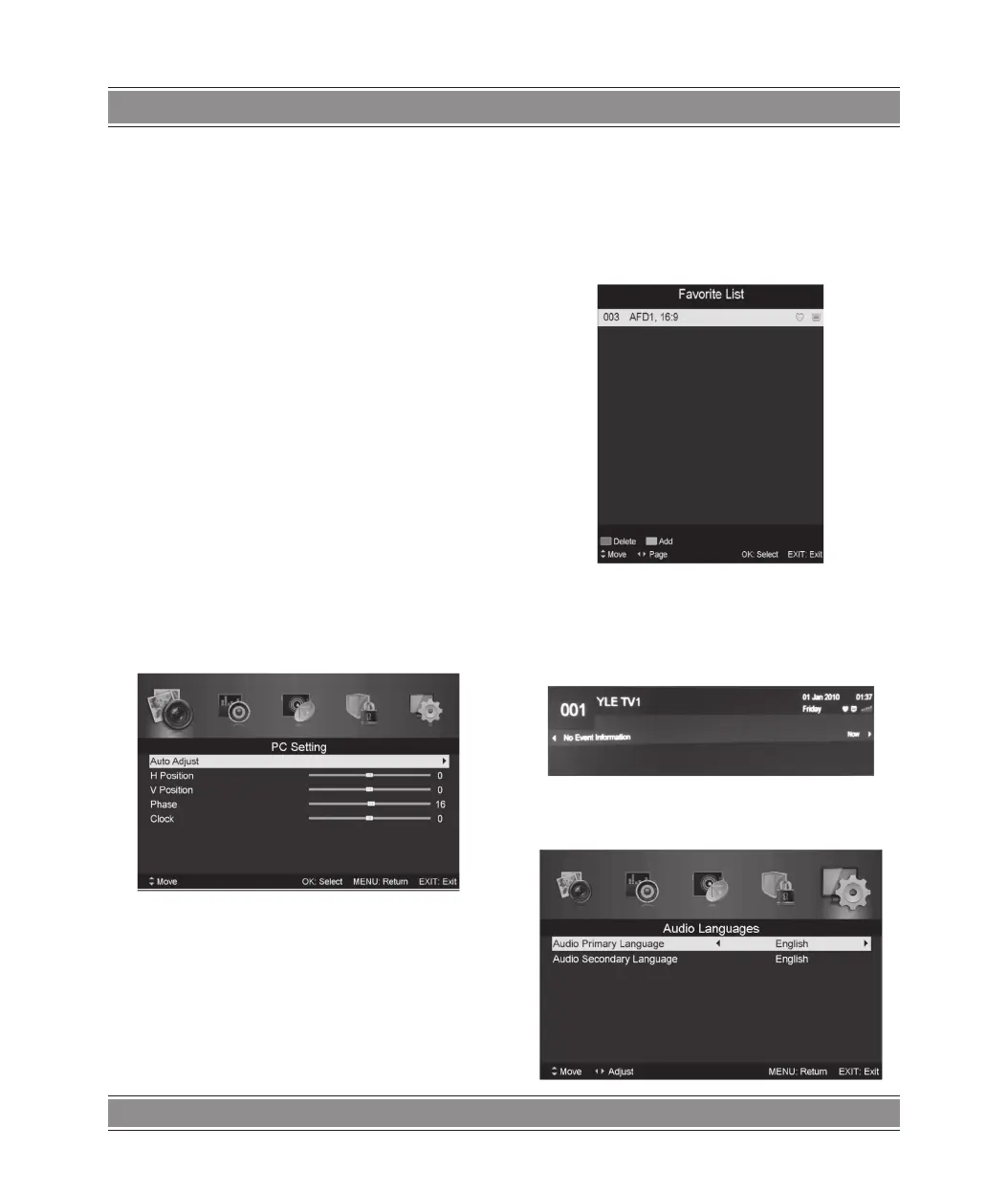
Press the “MENU” button to enter the OSD menu. Then press
/ button to select the “PC Setting” menu. (Only available
in PC model).
Press / button to select “Auto Adjust” menu and press
the button to auto adjustment.
Press / button to select “H Position” and press the /
button to adjust.
Press / button to select “V-Position” and press the /
button to adjust.
Press / button to select “Phase” and press the /
button to adjust.
Press / button to select “Clock” and press the /
button to adjust.
DTV Features
Favorite List
When the source is selected as DTV, users can enter Favorite
List by pressing “FAV” button. The “Favorite List” window is
illustrated as follows:
Program Information
When the source is selected as DTV, you can press “display”
button to display the channel’s information. The program infor-
mation window is illustrated as follows:
Audio



 To Next Page