USER’S MANUAL
14
Remote Control
NICAM
SLEEP
INFO
CH
-/--
FREEZE
MEDIA
EPG
ASPECT
ime.
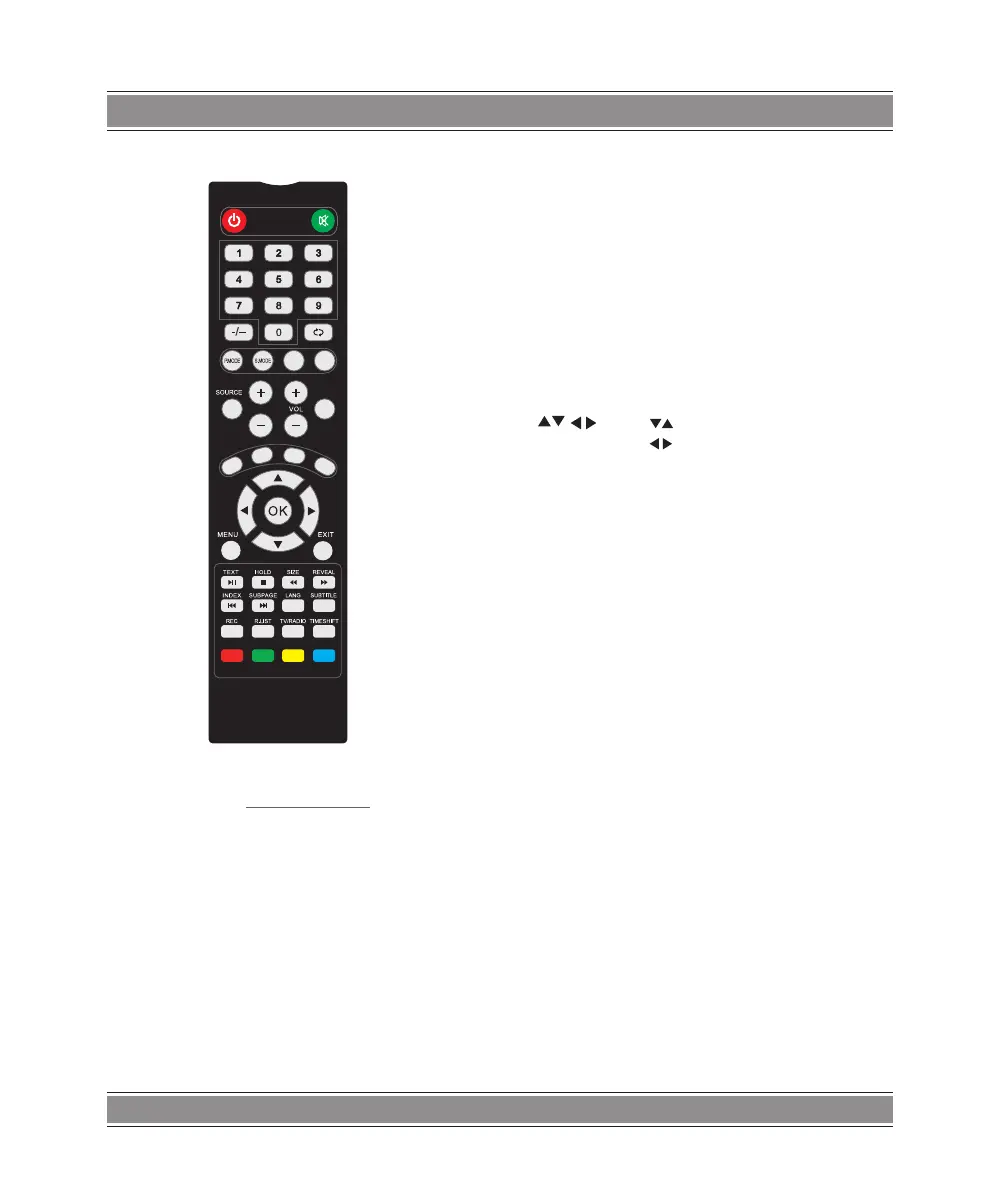
10. SOURCE: Input source selection button.
11. INFO: Press to display the source and channel’s
display.
12.VOL+: Increase the volume.
13.VOL-: Decrease the volume.
14.CH+: Increase the program.
15.CH-: Decrease the program.
1.POWER: Turn on the TV or enter standby mode.
2.MUTE: Turn off the sound and turn on when press
again.
3.0-9: Figures “0-9" are used to directly input channel
number.
4.-/--: Press this button to enter a program number for
multiple program channel such as 211.etc.
5. : Press this button to toggle between the current
and the previous programme you were you were
viewing.
6.P. M OD E : Select the different picture mode directly.
7.S.MODE: Select the different sound mode directly.
8.NICAM: Press to select the MTS mode.(for example,
Nicam,BTSC,MONO,STEREO.eg)
9.SLEEP: Set the sleep t
16.MEDIA: Press this button to Switch to MEDIA(USB)
Source.
17.FREEZE: Image still.
18.ASPECT: Aspect function.
19.EPG: To s h ow th e E l ect r on i c Pro g ram Gu i de in DT V
mode.
20. Press button to select items.
Press button to adjust it.
21.OK: To confirm the choice with the highlighted menu
item.
22.MENU: Start system menu and return to upper menu.
23.EXIT: Press to exit the OSD menu.
24.TEXT: Switch the teletext on and off.
25.HOLD: HOLD On or Off for current page display.
26.SIZE: Change the size of display in Teletext mode.
27.REVEAL: Reveal or Hide the hidden words.
28.INDEX: Request the lndex page in Teletext mode.
29.SUBPAGE: Press to access sub page.
30.LANG: Press to show the language in DTV mode.
31.SUBTITLE: To display subtitle in USB mode.
32.REC: Record begin in PVR mode.
33.R.LIST: Show the recorded list.
34.TV/RADID: When watching channel,allows you to
switch between TV and Radio modes.
35.TIME SHIFT: 1.DTV channel time shift Function.
2.play on PVR or Media Player mode.
36.GREEN/RED/YELLOW/CYAN button



 To Next Page