EasyManua.ls Logo

Manta MM624 - User Manual

Manta MM624
36 pages
Go to English
Print Icon
To Next Page IconTo Next Page
Loading...
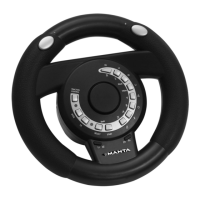
MM624 u Air Wheel
Aby zapewnić prawidłową obsługę sprzętu
zapoznaj się dokładnie z instrukcją
i zachowaj ją na przyszłość.
To ensure proper use of this product
please read this User’s Manual carefully
and keep for future reference.
Instrukcja obsługi
Users Manual
vod k obsluze
Használati útmutató
Інструкція користування

Table of Contents

Question and Answer IconNeed help?

Do you have a question about the Manta MM624 and is the answer not in the manual?

Summary

MM624 Air Wheel Product Overview

Detailed Button Functions

Explains the function and compatibility of each button on the MM624 Air Wheel.

Operational Modes and Control Programming

Operating Modes and Indicators

Details the different operating modes and their corresponding indicator lights.

Vibration Feedback Features

Explains the vibration functionality and its use in games across platforms.

Gas Button Programming

Step-by-step guide to program the gas button function.

Advanced Controls and Settings

Programming Brake and Gear Buttons

Instructions for programming brake and gear shift button functions.

Steering Sensitivity Adjustment

How to adjust steering sensitivity for different game types (Normal, Fast, F1).

Traction Control System

Explanation of the traction control feature and its operation.

PC Setup and Configuration

Minimum System Requirements for PC

Lists the hardware and software requirements for using the Air Wheel on a PC.

Installing the System Driver for PC

Step-by-step guide to install the necessary drivers and configure the wheel in Windows.

Console Setup and Troubleshooting

Troubleshooting Common Issues

Guidance on resolving common problems encountered during setup or use.

Setting Up for PS3

Instructions for connecting and configuring the Air Wheel for PlayStation 3.

Setting Up for Xbox

Instructions for connecting and configuring the Air Wheel for Xbox.

Summary

MM624 Air Wheel Product Overview

Detailed Button Functions

Explains the function and compatibility of each button on the MM624 Air Wheel.

Operational Modes and Control Programming

Operating Modes and Indicators

Details the different operating modes and their corresponding indicator lights.

Vibration Feedback Features

Explains the vibration functionality and its use in games across platforms.

Gas Button Programming

Step-by-step guide to program the gas button function.

Advanced Controls and Settings

Programming Brake and Gear Buttons

Instructions for programming brake and gear shift button functions.

Steering Sensitivity Adjustment

How to adjust steering sensitivity for different game types (Normal, Fast, F1).

Traction Control System

Explanation of the traction control feature and its operation.

PC Setup and Configuration

Minimum System Requirements for PC

Lists the hardware and software requirements for using the Air Wheel on a PC.

Installing the System Driver for PC

Step-by-step guide to install the necessary drivers and configure the wheel in Windows.

Console Setup and Troubleshooting

Troubleshooting Common Issues

Guidance on resolving common problems encountered during setup or use.

Setting Up for PS3

Instructions for connecting and configuring the Air Wheel for PlayStation 3.

Setting Up for Xbox

Instructions for connecting and configuring the Air Wheel for Xbox.

Manta MM624 Specifications

General IconGeneral
TypeGamepad
ConnectivityWired
InterfaceUSB
Analog Sticks2
Vibration FeedbackYes
CompatibilityPC
Buttons12 buttons

Related product manuals