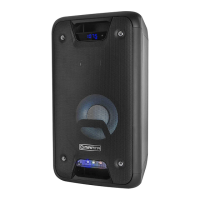
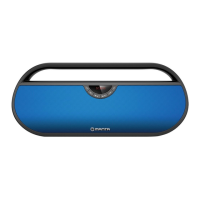
SPK216-ES
Playing music from USB disk:
● Turn the Power button to “ON”.
● Insert USB ash disk into slot, the speaker will play the stored music automatically.
● Long-press Forward or Backward button +/- to select songs you like. You can also do this via your mobile device.
● Short-press Volume down and up +/- to adjust the volume.
● Short-press Play/Pause to play or pause.
FM Radio:
● Turn the power button to “ON”, short-press the M “MODE” button to enter radio state.
● Long-press “Play/Pause” button to auto search the FM Channel and store it automatically.
● Long-press +/- “Forward or Backward” button to change the stored FM channel, short-press to adjust the volume up and
down.
AUX-IN:
● For other compatible music devices, use the supplied audio line cable to connect from the device’s “Line Out” to the “Aux In” of
this device, then enjoy…
● Under any playing mode, when you use the audio cable to connect the device, it will auto-switch to the AUX mode.
● When using an external device, all functions can be controlled by the external device.
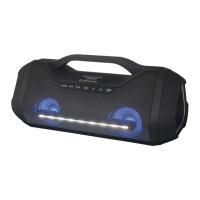
RGB Light
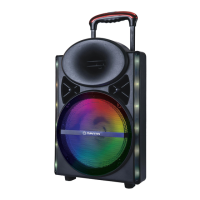
The RGB light is on when speaker powered on, user can short-press the RGB Light button to turn the three dierent light
modes and turn it o.
Activating Voice Assistant:
● Make Bluetooth connection with your mobile phone.
● Long-press Play/Pause button to activate voice assistant.
Hands-free call:
● Under Bluetooth connection status, if there is an incoming call, user can short-press Play/Pause button to accept the call or
long-press Play/Pause button to reject the call.
● During the call, user can long-press Play/Pause button to switch to talking on the phone.
● Short-press Play/Pause button or operate on mobile phone to end the call.
Reset Functionality:
If the speaker does not turn o or respond, user can short-press the Reset Jack with a small round pin to reset the speaker.
Default volume is at 50% status of max volume.
Play time in battery mode may vary depending on volume level and music style.
How to charge:
● The charger is not included in the package, please charge this speaker via a standard 5V/1-3A charger or via a PC.
● Charge time should be 4-7 hours. Once the speaker is full charged, the 4 LED lights will keep steady lighting if it's powered on,
otherwise, the LED lights will be o.
● When battery voltage is low, the speaker will prompt for recharging.
● The unit does not have power bank function, it is forbidden to charge other device via this unit or to connect other device via
the USB port.


 To Next Page