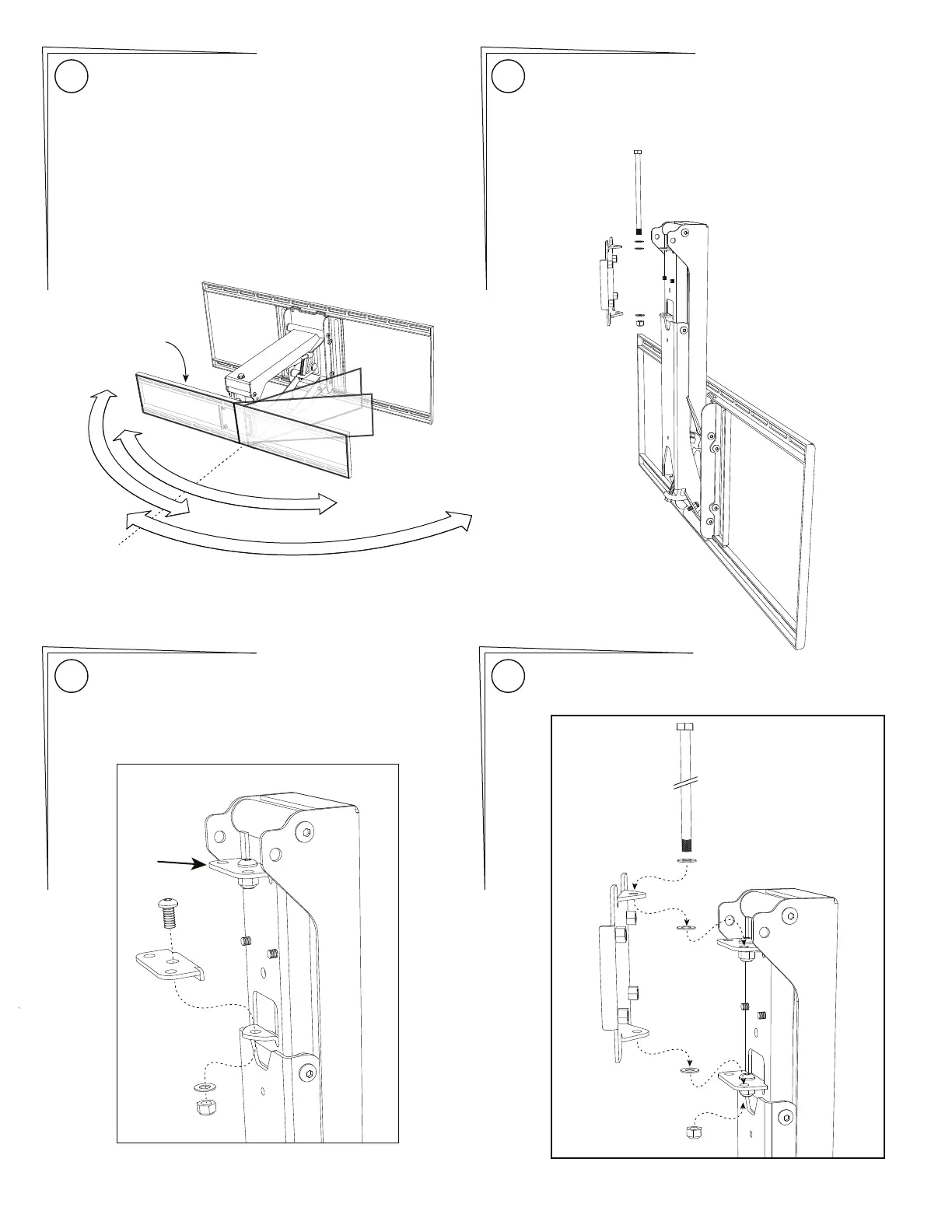
Determine the desired swivel setting: Installing the Side Swivel Kit:
MantelMount is designed to swivel 35° left and 35° right.
Most TVs will reach the wall within this amount of swivel.
For situations where more swivel to one side is desired,
MantelMount includes a Side Swivel Kit that will provide
60° of swivel in either the left or right direction, but not
both. This situation is only for a small TV and a mounting
situation that does not have a mantel.
If you do not need to add the Side Swivel Kit, skip ahead
to Step 20.
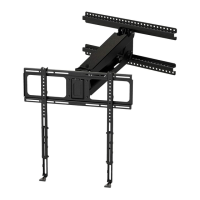
Remove the Swivel TV Plate (Item 51 in the Parts List).
Save all of the hardware, it will be re-installed in the same
order it is removed.
16
17
C
E
N
T
E
R
R
I
G
H
T
L
E
F
T
6
0
˚
3
5
˚
TV Frame
shown for
reference only
35˚
60˚
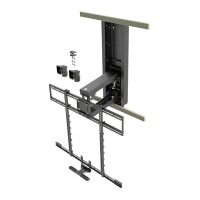
Install both Side Swivel plates onto the Lift Mechanism.
The plates nestle on the tops of the existing tabs of the
Swivel Bracket.
{59}
{11}
{21}
{14}
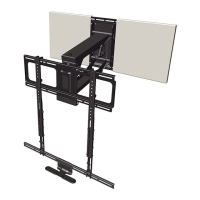
Re-attach the Swivel TV Plate onto the desired side of the
Side Swivel plates in the same order that each part came
off.
18
19
MantelMount MM700 PAGE 9


 To Next Page