Specifications
maono
Podcasting Microphone kit
AU-A04
User Manual
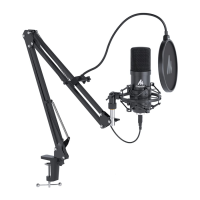
Install Microphone stand on Table
(S Screwthe TABLECLAMPonthe edgeof atable.
@ Insert the ADJUSTABLEARM into the hole.
(S Fastenthe screw.
@ Fix Shock mount with Microphot* stand.
Microphone-core:
Polar Pattern:
Frequency Response:
Sensitivity:
Equivalent NoiseLevel:
Maximum SPL:
S/N Ratio:
Sampling Rate:
Cable:
dB
Frequercy
Pattern
IV,'Pa
Specifications
Dia- 16mm Condenser
Cardioid
30Hz-16kHz
-38dB+/-3dB (OdB=lV/Pa at 1kHz)
16dBA Max.
120dB
70dB
192kHz/24bit
USB A to B cable 2.5m
toy
(at IKHz)
Specifications
Features
• Largecapsulewith plated membrane
• Cardioid polar pattern
• Ultra-low noisetransformerlesscircuitry
• New, state-of-the-art surface mount electronics
• Heavy-dutysatinnickelfinish
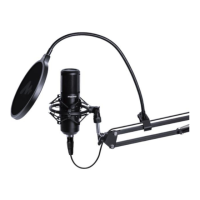
•Stablemetal boom arm systemwith pop filter
• Boomarm with 2-axisswivel mount for accuratepositioning
• Built-in Sound card, Plug and Play operation for PC,
MAC. Setup is so easy--just connect and go.
Microphone Placement
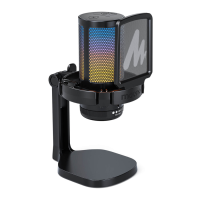
The logo of 'M" on the body of the microphone indicatesthe front of the
microphone, and the pick-up areaof the cardi0id pattern, Pleasebe sure
to havethe side of the logo facing the sound sourceyou wish to record.
ASwith many OtheraspectsOfthe recording process,finding the
preferred sound is a matter of experimentation.
How to setting on computer
Windows 1OZ 7
Recording vocals
• Westronglyrecommendusingthe pop filter for all vocalrecording.This
aidsin minimizing plosivesounds(hardP,BTandKsounds)that
produce a sudden jet of air which can cause the capsule to overload and
produce apopping sound.
• Any moisture on the microphone capsule can cause problems for
condenser microphones, however the useof the pop shield will reduce the
riskof thisoccurring.
• Placement of the microphone and pop filter relative to the vocalist may
bevariedon severalfactorsincluding roomacoustics,the vocal
performance, and whether the vocalist has a high or deep voice.
• An ideal reference is to begin with the pop filter directly in front of the
vocalist, and approximately 15cm (6) away from the microphone. This will
assistin keepingthe performerat a constantminimum distancefromthe
microphone and helps to maintain reasonable recording leveK
• Experimentationshould bemadewith the anglefrom which the
microphone is addressed, asdifferent results can be achieved when the
vocalist isoff-axisto the microphone.
Applications setting: (Example Skype)
clickO O O in sequence
Genets
Aud»c vett•no
For iOS system:
Shock Mount
Pop filter
USB Cable
maono
Accessories
Microphone
stand
Table Clamp
Windscreen cap
Installation quick guide
Connect to Computer
x
2
x
x
x
1
Setting microphone level
1
@ope•
3
3
4
Setup - >sound >lnput >Realtek
Effects
Select a
Interna•
Sett'ngs
USB2.O Audio
Output
Bur.
Professional microphone manufacturer
Maono technology Co.,Ltd.
4B,Building No.45, SoftwareTown of Universiade,No.8288
Longgang RcLLonggang District, Shenzhen,PRC
Tel: +86 755 82934327
Fax : +86 755 8293 4365
www.maono.com
Support:
Support@maono.com
selected device us no *wtcortrols
Inmi
Your device is ready to use


 To Next Page
 Need help?
 General