Need help?
Do you have a question about the Maono DGM20 and is the answer not in the manual?
Graph showing audio output levels across different frequencies.
Diagram illustrating the microphone's sensitivity to sound from different directions.
Guide on connecting headphones to the microphone for audio monitoring.
Instructions for connecting the microphone to a computer via USB.
Details on using the button for noise cancellation and muting the microphone.
How to control the RGB lighting effects on the microphone.
Instructions on adjusting the microphone's input gain level.
Step-by-step guide for setting up the microphone on Windows.
How to adjust the microphone's input volume level in Windows.
Step-by-step guide for setting up the microphone on macOS.
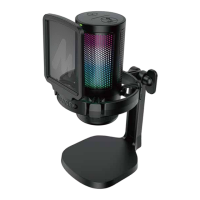
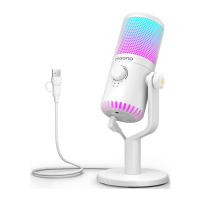
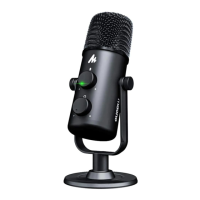
The Maono DM20 is a gaming USB microphone with noise-cancelling capabilities, designed to enhance the audio experience for game enthusiasts and content creators. It is an all-in-one starter kit that offers a blend of modern aesthetics and advanced features, making it suitable for a wide range of internet applications and gaming consoles.
The primary function of the Maono DM20 is to capture high-quality audio for gaming, streaming, and other internet-based communication. It is equipped with a condenser microphone capsule, known for its sensitivity and ability to capture detailed sound. A key feature is its ENC (Environmental Noise Cancellation) technology, which actively reduces background noise, ensuring clear and focused voice pickup. This is particularly beneficial in noisy environments common during gaming or live streaming.
The microphone offers real-time monitoring through a 3.5mm headphone jack, allowing users to hear their own voice and the overall audio mix without latency. This is crucial for adjusting vocal delivery and ensuring optimal sound quality during live sessions. An adjustable gain control is integrated, providing users with the flexibility to fine-tune the microphone's sensitivity to match their speaking volume and the acoustic environment. This prevents audio clipping or overly quiet recordings.
For visual appeal and an immersive experience, the DM20 features controllable RGB lighting. Users can switch between single colors and various RGB color modes, or even turn off the lights entirely, to match their setup or mood. This aesthetic element adds a dynamic visual dimension to gaming and streaming setups.
The microphone is designed for plug-and-play convenience with USB-C connectivity, making it compatible with a wide range of devices, including Windows PCs (10, 8, 7), macOS systems, PlayStation 4, and PlayStation 5 consoles. This broad compatibility ensures that users can easily integrate the DM20 into their existing setups without complex driver installations.
The Maono DM20 is designed for ease of use and versatility. Its all-in-one nature means it comes with essential accessories like a pop filter and a shock mount integrated into its design. The pop filter helps to reduce plosive sounds (harsh "p" and "b" sounds) that can distort audio, while the shock mount isolates the microphone from vibrations and handling noise, ensuring cleaner recordings.
The microphone features intuitive button controls for key functions. A dedicated Noise Cancellation/Mute button allows users to quickly toggle between noise cancellation on/off and mute/unmute states with a simple press. A short press (<1s) will mute or unmute the microphone, indicated by a change in the LED indicator (e.g., green for unmute, red for mute). A longer press (>2s) activates or deactivates the noise cancellation feature, also reflected by distinct LED indicators (e.g., blue for ON, green for OFF). This quick access to critical audio controls is invaluable during live gaming or streaming sessions where immediate adjustments are often needed.
The RGB switch provides control over the microphone's lighting. A short press (<1s) cycles through different single colors and RGB color modes, allowing users to customize the visual ambiance. A longer press (>2s) turns off the RGB lights completely, offering flexibility for users who prefer a more subdued look.
The adjustable gain control is a physical knob, labeled "Mic Gain," which can be turned right to increase microphone gain or left to decrease it. This tactile control allows for precise and on-the-fly adjustments to input volume, ensuring that the microphone captures sound at the optimal level without requiring software intervention.
For monitoring, the 3.5mm headphone jack allows users to connect their headphones directly to the microphone. This enables real-time, zero-latency monitoring of their voice, which is essential for self-correction and ensuring that the audio output is clear and balanced.
The microphone's placement is crucial for optimal performance. The manual illustrates the correct placement, showing the user speaking directly into the front of the microphone, which is equipped with the pop filter. Incorrect placement, such as speaking into the side or back of the microphone, is shown to be suboptimal, highlighting the importance of proper orientation for capturing the best sound quality.
Connecting the microphone to a computer is straightforward. Users simply plug the USB-C cable into the microphone and the USB-A or USB-C end into their computer. The device is typically recognized automatically by Windows and macOS, with a notification indicating that the device is ready to use. For Windows users, the setup guide details how to select the DM20 as the default playback and recording device in the sound settings. Similarly, for macOS users, the guide shows how to select the DM20 as the input and output device in the Sound Preferences.
Adjusting microphone levels is also covered in the setup guides. On Windows, users can access the microphone properties to adjust the input level slider, typically aiming for a level around 70-80% to avoid distortion while ensuring sufficient volume. On macOS, the input volume slider in the Sound Preferences allows for similar adjustments.
The DM20 is compatible with popular internet applications such as Discord, OBS, XSplit, Twitch, YouTube, and Facebook, making it a versatile tool for various content creation and communication needs. Its compatibility with PlayStation 4 and 5 consoles further extends its utility for console gamers looking for an enhanced audio experience.
While the manual does not explicitly detail maintenance features, the design of the Maono DM20 suggests a focus on durability and ease of care. The integrated pop filter and shock mount are designed to be robust and protect the microphone capsule from physical impact and airborne particles. The pop filter, being a mesh-like material, can typically be gently cleaned if it accumulates dust or debris over time, though specific cleaning instructions are not provided.
The microphone's desktop stand provides a stable base, reducing the risk of accidental knocks or falls. The hinged joint allows for adjustment of the microphone's angle, which can also help in positioning it away from potential hazards.
The USB-C connection is known for its durability and reversible design, minimizing wear and tear from repeated plugging and unplugging. The 2-in-1 USB A&C to USB C cable offers flexibility and is likely designed for longevity.
A crucial notice in the manual advises users to "Please use external power adapter when connecting microphones to iOS devices." This suggests that for certain mobile devices, the microphone might require additional power to function optimally, which is a common consideration for USB-powered audio devices and helps ensure stable performance. This also implies that the microphone is designed to be robust enough to handle external power sources when necessary.
Overall, the Maono DM20 is presented as a user-friendly, feature-rich gaming USB microphone that prioritizes clear audio, aesthetic appeal, and broad compatibility, making it an excellent choice for gamers and streamers seeking to elevate their audio quality.
 General
| Microphone Type | Condenser |
|---|---|
| Polar Pattern | Cardioid |
| Sample Rate | 48kHz |
| Connectivity | USB |
| Frequency Response | 20Hz - 20kHz |
| Connector | USB Type-C |

 To Next Page