EasyManua.ls Logo

Maple Systems HMI5043Lv2 - User Manual

Maple Systems HMI5043Lv2
20 pages
Print Icon
To Next Page IconTo Next Page
Loading...
1010-1018 Rev 13 www.maplesystems.com
Introduction
Thank you for purchasing a Maple Systems HMI5000L Series graphic
industrial operator interface terminal. This booklet describes the steps
necessary for installing the following models:
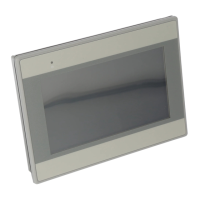
HMI5043Lv2
HMI5043LBv2
HMI5043DL
HMI5070NL
HMI5070L
HMI5070LB
HMI5070DL
HMI5071L
HMI5097DXL
HMI5097NXL
HMI5100L
HMI5102L
HMI5103L
HMI5120XL
HMI5121XL
HMI5150XL
The HMI5000L Series touchscreens are configured using the
EasyBuilder Pro Software.
For information on programming and configuring the HMI, please refer to
the EasyBuilder Pro Programming Manual available for free download
on the Maple Systems website in the Support Center.
For additional information, please refer to the Support Center section of
the Maple Systems website, www.maplesystems.com/support.
The Support Center provides links to information such as Software
Downloads, Manuals, FAQs, Technical Notes, Training Videos, Sample
Projects, Controller Information Sheets, Controller Cables, and more.
HMI5000L Series
Installation Guide
Question and Answer IconNeed help?

Do you have a question about the Maple Systems HMI5043Lv2 and is the answer not in the manual?

Overview

The HMI5000L Series is a line of graphic industrial operator interface terminals manufactured by Maple Systems. These touchscreens are designed for use in industrial environments and are configured using the EasyBuilder Pro Software. The series includes various models such as HMI5043Lv2, HMI5043LBv2, HMI5043DL, HMI5070NL, HMI5070L, HMI5070LB, HMI5070DL, HMI5071L, HMI5097DXL, HMI5097NXL, HMI5100L, HMI5102L, HMI5103L, HMI5120XL, HMI5121XL, and HMI5150XL.

Function Description:

The HMI5000L Series provides a human-machine interface for industrial control applications. It allows operators to monitor and control industrial processes through a touchscreen display. The devices are designed to connect to Programmable Logic Controllers (PLCs) and other industrial equipment, facilitating data exchange and system management. The EasyBuilder Pro Software is used for programming and configuring the HMI, enabling users to create custom interfaces and logic for their specific applications.

Important Technical Specifications:

  • Operating Temperature: 0°C to 50°C (32°F to 122°F).
  • Power Supply: The HMI requires a DC regulated power supply with an output of at least +24 VDC ±20% measured at the HMI power connector. Specific models have different voltage requirements:
    • HMI5043Lv2, HMI5043LBv2: +22~28VDC only.
    • HMI5043DL: +10.5~28VDC only.
    • A power line filter with a current rating of at least 3 Amps is highly recommended for the AC input to the HMI power supply.
  • NEMA Rating: NEMA 4 (indoor) or IP65/IP66 for installations, meaning the front enclosure provides protection against splashing water, wind-blown dust, rain, or hose-directed water when properly mounted.
  • CE Compliance: The HMIs conform to European CE requirements, meeting or exceeding EN55022 (Emissions) and EN55024 (Immunity) standards for electrical noise in industrial environments.
  • Mounting: Requires a metal panel or mounting surface that does not flex more than 0.010” to ensure a NEMA 4 seal. Recommended torque for screw clamps is 3.5 in/lbs.
  • Configuration Cables:
    • Ethernet Configuration Cable (P/N 7431-0104) for most models.
    • Mini USB Configuration Cable (P/N 7431-0115) for HMI5120XL, HMI5121XL, and HMI5150XL.
  • Serial Port Pinouts: Detailed pin configurations are provided for DE9P and DE9S connectors, supporting various communication standards like RS-232, RS-485 (2-wire and 4-wire), and CAN Bus (for XL/DXL models).
    • COM1 [RS-485 2W] and COM3 [RS-485 2W] support Siemens MPI 187.5K multi-point interface, though only one COM port can be used for MPI at a time.
    • COM1 [RS-485 2W] and COM3 [RS-485 4W] are available on HMI5102L and HMI5103L units manufactured after July 2018 with OS version 20180301 or later.
    • COM2 [RS-485 2W] and COM3 [RS-485 2W] support Siemens MPI 187.5K multi-point interface, but only one COM port can be used for MPI at a time.
    • COM1 RS232 RTS/CTS and COM3 RS232 cannot be used simultaneously.
  • Ethernet Ports:
    • HMI5043DL, HMI5070DL, HMI5097DXL models feature two Ethernet ports (LAN1 and LAN2). LAN1 is DHCP client by default, LAN2 is 192.168.100.1 with subnet mask 255.255.255.0. Both ports must be on separate subnets for simultaneous operation.
    • HMI5103L models feature Ethernet (Network tab) and Wireless (Wi-Fi) connectivity.
  • Wi-Fi Connectivity (HMI5103L): Supports IEEE 802.11 b/g/n with WPA-PSK/WPA2-PSK encryption. Wi-Fi is off by default. When used simultaneously with wired Ethernet, connections must be on different subnets.
  • USB Host Port: Designed for data storage only. External USB hard drives should be powered by their own supply. Not intended for charging devices.

Usage Features:

  • EasyBuilder Pro Software: The primary tool for programming and configuring the HMI, allowing for custom application development.
  • System Settings Menu: Accessed via an arrow icon in the lower-right corner of the screen, this menu allows users to configure network settings (IP address, DHCP), Wi-Fi settings, and other system parameters. A default password (111111) is required to enter.
  • Touchscreen Calibration Mode: Can be entered via DIP switches/jumpers or by pressing the screen for several seconds during power-up.
  • Hide System Toolbar: A feature to hide the arrow icon that accesses the System Settings menu, providing a cleaner interface.
  • EasyAccess 2.0: Pre-installed on HMI5043DL, HMI5070DL, HMI5097DXL, and HMI5103L models, enabling remote monitoring without an activation card.
  • USB Stick Clamp: (Not on all models) Prevents USB sticks from disconnecting due to vibration, secured with a zip tie.

Maintenance Features:

  • Static Awareness: Users are advised to handle the HMI at a static-free, grounded workstation, discharge personal static, connect chassis ground to earth ground, and use antistatic bags during transport to prevent electrostatic discharge damage.
  • Internal Fuse: (Except 4.3” display models) Designed to prevent damage from overcurrent conditions or incorrect DC power polarity. If the display does not power on, users should remove power, check wiring, and reapply power.
  • DIP Switches/Jumpers: Some models feature DIP switches or an 8-pin header for jumpers to enable specific modes such as Touchscreen Calibration, Hide System Toolbar, and Boot Loader mode. HMI power must be cycled after changing these settings.
  • Boot Loader Mode: Intended for qualified repair personnel only for replacing or reinstalling the operating system. Improper use may damage the HMI.
  • Grounding Procedures: Emphasized for safety and noise immunity. The control panel must be connected to a good, high-integrity earth ground. Earth ground wires from the HMI, PLC, power supply, and line filter should route to a central earth ground point. The HMI chassis ground terminal should be connected to the control panel with a heavy-gauge short braided cable (#14 AWG) or ground wire. If the control panel is non-conductive, the chassis ground terminal must connect to a clean earth ground point close to the panel. The power cable's shield wire should connect to the HMI's chassis ground terminal. Hinged doors on control panels require a separate wire braid for long-term electrical connection.
  • Cable Routing and Noise Immunity: Guidelines include routing communication and power cables away from AC voltage or rapidly switching DC control lines, avoiding bundling with 120VAC power wires or relay wiring, maintaining at least 8 inches (20 cm) separation from other power wiring (more for >120VAC), crossing AC wiring at 90 degrees, running AC power wires in a separate grounded conduit, keeping cable lengths short, and covering high-frequency/high-current equipment with grounded metal shields.

Maple Systems HMI5043Lv2 Specifications

General IconGeneral
BrandMaple Systems
ModelHMI5043Lv2
CategoryRecording Equipment
LanguageEnglish

Related product manuals