EasyManua.ls Logo

Maple Systems HMI5102L - User Manual

Default Icon
20 pages
Print Icon
To Next Page IconTo Next Page
Loading...
1010-1018 Rev 12 www.maplesystems.com
Introduction
Thank you for purchasing a Maple Systems HMI5000L Series graphic
industrial operator interface terminal. This booklet describes the steps
necessary for installing the following models:
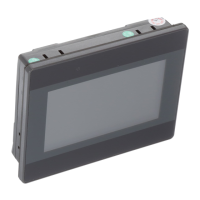
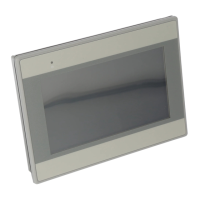
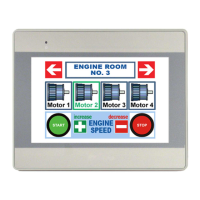
HMI5043L
HMI5043LB
HMI5043DL
HMI5070NL
HMI5070L
HMI5070LB
HMI5070DL
HMI5071L
HMI5097DXL
HMI5097NXL
HMI5100L
HMI5102L
HMI5103L
HMI5120XL
HMI5121XL
HMI5150XL
The HMI5000L Series touchscreens are configured using the
EasyBuilder Pro Software.
For information on programming and configuring the HMI, please refer to
the EasyBuilder Pro Programming Manual available for free download
on the Maple Systems website in the Support Center.
For additional information, please refer to the Support Center section of
the Maple Systems website, www.maplesystems.com/support.
The Support Center provides links to information such as Software
Downloads, Manuals, FAQs, Technical Notes, Training Videos, Sample
Projects, Controller Information Sheets, Controller Cables, and more.
HMI5000L Series
Installation Guide
Question and Answer IconNeed help?

Do you have a question about the Maple Systems HMI5102L and is the answer not in the manual?

Summary

Static Discharge Prevention

HMI Unpacking and Packing List Verification

Technical Support and Compliance Standards

HMI Environmental and Safety Precautions

Critical Safety Warnings

Highlights essential safety warnings regarding power sources, emergency stops, and electrical hazards.

Cable Routing for Noise Immunity

Recommended Power Supply Specifications

Essential Control Panel Grounding Procedures

Grounding Connection Steps

Details the steps for connecting HMI chassis, panel, and power components to earth ground.

HMI Power Connection Wiring

Panel Preparation and HMI Mounting

HMI Configuration Cable Requirements

USB Configuration Connection Guidelines

HMI Ethernet IP Address Configuration

HMI Maintenance and Mode Selection

Dual Ethernet Port Network Configuration

HMI5103 L Wi-Fi Connectivity and Setup

Wi-Fi Enable and Network Connection

Step-by-step guide to setting up Wi-Fi, selecting a network, and entering credentials.

Maple Systems HMI5102L Specifications

General IconGeneral
Display TypeTFT LCD
Power Input24VDC
Display Size10.1 inches
Resolution1024 x 600
Touch PanelResistive
Memory128 MB RAM
Communication PortsRS-232
Operating Temperature0°C to 50°C

Related product manuals