EasyManua.ls Logo

Mar Cor Purification WRO 300 - User Manual

Mar Cor Purification WRO 300
146 pages
Print Icon
To Next Page IconTo Next Page
Loading...
Mar Cor Purification
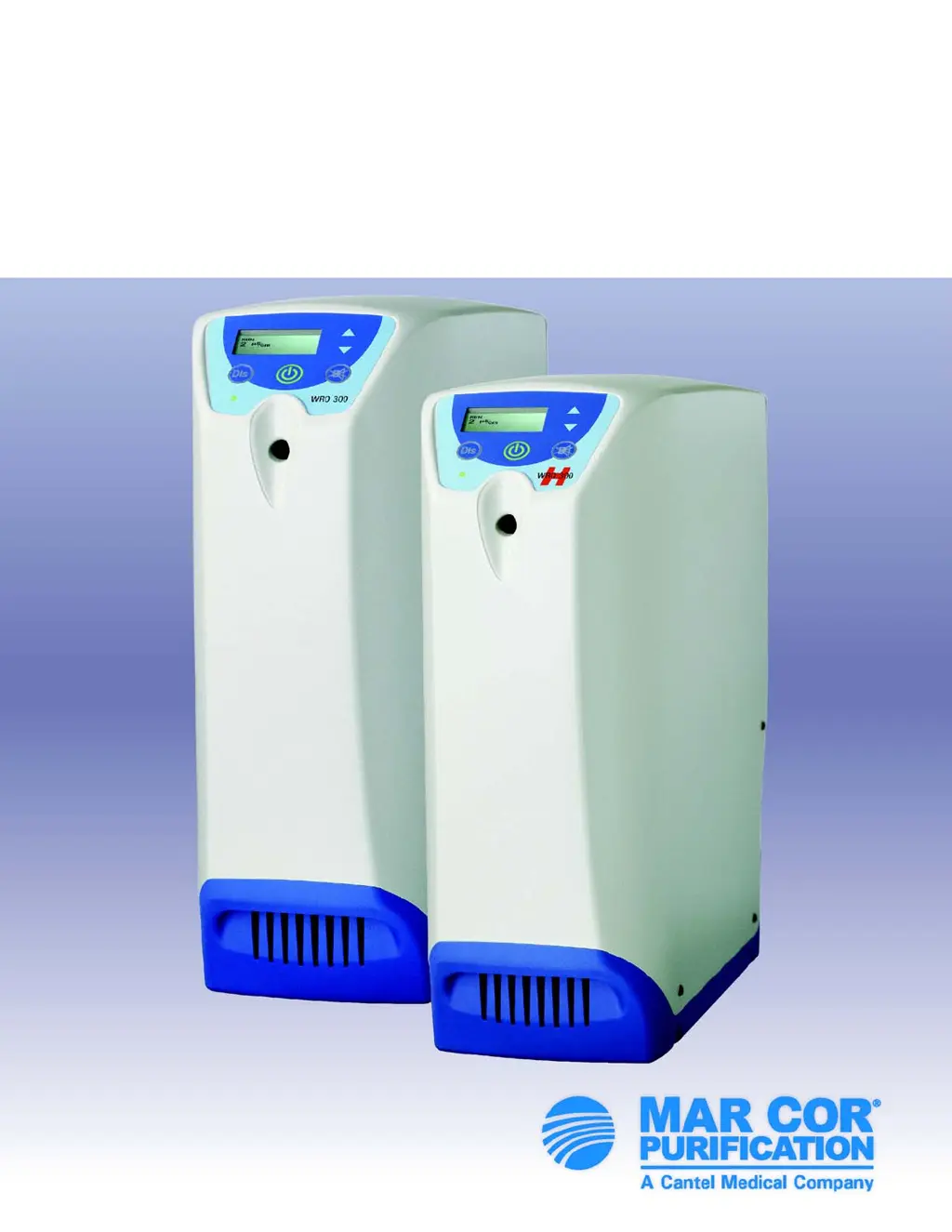
WRO 300/300 H
Service Manual

Table of Contents

Questions and Answers

  • D
    Deborah GonzalezAug 22, 2025
    What to do if Mar Cor Purification Water Filtration Systems reports a high level sensor failure?
    • J
      Jasmine JonesAug 22, 2025
      If the high level sensor in your Mar Cor Purification Water Filtration Systems fails (specifically optical sensors), consider these steps. Note: It's generally recommended to switch to float level switches. 1. If you've installed float level switches, ensure that preset S227 is set to MECHANICAL. 2. Check the connections to the high level sensor. 3. If it's an optical type sensor, remove it and clean it with a mild soap solution. 4. If the problem continues, switch to float level switches.
  • M
    malonealexanderAug 26, 2025
    What to do if Mar Cor Purification WRO 300 reports insufficient water supply?
    • P
      Patrick BradfordAug 26, 2025
      If the Mar Cor Purification Water Filtration Systems displays 'INSUFFICIENT WATER SUPPLY' because the inlet tank appears empty, take these steps: 1. Ensure the feed water supply meets the Technical Data specifications. If the message is intermittent, the feed water pressure might be insufficient. 2. Use the Internal Service Menu to check the function of the level sensors and the inlet valve. 3. Inspect the internal inlet constant flow valve for any particle blockages. Refer to component 3 in the Flow Diagrams on page 15. 4. If applicable, check the external constant flow valve for any particle blockages.
  • M
    Mrs. Donna SmithAug 28, 2025
    What to do if the high level sensor doesn't detect water during filling of Mar Cor Purification Water Filtration Systems?
    • J
      Jessica RobertsAug 28, 2025
      If the high level sensor in the Mar Cor Purification Water Filtration Systems hasn't detected water within the expected time during filling, which is determined by preset S233, consider the following: 1. Replace optical level sensors with float level switches, if not already done. 2. Start the WRO unit in RUN mode and use logging in Internal service to verify the high level sensor's proper function. Replace the sensor if needed. 3. Adjust preset S233 if the WRO unit has a poor or highly variable water supply. 4. If the alarm persists, you can disable the overflow supervision system by setting preset S233 to zero (0). Caution: This will disable the overflow supervision function.
  • A
    Amanda KnoxAug 31, 2025
    What to do if Mar Cor Purification WRO 300 reports high conductivity rinse?
    • J
      jennifer52Aug 31, 2025
      If the Mar Cor Purification Water Filtration Systems displays 'HIGH CONDUCTIVITY RINSE', indicating the conductivity is above the Conductivity Notification limit after a prolonged Rinse, follow these steps: 1. Perform a separate test to confirm there are no residual chemicals in the product water. 2. Verify the product water conductivity reading against an external conductivity reference instrument and calibrate if necessary. 3. If the product water conductivity cannot be calibrated, check the conductivity measurement system (probe and electrical connections). Replace the CPU board if necessary.
  • M
    megan59Sep 3, 2025
    How to troubleshoot conductivity sensor failure in Mar Cor Purification WRO 300?
    • J
      john36Sep 3, 2025
      If the Mar Cor Purification Water Filtration Systems shows a 'CONDUCTIVITY SENSOR FAILURE' because the initial conductivity system check (peak test) failed, here’s what you can do: 1. False alarms may occur if the feed water conductivity is very low (less than 50 ?S/cm) or if the unit is operated on reverse osmosis feed water. If this is the case, disable preset S186 to prevent these false alarms. 2. Verify the product water conductivity reading against an external conductivity reference instrument and calibrate if necessary. 3. If the product water conductivity cannot be calibrated, inspect the conductivity measurement system, including the probe and electrical connections. If necessary, replace the CPU board.
  • J
    jasminearellanoSep 6, 2025
    What to do if Mar Cor Purification WRO 300 shows incorrect water level?
    • B
      Billy VillarrealSep 6, 2025
      If your Mar Cor Purification Water Filtration Systems indicates 'Incorrect Water Level' because the water level in the tank is lower than expected, follow these steps: 1. Ensure that the dialysis machine is disconnected. 2. Inspect fluid connections and the WRO for any signs of leakage. 3. Check the empty level sensor and its connection.
  • A
    alexis53Sep 9, 2025
    What to do if Mar Cor Purification Water Filtration Systems continuously requires rinse?
    • B
      bruce96Sep 9, 2025
      If the Mar Cor Purification Water Filtration Systems displays 'RINSE REQUIRED' because the WRO is filled with chemicals, and the alarm persists after a second Rinse cycle, replace the CPU board.
  • B
    Brian HodgeSep 12, 2025
    What to do if Mar Cor Purification Water Filtration Systems shows load application failed?
    • E
      englishashleySep 12, 2025
      If the Mar Cor Purification Water Filtration Systems displays 'LOAD APPLICATION FAILED' due to a software malfunction: 1. Download a new program to the WRO. 2. If the 'LOAD APPLICATION FAILED' error persists, replace the CPU board.
  • R
    Rachel RobinsonNov 15, 2025
    What to do if the Mar Cor Purification Water Filtration Systems shows a conductivity alarm?
    • C
      cynthia02Nov 15, 2025
      If the conductivity value has exceeded the alarm limit for more than 30 seconds, follow these steps: 1. Start the WRO unit and let it run for at least 15 minutes to allow the water temperature to equalize. Verify the feed and product water conductivity against an external reference instrument and calibrate if needed. 2. If the feed water conductivity has increased, the product water conductivity will also increase. Adjust the conductivity alarm limit accordingly. Note: This might require medical personnel approval. 3. If the feed water temperature has significantly increased since installation, it can affect the reverse osmosis membrane's salt rejection, leading to higher product water conductivity. Adjust the alarm limit to match the new conditions. 4. If the product water conductivi...
  • J
    James JimenezNov 18, 2025
    What to do if Mar Cor Purification WRO 300 Water Filtration Systems shows a conductivity notification?
    • J
      Jeremiah ParsonsNov 18, 2025
      If the conductivity value exceeds the notification limit for more than 30 seconds during operation, here’s what to do: 1. Start the WRO unit and let it run for at least 15 minutes to allow the water temperature to equalize. Verify both feed and product water conductivity against an external reference instrument and calibrate if necessary. 2. If the feed water conductivity has increased, the product water conductivity will also increase. Adjust the conductivity notification limit to correspond to the new situation. 3. If the feed water temperature has significantly increased since installation, this will affect the salt rejection ability of the reverse osmosis membrane, leading to higher product water conductivity. Adjust the conductivity notification limit to correspond to the new situ...

Summary

Preface

Safety Message Definitions

Defines hazard symbols and terms used in the manual.

Safety Considerations

Outlines critical safety warnings for operating the WRO unit.

Introduction

Intended Use

Specifies the WRO unit's purpose as a dialysis accessory.

General Function

Explains the basic operational principle of the WRO unit.

Technical Description

Flow Diagrams

Illustrates the water flow paths for different WRO unit models.

Components in Flow Diagram

Lists and describes components shown in the flow diagrams.

Operation Functions

Standby Mode

Details actions available when the unit is in standby mode.

Run Mode

Explains how to initiate and operate the unit in run mode.

Hygiene Functions

Chemical Disinfection and Cleaning

Describes procedures for disinfecting and cleaning the WRO unit.

Dwell and Rinse

Explains the dwell and rinse phases of cleaning programs.

Heat Disinfection (only WRO 300 H)

Initiate Heat Disinfection

Provides steps to start the heat disinfection process.

Heat Disinfection Procedure

Details the steps and checks involved in heat disinfection.

Features - Extra Functions

Water Save Function

Describes the water saving feature to reduce consumption.

Reminders

Explains the function that prompts user for recurring actions.

Replacements

Replacement Matrix

Provides a matrix for post-replacement verification actions.

Internal Service

Changing Configuration Parameters

Details methods for changing unit configuration settings.

Internal Service Mode

Explains how to access and navigate the internal service menu.

PC Support Software

USB Serial Driver Installation

Guides on installing the necessary USB drivers for PC connectivity.

Maintenance

Water Testing

Lists recommended water tests to ensure unit function.

Changing Prefilter Cartridges

Guides on replacing prefilter cartridges.

Electrical Safety

Protective Earth Test

Describes tests for protective earth connections.

Electrical Leakage Test (ELT)

Outlines the procedure for electrical leakage testing.

Troubleshooting

Alarms

Lists and explains unit alarms and their causes.

Operation

Details operational issues and troubleshooting steps.

Mar Cor Purification WRO 300 Specifications

General IconGeneral
BrandMar Cor Purification
ModelWRO 300
CategoryWater Filtration Systems
LanguageEnglish

Related product manuals