Activating The Fade-In And Fade-Out
Function (FADER)
NOTE!
– The FADER function can be used if the changer is
connected to the amplifier or the system via the
ANALOG OUT output.
• During play press FADER.
– The sound level will now gradually decrease (FADE
OUT), after which the changer will go into the PAUSE
mode.
FAdE f≠
™
FAdE ≠
™
FAdE _
• Press FADER again.
– Play continues and the sound level will increase again
to the originally set level (FADE IN).
FAdE _
™
FAdE ≠
™
FAdE f≠
Storing A Program (PROGRAM)
– By programming the changer you can play up to 40
tracks in any required sequence.
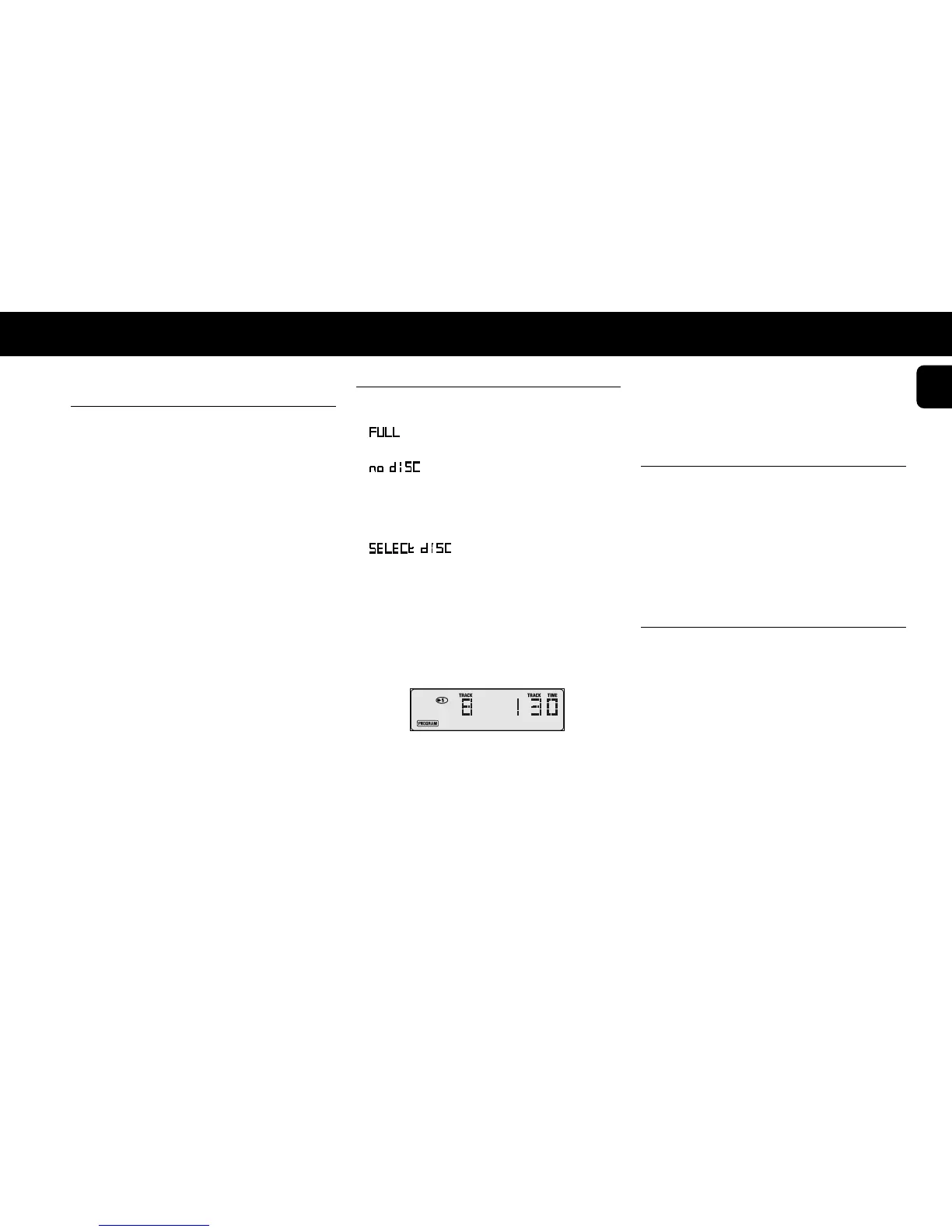
– lights up if you exceed the maximum of 40
tracks.
– lights up when there is no CD in the
selected CD compartment.
• In STOP mode, press PROGRAM to open the
memory.
– lights up and
PROGRAM
starts
flashing.
• Press PROGRAM again to select the last selected
disc or press any CD DIRECT PLAY button or DISC
(on the remote control) to select the desired disc.
• Press
T
or
S
(less than 0.5 seconds) until the
first track number you wish to program appears under
TRACK.
• Press PROGRAM again.
– The track number has now been stored in the
changers memory.
• Select the other track numbers required and store
each track by pressing PROGRAM.
– The number of tracks and the playing time of your
program will be shown under TRACK and TOT(al)
TIME.
• Press STOP
9
to quit the PROGRAM mode.
Note:
– If the total playing time is more than “
99:59
”,
then “
--:--
” appears in the display instead of the
total playing time.
Playing The Program ( PLAY
2
)
• Press PLAY
2
.
– Playback starts with the first number of the program.
The PROGRAM and EDIT buttons cannot be used during
programmed play.
Search for a particular passage is only possible within
the track being played.
Erasing A Program (STOP
9
or
OPEN/CLOSE)
In PLAY mode:
• Press OPEN/CLOSE or STOP
9
(twice).
In STOP mode:
• Press OPEN/CLOSE or STOP
9
.
– The program has now been erased.
15
English
PLAYBACK PROGRAMMING


 To Next Page