15
ENGLISH
Repeat play (playing the same
tracks repeatedly)
• Playing all tracks repeatedly (all-track
repeat)
This function repeatedly plays all the tracks. Repeat play is
possible even during random play or program play.
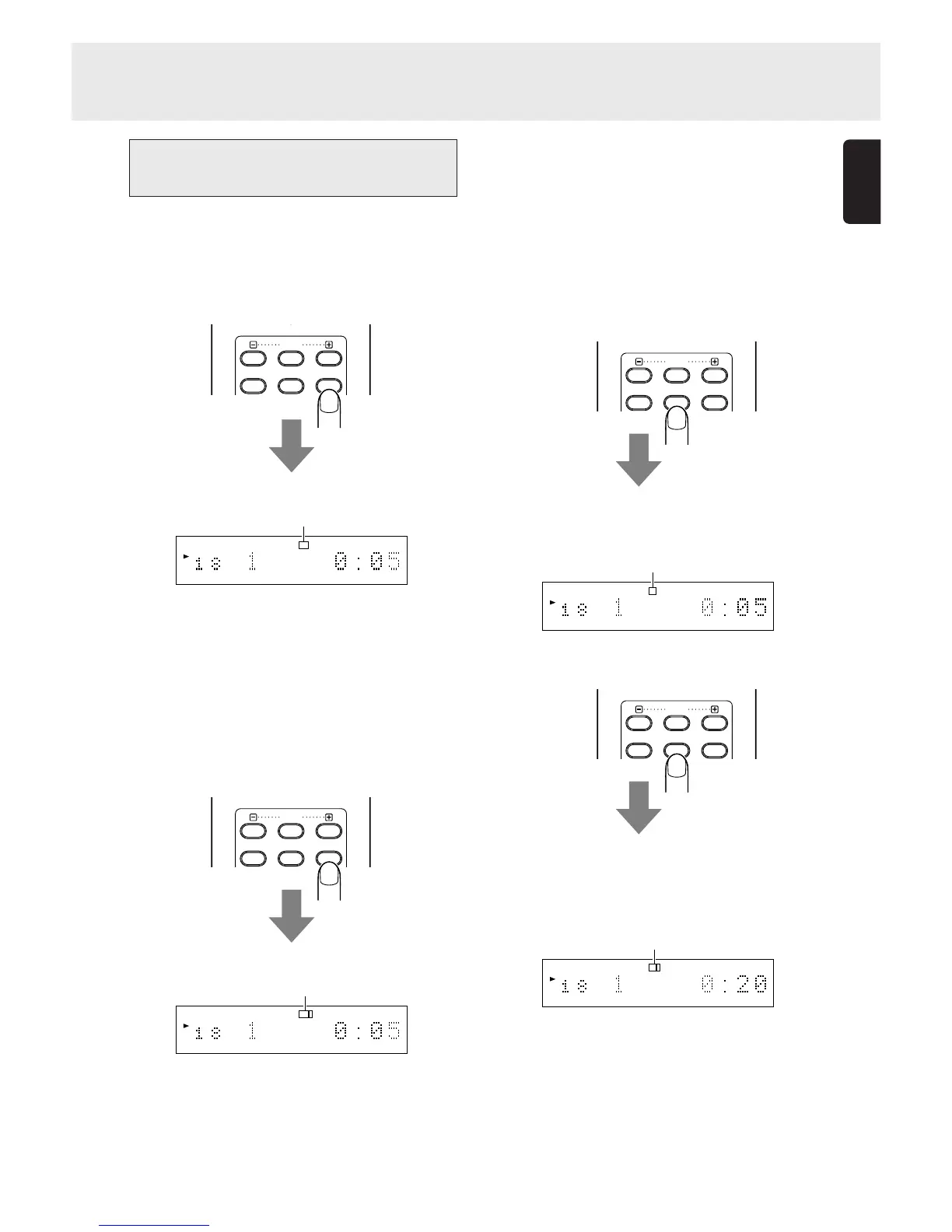
Press the REPEAT button on the remote control unit.
The “RPT” indicator on the display lights, and the repeat play
of all the tracks starts.
To stop all-track repeat play and resume normal play, press
the REPEAT button on the remote control unit twice. The “RPT”
indicator on the display goes off.
• Playing one track repeatedly (1-track
repeat)
This function repeatedly plays one track only. Even during
random play or program play, it repeats the track being played.
Press the REPEAT button on the remote control unit twice while
the track to be repeated is playing.
The “RPT” and “1” indicators light, and track now playing is
repeated.
To stop 1-track repeat play and resume normal play, press
the REPEAT button on the remote control unit to turn off the
“RPT” indicator on the display.
7. ADVANCED OPERATIONS
• Playing a specific part repeatedly (A-B
repeat)
This function repeatedly plays a specific part of a track that
you want to hear.
1. During play, press the A-B button on the remote control
unit at the start point of the part to be repeated.
The “A-” indicator on the display now lights.
Display example: A-B repeat , point A (start), track 1, 5 sec.
2. Press the A-B button on the remote control unit at the end
point of the part to be repeated.
The “A-B” indicator on the display now lights, and the
designated part (from point A to point B) is played
repeatedly.
Display example: A-B repeat , point B (end), track 1, 20 sec.
To stop A-B repeat play and resume normal play, press the A-
B button on the remote control unit to turn off the “A-B” indicator
on the display.
Note:
The A-B repeat play function cannot be used during
random play.
RESET
AMS A-B
REPEAT
PITCH
RESET
AMS A-B
REPEAT
PITCH
RESET
AMS A-B
REPEAT
PITCH
RESET
AMS A-B
REPEAT
PITCH
12 34 56 78 910 1112 1314 1516 1718
TTL
TRK
TIME
RPT 1
12 34 56 78 910 1112 1314 1516 1718
TTL
TRK
TIME
RPT
Light up
Light up
12 34 56 78 910 1112 1314 1516 1718
TTL
TRK
TIME
A
–
Light up
12 34 56 78 910 1112 1314 1516 1718
TTL
TRK
TIME
A
–
B
Light up



 To Next Page