25
ENGLISH
Pitch control (changing the play
speed)
The play speed (pitch) can be changed across a ± 12 step.
∗
Digital signals are not output during pitch control.
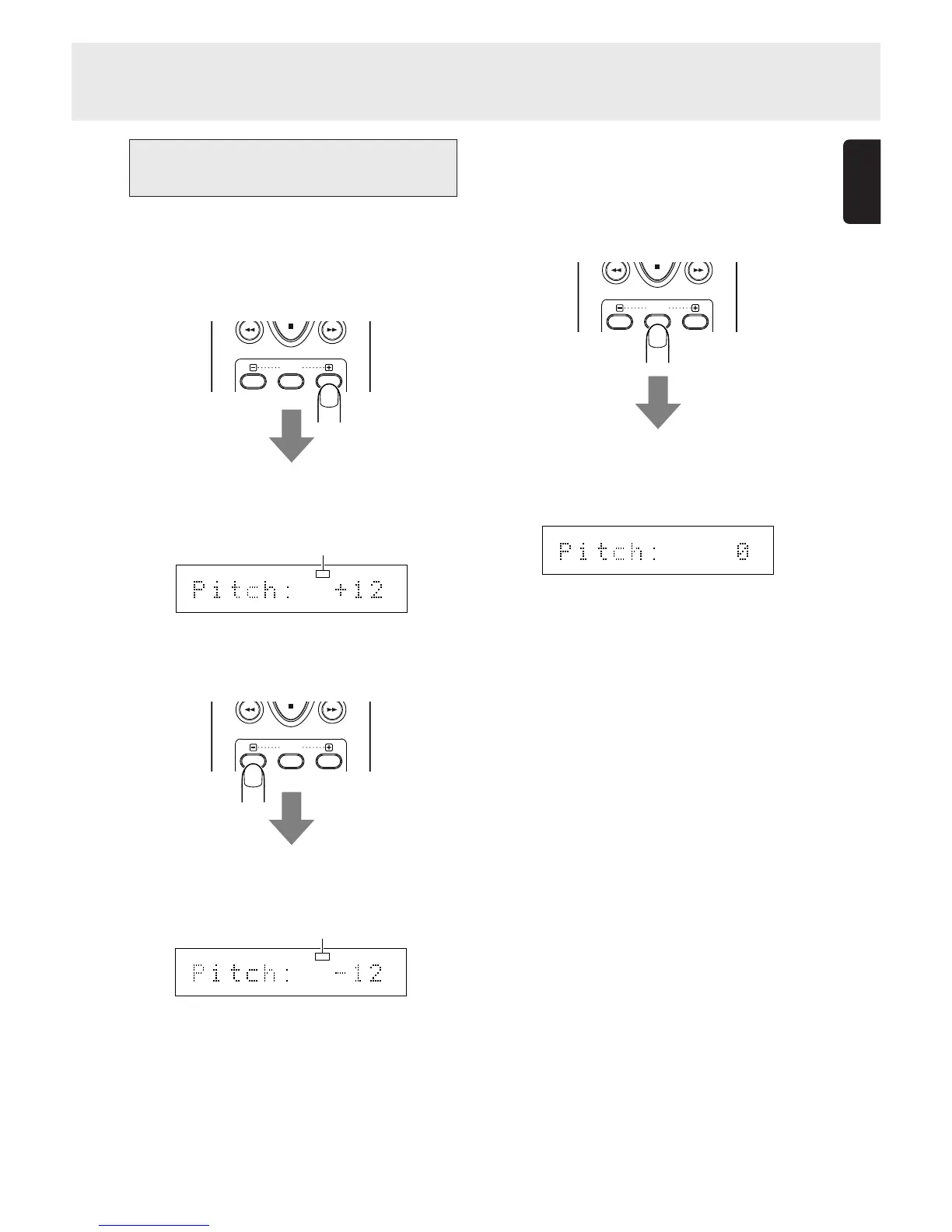
• Increasing the play speed
Press the PITCH+ button on the remote control unit.
The “PITCH” indicator on the display lights.
Each time the button is pressed, the play speed is increased,
and it is displayed on the main display.
• Reducing the play speed
Press the PITCH- button on the remote control unit.
The “PITCH” indicator on the display lights.
Each time the button is pressed, the play speed is reduced
and it is displayed on the main display.
ADVANCED OPERATIONS
• Returning play to the normal speed
Press the PITCH RESET button on the remote control unit.
The “PITCH” indicator on the display goes off and “Pitch: 0”
appears on the main display.
If the PITCH RESET button on the remote control unit is pressed
again, play returns to the previous speed setting.
RESET
PITCH
12 34 56 78 910 1112 1314 1516 1718
PITCH
RESET
PITCH
12 34 56 78 910 1112 1314 1516 1718
PITCH
RESET
PITCH
12 34 56 78 910 1112 1314 1516 1718
Light up
Light up



 To Next Page