19
ENGLISH
19
n Playing in random order (Random playback)
During playback or stop mode, press [RANDOM].
The “RNDM” indicator on the display lights and random playback
starts.
Stopping Random Playback
Press 2 or [RANDOM] during random playback.
The “RNDM” indicator on the display goes off.
If you press [REPEAT] during random playback, playback is performed
using the 1-track repeat or all-track repeat mode.
• All-track repeat: After the current session of random playback
ends, another session is started using a different
order for the tracks. This operation is repeated until
you cancel the all-track repeat mode.
• 1-track repeat: The current track is played repeatedly.
NOTE
The random playback mode is canceled if you set power to standby,
turn off power, or open the disc tray.
n Searching for a specifi c track (AMS play)
You can play back all track intros, from the fi rst track onward, in
sequence. This function is useful when you search for a specifi c track
you want to listen to. (AMS playback: Auto Music Scan playback)
1
During playback or stop mode, press [AMS].
The play indicator “1” on the display fl ashes and AMS playback
starts.
2
Press [AMS] to set the playback time.
• When [AMS] is pressed each time, the display switches AMS
playback time in the following order.
OFF10 sec. 20 sec. 30 sec.
3
When you fi nd the track you want to listen to, press
1.
The Play indicator “1” lights and normal playback is resumed.
• If you press [RANDOM] during AMS playback, the AMS playback
mode is canceled and random playback starts.
NOTE
AMS playback allows you to play back the fi les set in the “MP3/WMA
Mode” menu (vpage16).
Playback of MP3 and WMA fi les
21
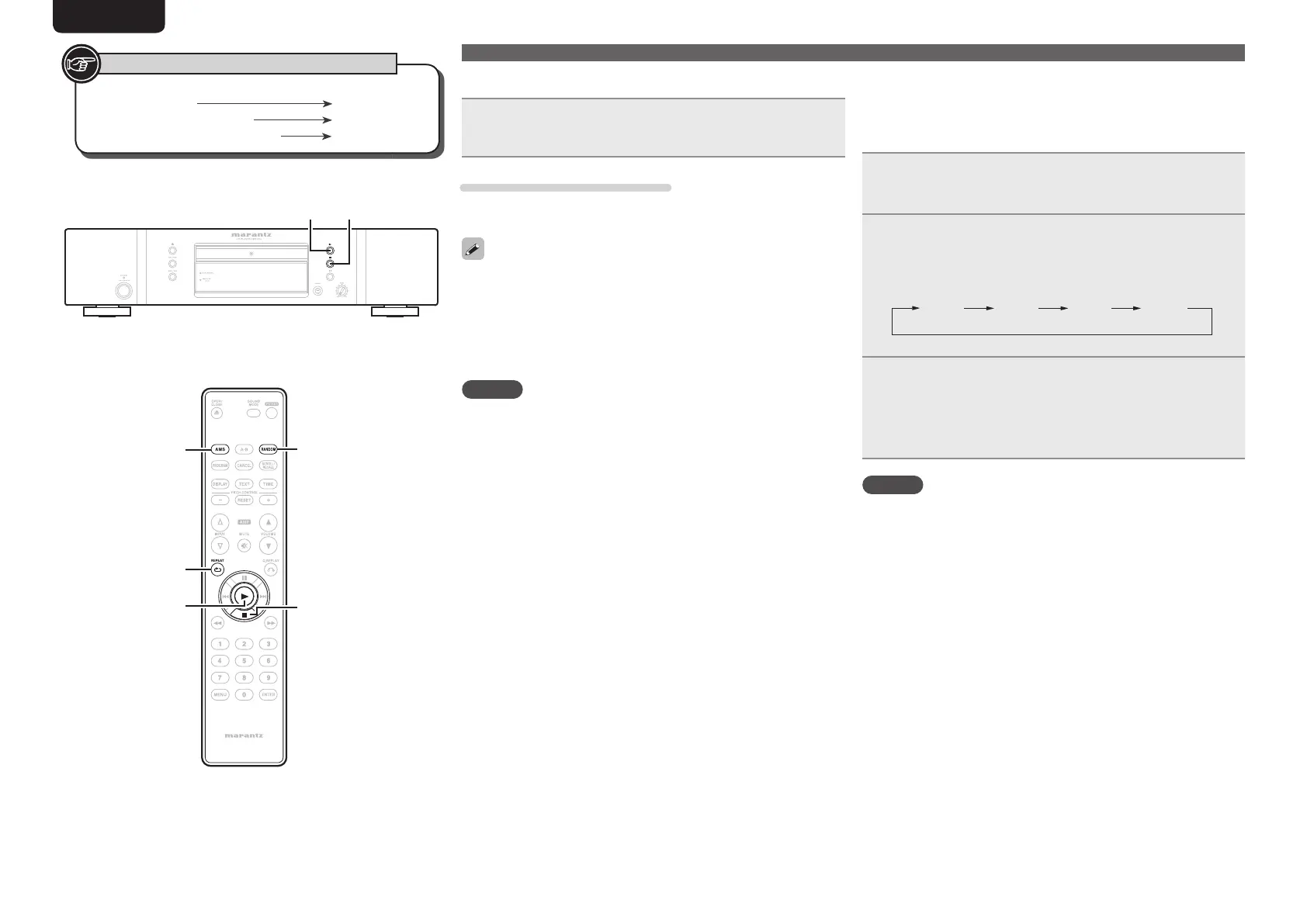
[REPEAT]
[AMS]
1
2
[RANDOM]
Button located on both the main unit and
the remote control
BUTTON
Button only on the main unit
<BUTTON>
Button only on the remote control
[BUTTON]
Symbols used to indicate buttons in this manual
1.CD5004UENG0528.indd191.CD5004UENG0528.indd19 2010/05/2815:42:112010/05/2815:42:11



 To Next Page