5
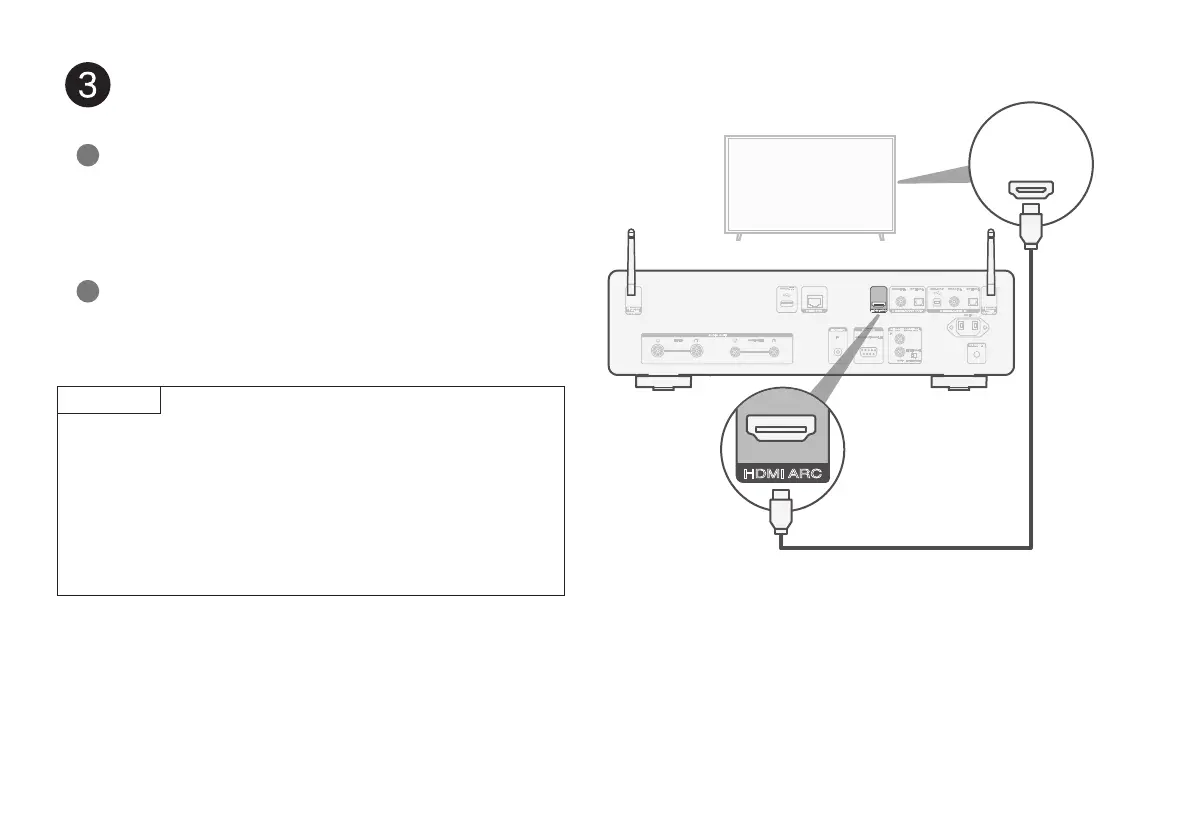
Connect TV audio (optional)
Connect one end of the HDMI cable to the TV port labeled
“ARC” or “eARC”.
The CD 50n does not support eARC functionality, however
you can still connect it to an eARC port to use ARC
functionality.
1
Connect the other end of the HDMI cable to the HDMI ARC
port on the back of the CD 50n.
2
NOTE
• The TV connection is used to pass audio to the CD 50n from
your TV's built-in sources (tuner, smart TV apps, etc.) and HDMI
devices connected to your TV. The CD 50n does not generate
any video output.
• Make sure the audio output section in your TV settings menu is
set to output only 2ch PCM audio. Dolby Digital and DTS audio
are not supported.
HDMI
IN
(ARC)
1.CD50nU_QSG_ENG_10A_231122.indd 51.CD50nU_QSG_ENG_10A_231122.indd 5 2023/11/30 10:12:302023/11/30 10:12:30



 To Next Page