8
EN
FR
ES
1
1
2
2
3
3
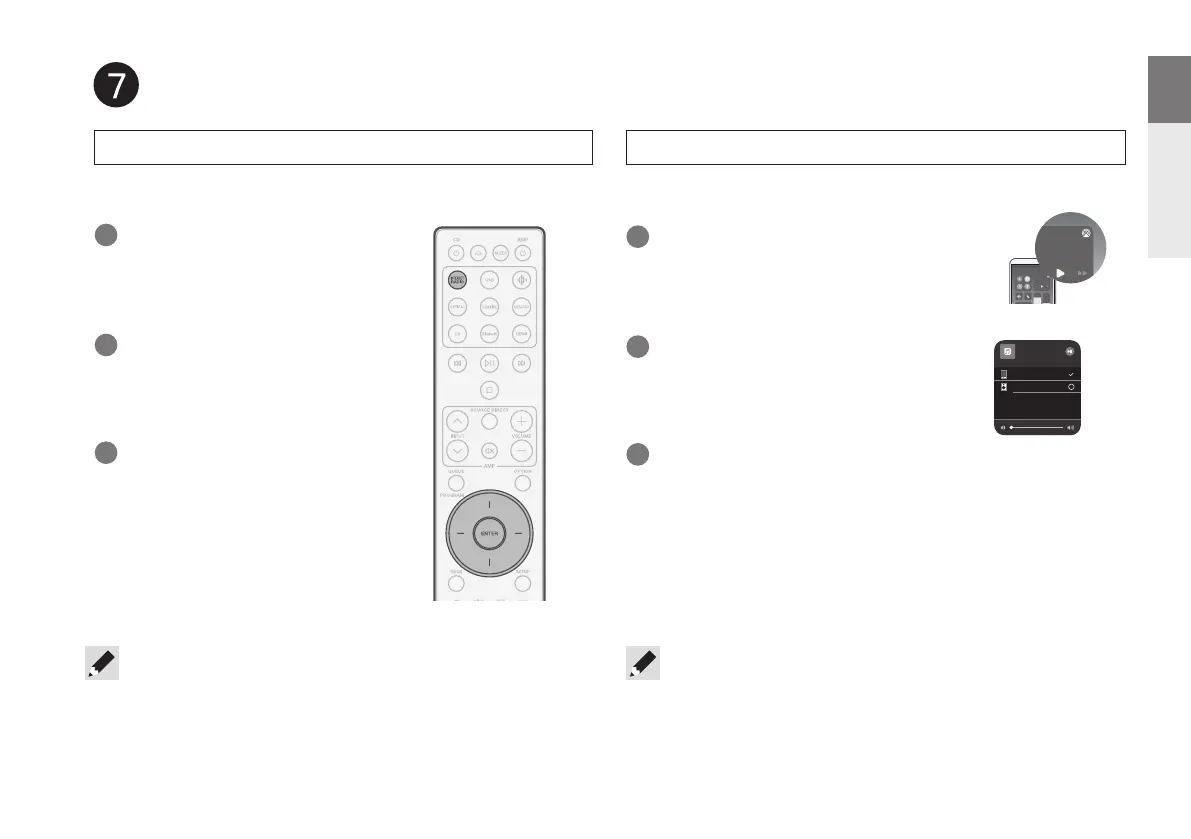
Press INTERNET RADIO.
Select “Marantz CD 50n” from the
AirPlay Device list.
Select the station you want to
play, then press ENTER.
Open Control Center then tap the
AirPlay icon in the audio card.
Select “Play Now”, then press
ENTER.
Choose music to play from your
iPhone, iPod touch, or iPad.
Enjoy Internet Radio Enjoy music using Apple AirPlay
• You can also AirPlay audio from an app you're using on your iOS device. Just
open the app, tap the AirPlay icon, then tap a speaker or tap multiple speakers.
Music
Marantz CD 50n
Music
iPhone
iPhone
Enjoy your music
• Using the HEOS app to control your device and select your favorite TuneIn radio
station to play on your device.
1.CD50nU_QSG_ENG_10A_231122.indd 81.CD50nU_QSG_ENG_10A_231122.indd 8 2023/11/30 10:12:312023/11/30 10:12:31



 To Next Page