14
Playing a specific part of a specific track
•
Searching a specific part of a track (search)
While listening to a track being played, it is possible to search
a specific part of that track by a forward or backward search.
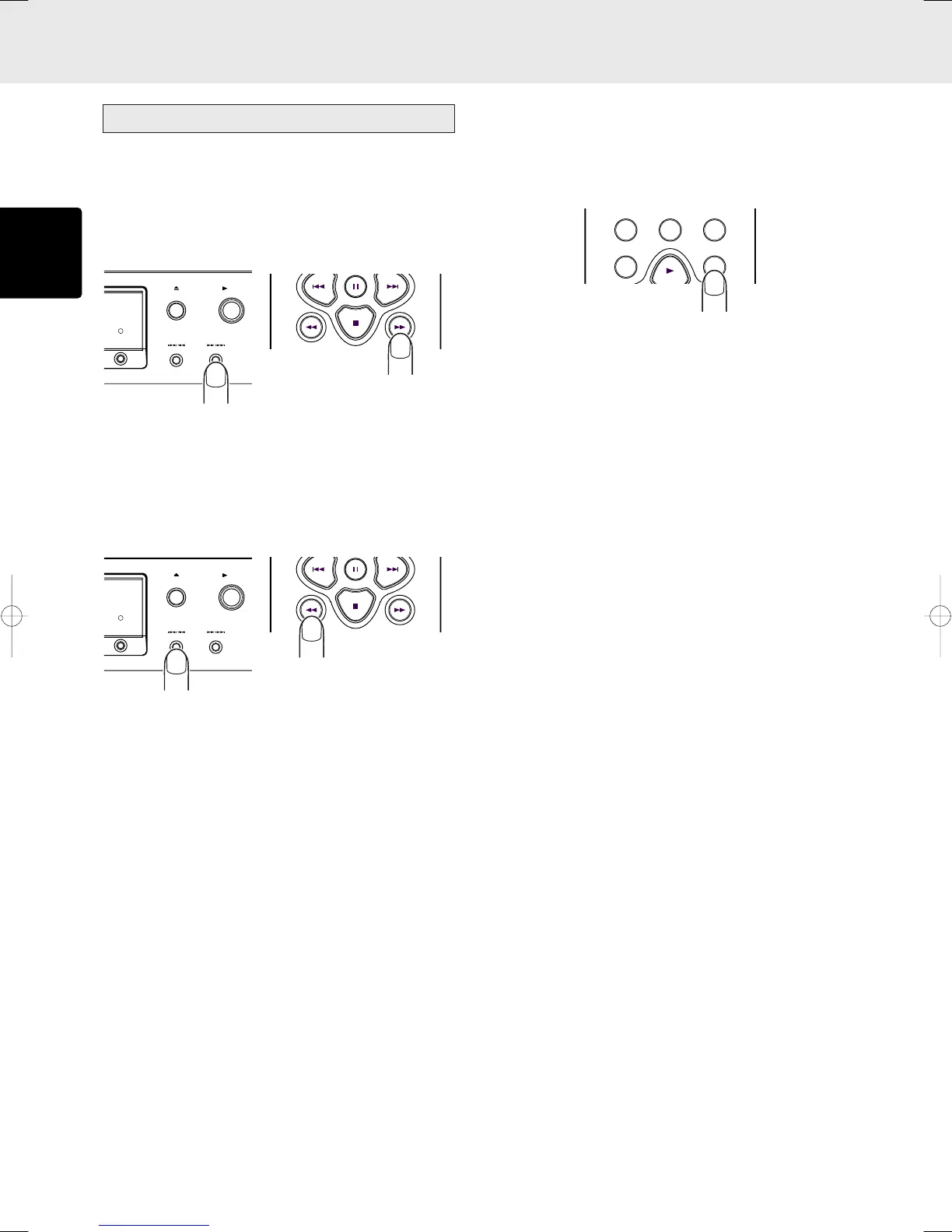
Forward searching through the track now playing
The search (forward search) mode is established by holding
down the ¡/¢ button on the player or ¡ button on the
remote control unit.
Holding down the button initiates a forward search.
Backward searching through the track now playing
The search (backward search) mode is established by holding
down the 4/1 button on the player or 1 button on the
remote control unit.
Holding down the button initiates a backward search. (Returns
during backward searches are not constant.)
BASIC OPERATIONS
• Playing the last 10 seconds again during
play (quick replay)
When the QUICK REPLAY button on the remote control unit is
pressed during play, play will be returned by 10 seconds,
and the same section will be played again.
PLAY
OPEN/CLOSE
DISPLAY OFF
PLAY
OPEN/CLOSE
DISPLAY OFF
PROGRAM
0
CANCEL
RANDOM
QUICK REPLAY
CD5400U(ENG1) 03.4.10, 3:49 PMPage 14 AdobePageMaker6.5J/PPC



 To Next Page