4
4. SERVICE MODE AND EMERGENCY DISC EJECT
SERVICE MODE
1. Insert mains cable plug in the outlet and press POWER button.
2. Press the OPEN/CLOSE button to open the tray.
3. Press the TIME button for about fi ve seconds.
4. The version number of the microprocessor is displayed Ex: 03-27-01.
5. Press the EDIT button for about fi ve seconds.
6. Light up all the FL segment.
Turn off power to quit Service mode.
EMERGENCY DISC EJECT
1. Remove the top cover of the plyer.
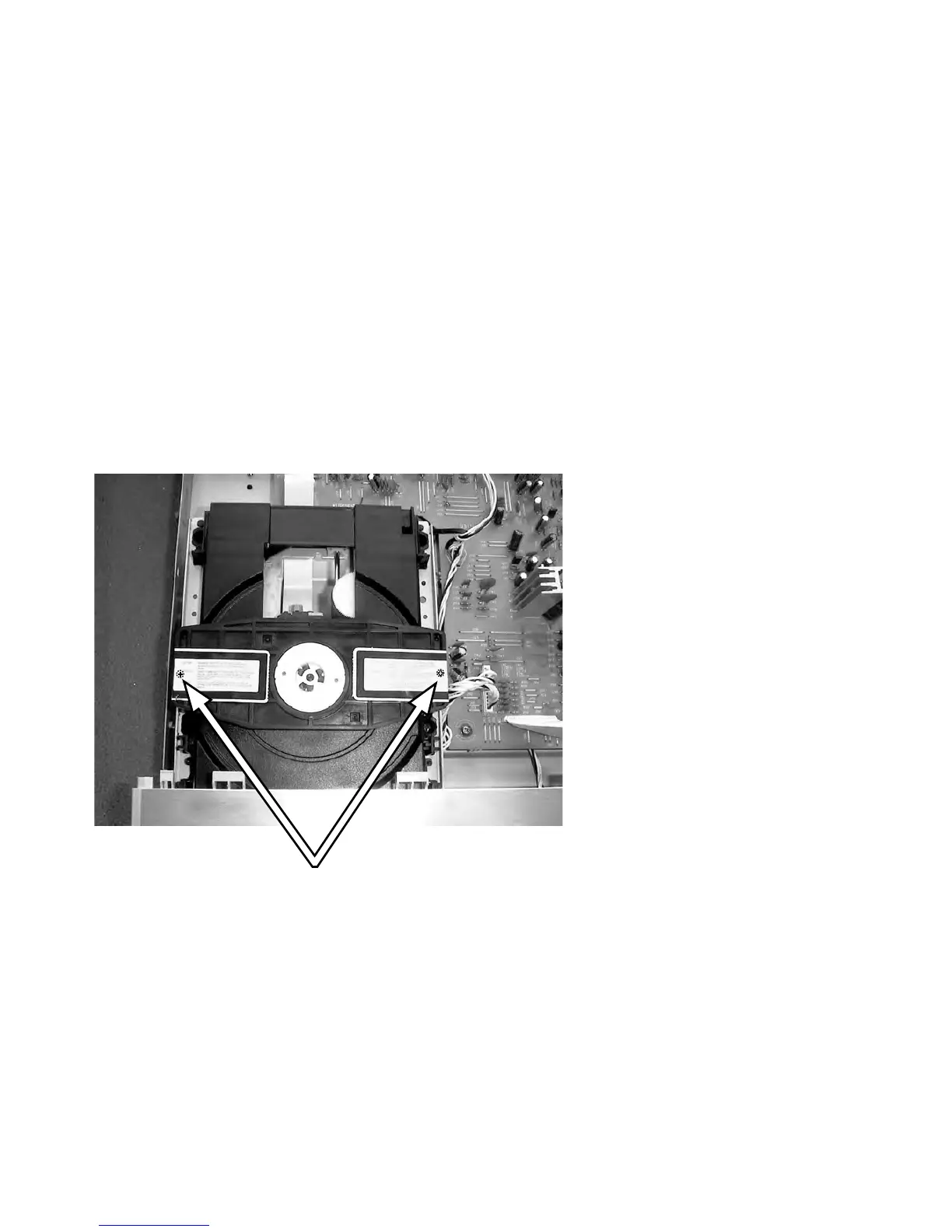
2. Remove 2 screws under the label shown in the picture follows.
3. Remove the disc clamper.
4. Now you can remove the disc.
Remove those screws



 To Next Page