6
3. SERVICE MODE
1. Turning into Service Mode
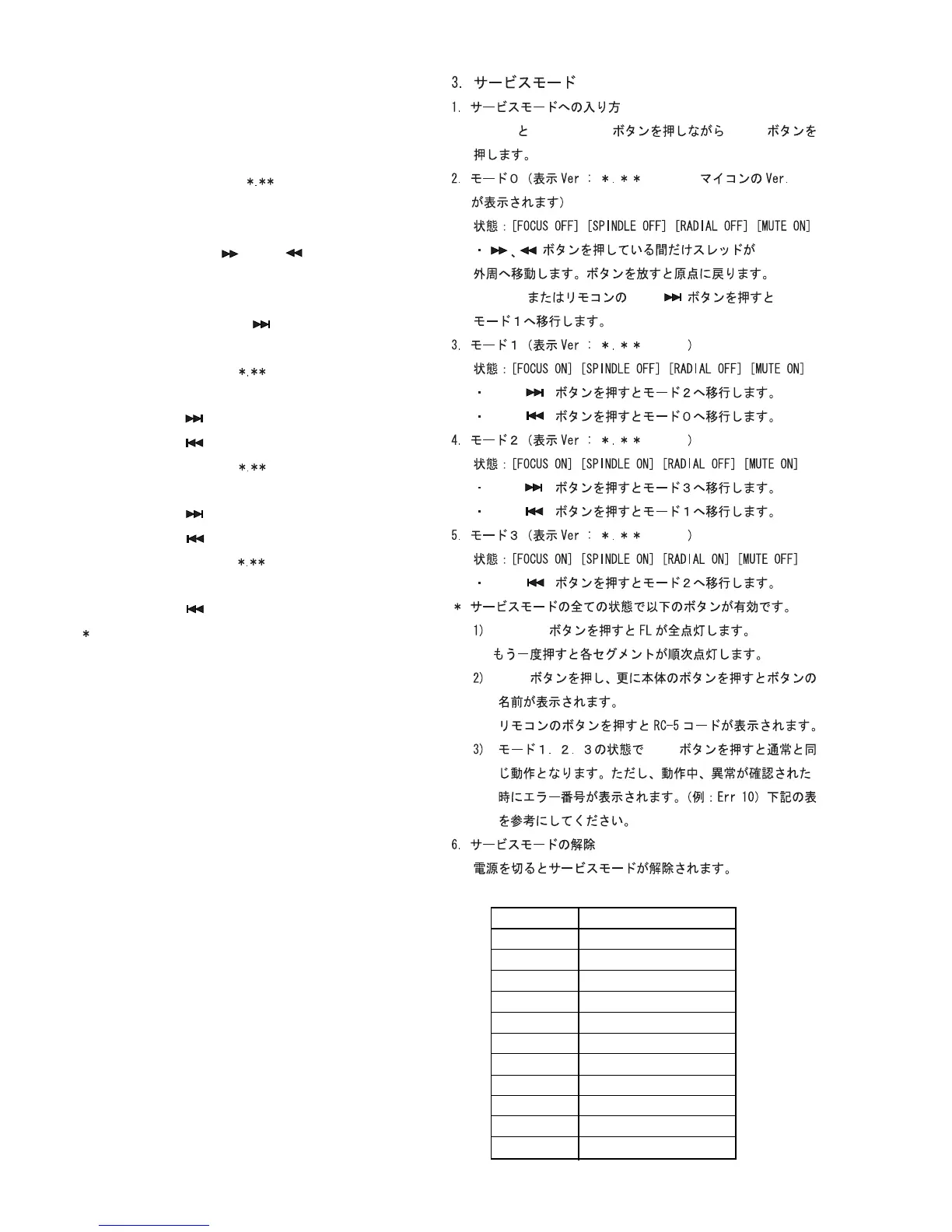
While pressing
DISPLAY
and
QUICK
REPLAY
buttons, press
POWER
button.
2. Mode0 (Display
: Ver : P00
Version number of the
micro computer is displayed)
Status: [
FOCUS OFF
] [
SPINDLE OFF
] [
RADIAL OFF
] [
MUTE ON
]
• While pressing and buttons, the sledge
moves toward the outer edge. Release the button makes
the sledge return to the origin.
Press
EASY
JOG
or
NEXT
button on the remote to go
to Mode 1.
3. Mode 1 (Display
: Ver : P01
)
Status: [
FOCUS ON
] [
SPINDLE OFF
] [
RADIAL OFF
] [
MUTE ON
]
• Press
NEXT
button to go to Mode 2.
• Press
PREV
button to go to Mode 0.
4. Mode 2 (Display
: Ver : P02
)
Status: [
FOCUS ON
] [
SPINDLE ON
] [
RADIAL OFF
] [
MUTE ON
]
• Press
NEXT
button to go to Mode 3.
• Press
PREV
button to go to Mode 1.
5. Mode 3 (Display
: Ver : P03
)
Status: [
FOCUS ON
] [
SPINDLE ON
] [
RADIAL ON
] [
MUTE OFF
]
• Press
PREV
button to go to Mode 1.
In this Service Mode, all of the following button functions
work in any status.
1) Press
DISPLAY
button to light up all the FL segments.
Press it again then each FL segment lights up one by
one.
2) Press
STOP
button. Then press a button on the unit.
The name of the button is displayed.
Pressing a button on the remote displays the RC-5
code of the button.
3) Press
PLAY
button in Mode 1, 2 or 3 then normal
operation can be performed. If an error occurs the
error number is displayed. (Ex : Err 10) See the table
below.
6. Terminating Service Mode
Turn off power to quit Service Mode.
DISPLAY QUICK REPLAY POWER
EASY JOG NEXT
NEXT
PREV
NEXT
PREV
PREV
DISPLAY
STOP
PLAY
P00
P01
P02
P03
Error Code Error
Err 02 FOCUS Error
Err 07 SUB CODE Error
Err 08 T. O. C. Error
Err 09 DECODER Error
Err 10 RADIAL Error
Err 11, 12 SLEDGE Error
Err 13 SPINDLE Error
Err 16 ~ 20 SEARCH Error
Err 30 DOOR Error
Err 31 TRAY Error
Err 32 ~ 47 BUTTON INPUT Error


 To Next Page