19
2^]]TRcX]Vc^h^da7^\T=Tcf^aZ
dbX]VP?2^a<PR2^]cX]dTS
Use web browser for con guration
Please wait as rebooting may take approximately
30 – 120 seconds.
04
KW W S
01
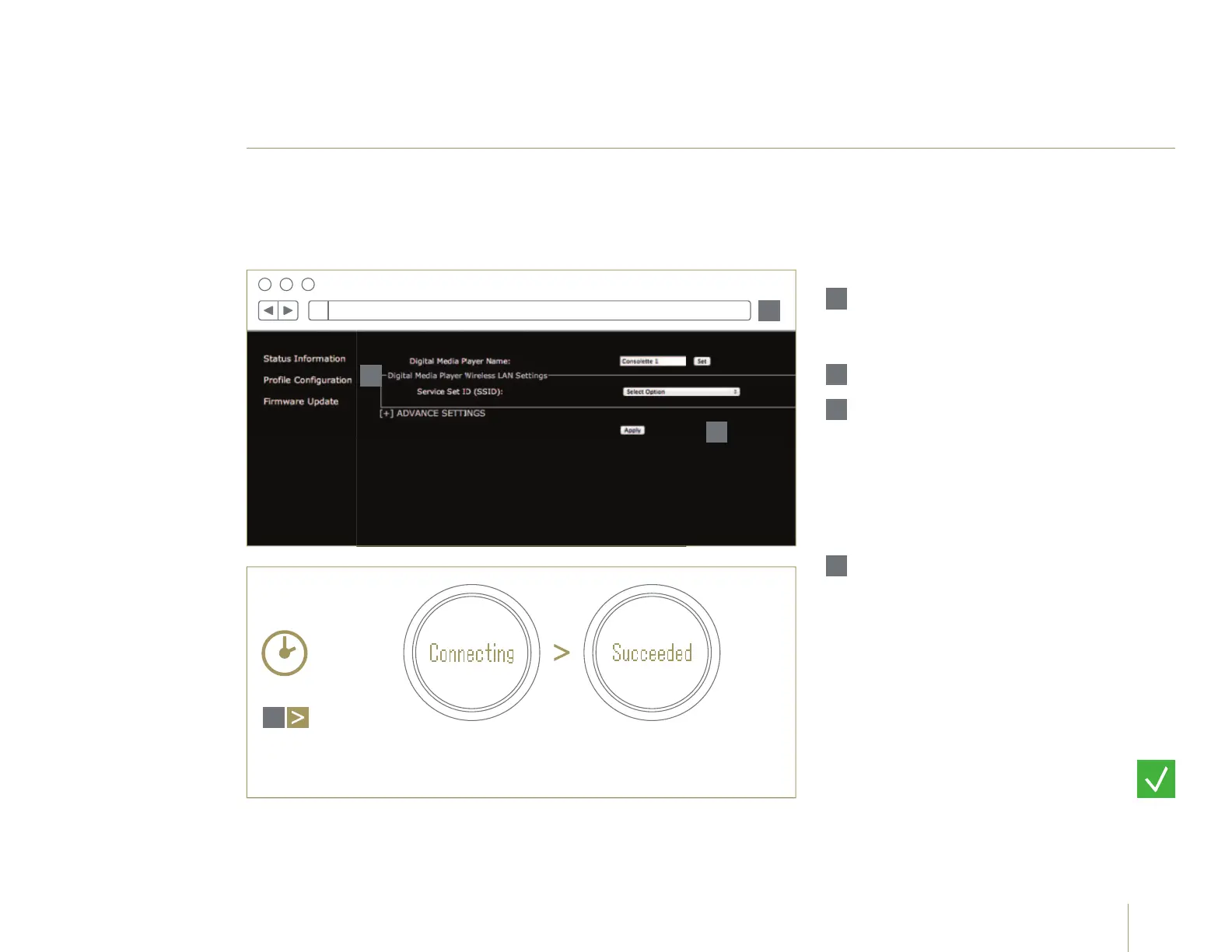
Launch a web browser and
connect to http://169.254.1.1
in the address bar.
02
Click Profi le Confi guration.
03
Select your home network
name (SSID) from the drop
down list and enter the
password (if applicable).
Then click Apply to save
these settings to your
Consolette.
!
For further support please
refer to the Owner's Manual
on the supplied CD-ROM.
01
02
03
Go to page 21.


 To Next Page