19
Removing the USB memory device
1
Press X POWER to set the
standby mode.
2
Check that the communication
indicator on the USB memory
device is not ashing, then pull
out the USB memory device.
NOTE
Do not remove the USB memory device from the unit when the USB
memory communication indicator is flashing. Doing so may damage
the USB memory device, or may corrupt the files recorded on the USB
memory device.
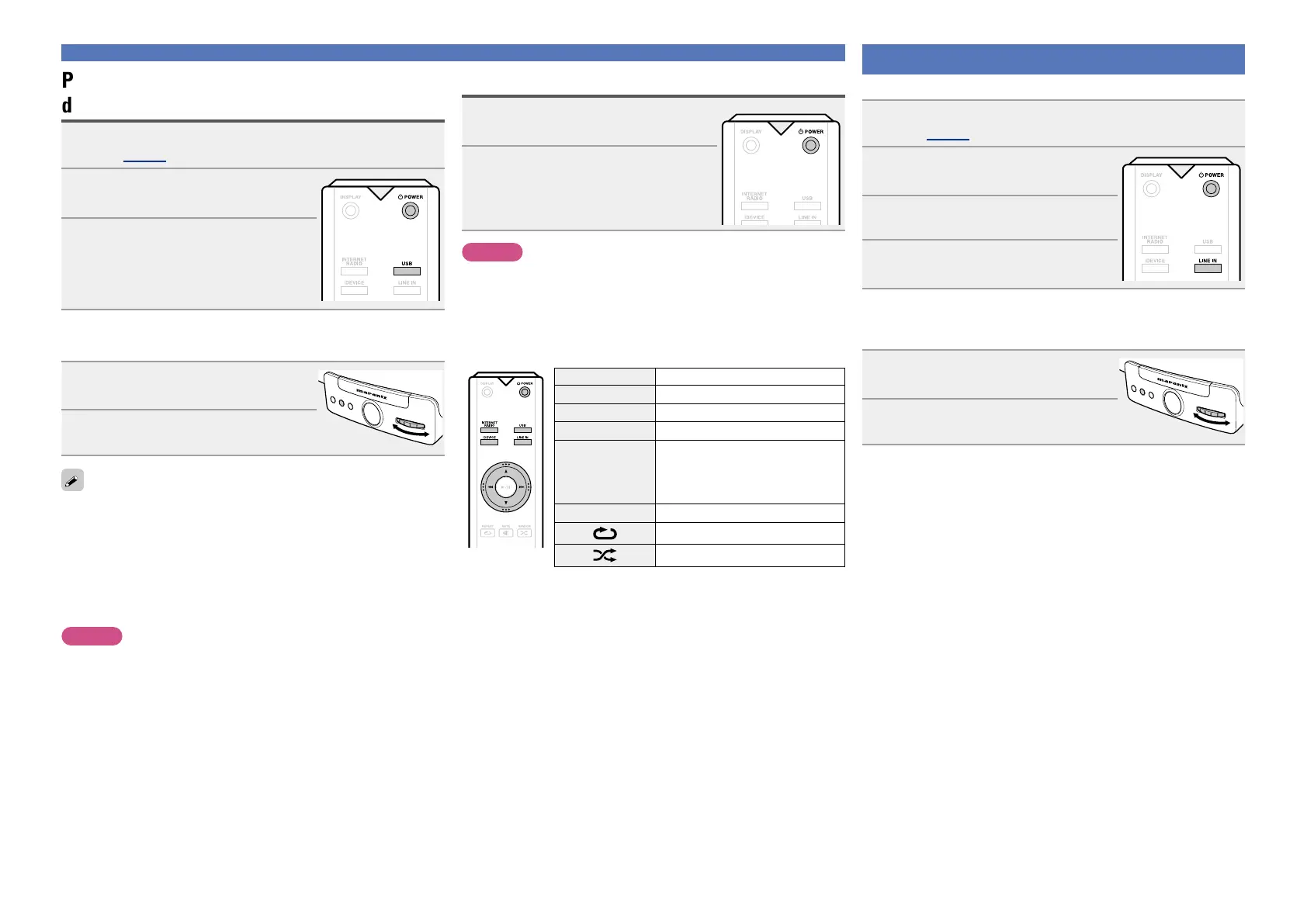
n USB memory device operation buttons
Operation buttons Function
d, f
Volume up / down
8 9
Previous / Next
1/3
Playback / Pause
INTERNET RADIO,
iDEVICE, LINE IN,
INTERNET RADIO
PRESET 1-6
Switching the input source
X POWER
Power on/standby
Repeat playback
Random playback
Playing a USB memory device
Playing a portable player
The following describes the procedure for playing portable player.
1
Connect the portable player to this unit
(vpage 5 “Connecting a portable player”).
2
Press X POWER to turn on
power to the main unit.
3
Press LINE IN.
4
Play the component connected to
this unit.
n Selecting LINE IN source on the main unit
You can select LINE IN source also on the main unit.
1
Press FUNCTION repeatedly
until “Source” is displayed.
ELECTRONIC GYRO TOUCH
ENTER
FUNCTION
PLAY/PAUSE
2
Turn GYRO to select “LINE IN” .
Playing files stored on USB memory
devices
1
Connect the USB memory device to the USB port
(vpage 5 “Connecting a USB memory device”).
2
Press X POWER to turn on power
to the main unit.
3
Press USB.
Playback starts.
n Selecting USB source on the main unit
You can select USB source also on the main unit.
1
Press FUNCTION repeatedly
until “Source” is displayed.
ELECTRONIC GYRO TOUCH
ENTER
FUNCTION
PLAY/PAUSE
2
Turn GYRO to select “USB”.
•If the USB memory device is divided into multiple partitions, only the
top partition can be selected.
•This unit is compatible with MP3 files conforming to “MPEG-1 Audio
Layer-3” standards.
•Marantz does not guarantee that all USB memory devices will
operate or receive power. When using a portable USB connection
type HDD of the kind to which an AC adapter can be connected to
supply power, use the AC adapter.
NOTE
•Note that marantz will accept no responsibility whatsoever for any
problems arising with the data on a USB memory device when using
this unit in conjunction with the USB memory device.
•USB memory devices will not work via a USB hub.
•It is not possible to connect and use a computer via the USB port of
this unit using a USB cable.
•Do not use an extension cable when connecting a USB memory
device. This may cause radio interference with other devices.


 To Next Page