17
Listening to internet radio
Internet radio refers to radio broadcasts distributed over the Internet.
Internet radio stations from around the world can be received.
NOTE
Before playing back the Internet radio, this unit must be connected
to the network. For how to connect this unit to the network, see
“Network connections and settings” (vpage8).
Important information
The broad cast station types and specifications supported by this unit
for playback are as follows.
GPlayable broadcast station typesH
Supported file types Internet radio
WMA (Windows Media Audio)
P
MP3 (MPEG-1 Audio Layer-3)
P
GPlayable broadcast station specificationsH
Sampling
frequency
Bit rate Extension
WMA (Windows
Media Audio)
32/44.1/48 kHz 48 – 192 kbps .wma
MP3 (MPEG-1
Audio Layer-3)
32/44.1/48 kHz 32 – 320 kbps .mp3
Listening to preset Internet radio stations
Typical Internet radio stations are pre-registered to INTERNET RADIO
PRESET 1
– 6.
1
Prepare for playback.
q Check the network environment, then turn on this unit’s
power (vpage8 “Network connections and settings”).
w If settings are required, make the “Network connections and
settings” (vpage8).
e If settings are required, make the “Setting the current time
(Auto Adjust) (24-Hour Display)” (vpage13).
2
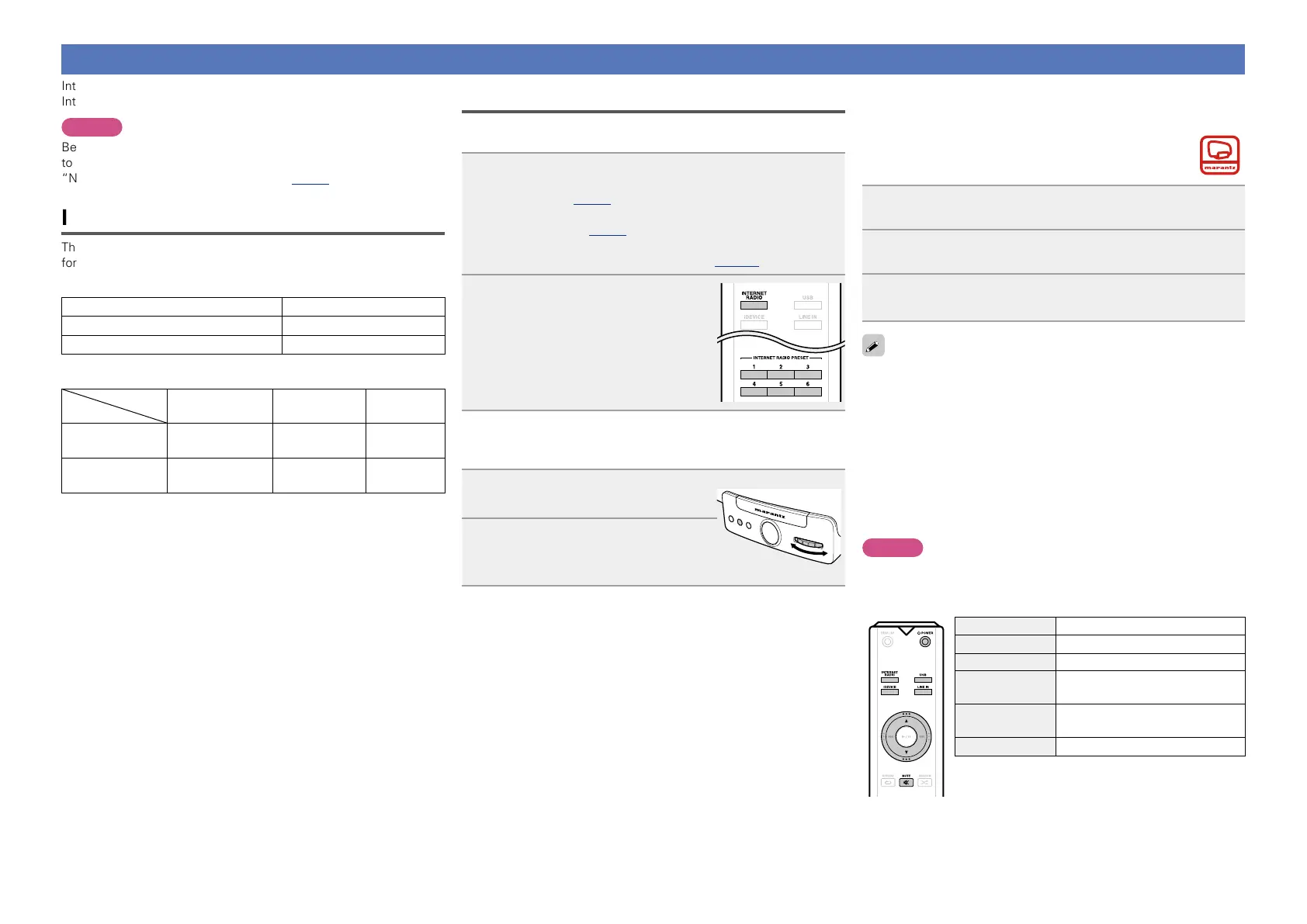
Press INTERNET RADIO or
INTERNET RADIO PRESET 1 – 6.
Playback starts.
n Selecting internet radio station on the main unit
You can select internet radio station also on the main unit.
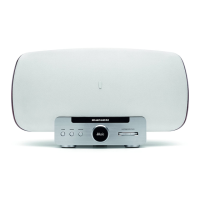
1
Press FUNCTION repeatedly until
“Source” is displayed.
ELECTRONIC GYRO TOUCH
ENTER
FUNCTION
PLAY/PAUSE
2
Turn GYRO to select “Internet
Radio” or the desired preset
channel.
n Customising the internet radio station preset
channels
This unit has been set internet radio stations to “Preset
1 – 6”. To customize these channels, use Consolette
App.
1
Tap “Internet Radio” on Consolette App.
2
Select an internet radio station.
3
Register the selected station to the desired preset
number.
•There are many Internet radio stations on the Internet, and the
quality of the programs they broadcast as well as the bit rate of the
tracks varies widely.
Generally, the higher the bit rate, the higher the sound quality, but
depending on the communication lines and server traffic, the music
or audio signals being streamed may be interrupted. Inversely, lower
bit rates mean a lower sound quality but less tendency for the sound
to be interrupted.
•“Server Full” or “Connection Down”is displayed if the station is
busy or not broadcasting.
•The Internet radio station name appears on the display of this unit.
NOTE
The radio station database service may be suspended without notice.
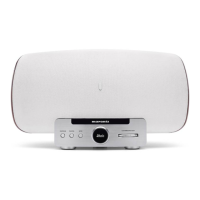
n Internet radio operation buttons
Operation buttons Function
d, f
Volume up / down
MUTE Mute On/Off
INTERNET RADIO
PRESET 1-6
Switching the internet preset station
USB, iDEVICE,
LINE IN
Switching the input source
X POWER
Power on/standby


 To Next Page