12
ENGLISH
ERASING
DR6000
PLAY/PAUSESTOP
REC
-+
PUSH ENTER
EASY JOG
LEVEL PHONES
REC TYPE REW FF
FINALIZE
DELETE
CANCEL
MENU
STORE
SOURCE ERASE
OPEN/CLOSE
DISPLAY SCROLL
q
w
R6000
PLAY/PAUSESTOP
REC
-+
PUSH ENTER
EASY JOG
LEVEL PHONES
REC TYPE REW FF
FINALIZE
DELETE
CANCEL
MENU
STORE
SOURCE ERASE
OPEN/CLOSE
DISPLAY SCROLL
q
w
e
Erasing
For unfinalized CD-RW discs only.
You can erase:
- one or more tracks from the end,
- the entire disc.
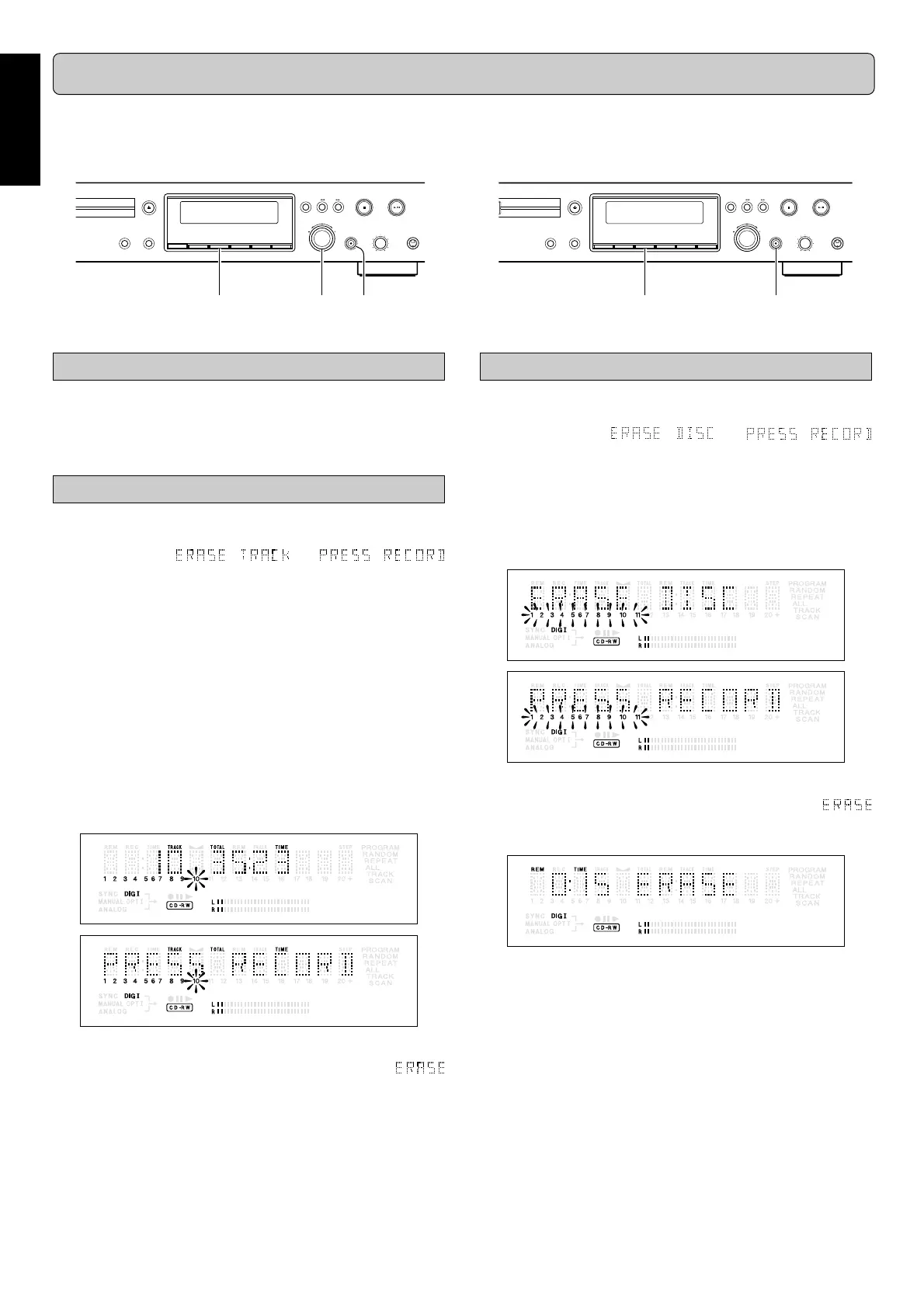
Erasing one or more tracks from the end
11
11
1
Press
ERASE
(8) once.
➔ The display shows the number of tracks and their total
playing time. and
lights up.
• If the disc is finalized, CD appears on the display after
inserting a CD-RW in the recorder. The recorder will ask
you to confirm unfinalizing first. Confirm by pressing the
PUSH ENTER
(12) key or
ENTER
(65) on the remote
control.
22
22
2
Select the track(s) you wish to erase by turning the
EASY JOG
(12) key to the left and confirm by pressing
this key.
➔ The selected track numbers start blinking on the track
bar.
➔ The display shows the remaining number of tracks and
the remaining playing time after erasing the selected
track(s).
33
33
3
Press
00
00
0
REC
(13).
➔ The display shows the total countdown time and
appears on the display.
➔ After the selected track(s) have erased, the display
shows the remaining tracks and their total playing time.
Erasing the entire disc
11
11
1
Press
ERASE
(8) twice.
➔ The display shows the number of tracks and their total
playing time. and
light up.
• If the disc is finalized, CD appears on the display after
inserting a CD-RW in the recorder. The recorder will ask
you to confirm unfinalizing first. Confirm by pressing the
PUSH ENTER
(12) key or
ENTER
(65) on the remote
control.
22
22
2
Press
00
00
0
REC
(13).
➔ The display shows the total countdown time and
appears on the display. The complete disc will be
erased.
Erasure of a complete disc may take up to 15 seconds.
The numbers between parentheses refer to the fold-out.



 To Next Page