13
7. UPDATE PANEL MICROPROCESSOR
PROCEDURE
Necessary Equipment
• Windows PC (With Serial Port)
• RS-232C Cable straight type (9 Pin female - 9 Pin female)
• Update Tool (FDTsetup.EXE)
• Update data (xxxxx.mot)
Panel Microprocessor Update Procedure
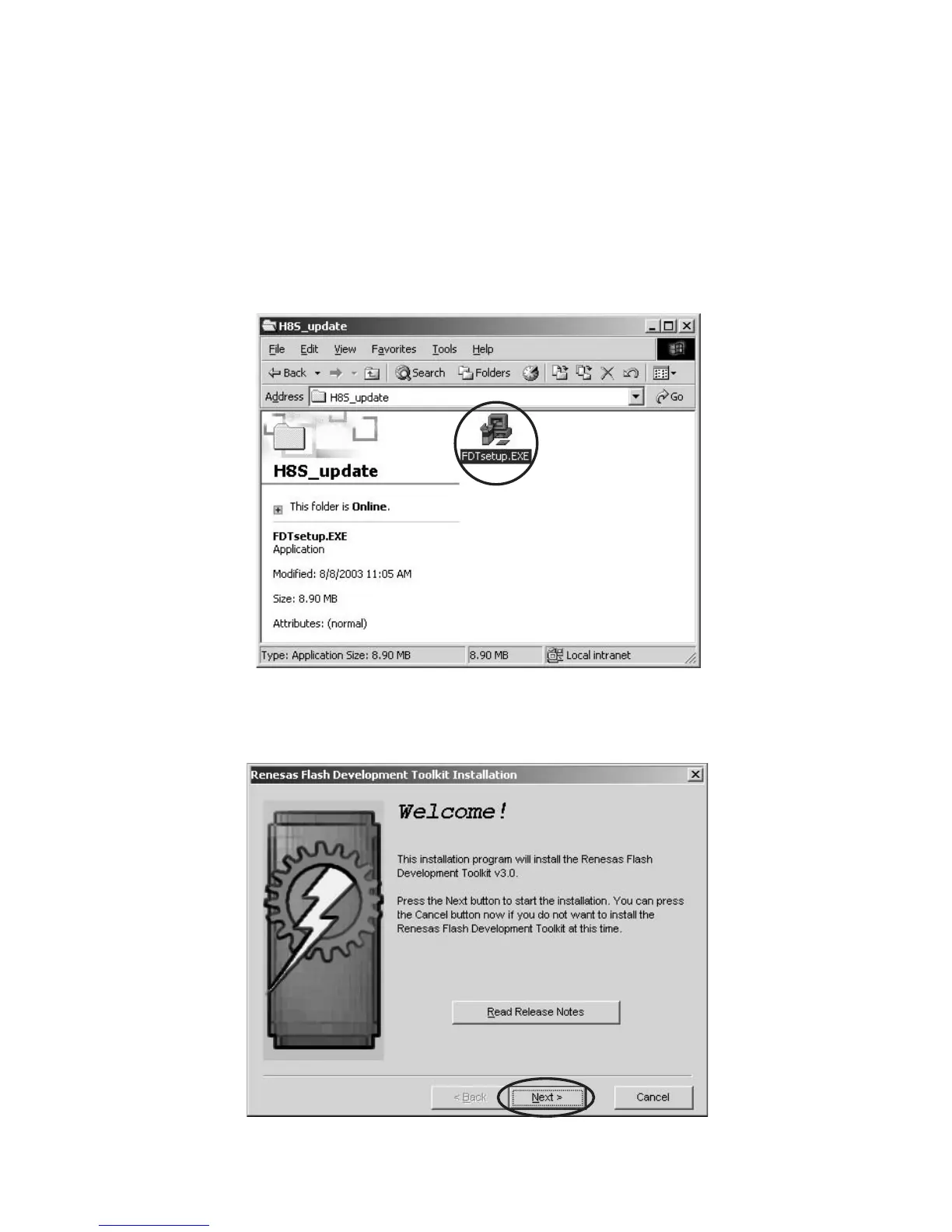
1. The software installs Procedure to Windows PC
Double click the FDTsetup.exe.
7. PANELMICROPROCESSORの
書き換え方法
必要機器
・ WindowsPC(SerialPort 付き)
・ RS-232C ストレートケーブル(9Pin メス− 9Pin メス)
・ 書き込み用データFDTsetup.EXE、xxxxx.mot(update
file)
書き込み手順
1. 書き込みソフトウェアのインストール
FDTsetup.exe をダブルクリックします。
インストールウィザードが起動します。
Next をクリックします。
Click Next.



 To Next Page