6
6. UPDATE DSP CODE OF FLASH ROM
PROCEDURE
Necessary Equipment
• Windows PC (With Serial Port)
• RC-232C cable straight type (9pin female – 9Pin female)
• Update Disc (90M-DV9500CDR)
Writing Procedure
The writing of software takes about 10 minutes.
1. Check the transmission bits rate of serial port.
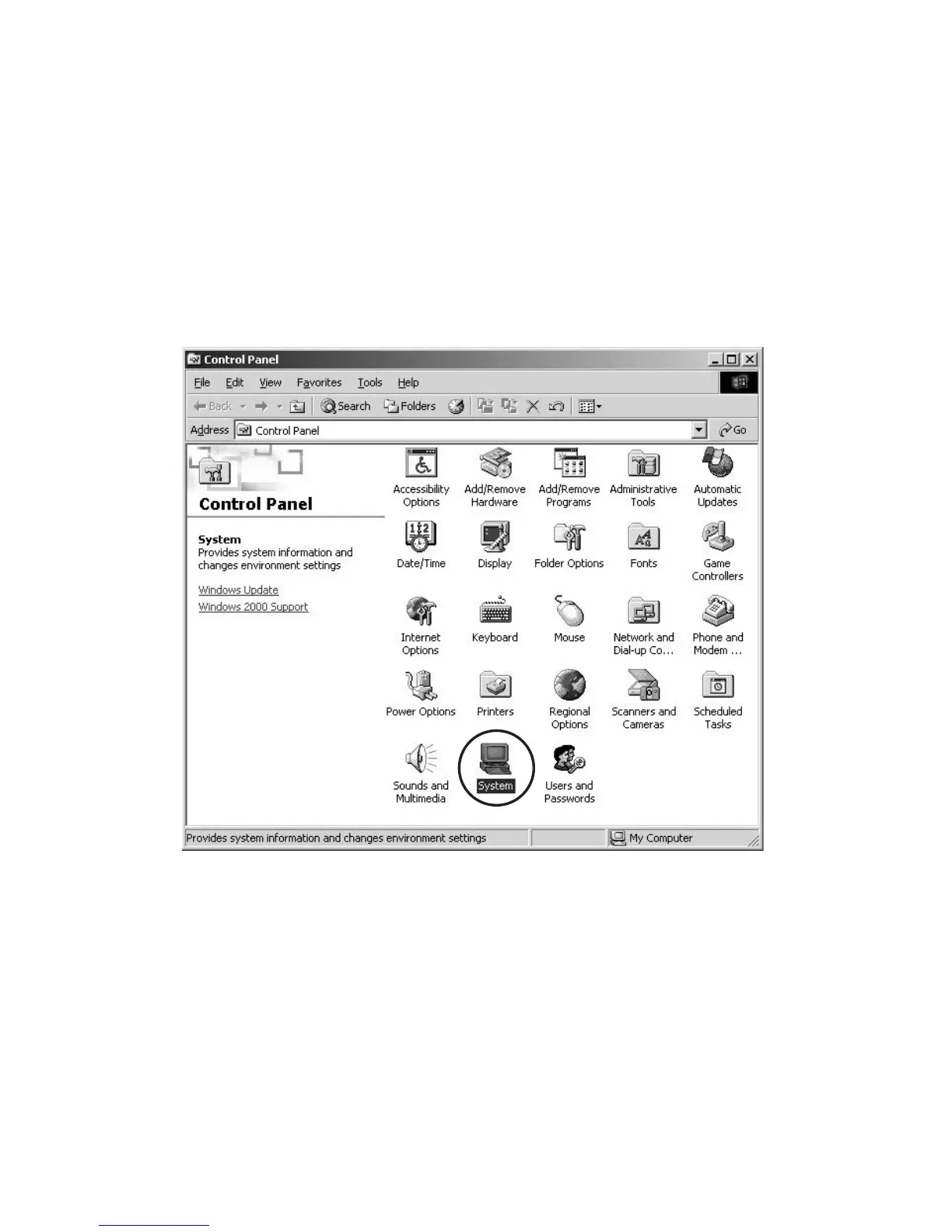
1.1 Click Start\Settings\Control Panel on the task bar,
and Double click the System.
6. DSP用FlashROMの書き換え方法
必要機器
・ WindowsPC(SerialPort 付き)
・ RC-232C ケーブル
(9pin メス− 9Pin メスストレートタイプ)
・ 書き換え用データ
書き込み手順
このDSP用 FlashROM の書き換え時にかかる時間はおよそ
9 分です。
1. SerialPort の転送レートを確認します。
1.1 Start\Settings\ControlPanel から System をダブル
クリックします。



 To Next Page