7
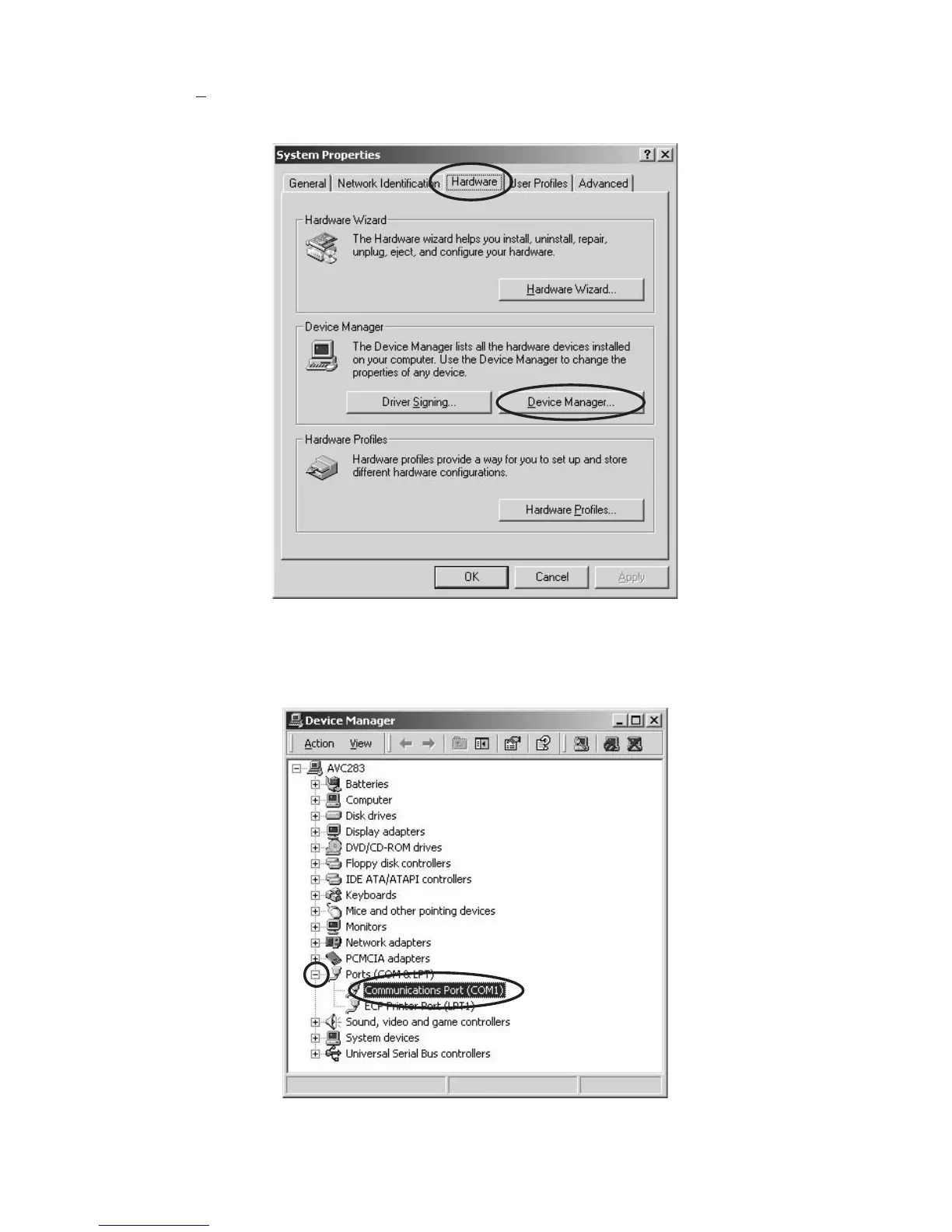
1.2 Click Hardware tab on the “System Properties”, and
click Device Manager... in the “Device Manager”.
(Case of Windows XP, 2000)
1.2 SystemProperties の Hardware タブをクリックし
DeviceManager... をクリックします。(Windows
XP、2000の場合)
1.3 Click the + icon of “Ports (COM&LPT)”, and Double
click Communications Port (COM*). It will open the
“Communications Port Properties”.
1.3 Ports(COM&LPT)に付いている + をクリックし、
CommunicationsPort(COM*)をダブルクリックしま
す。



 To Next Page