26
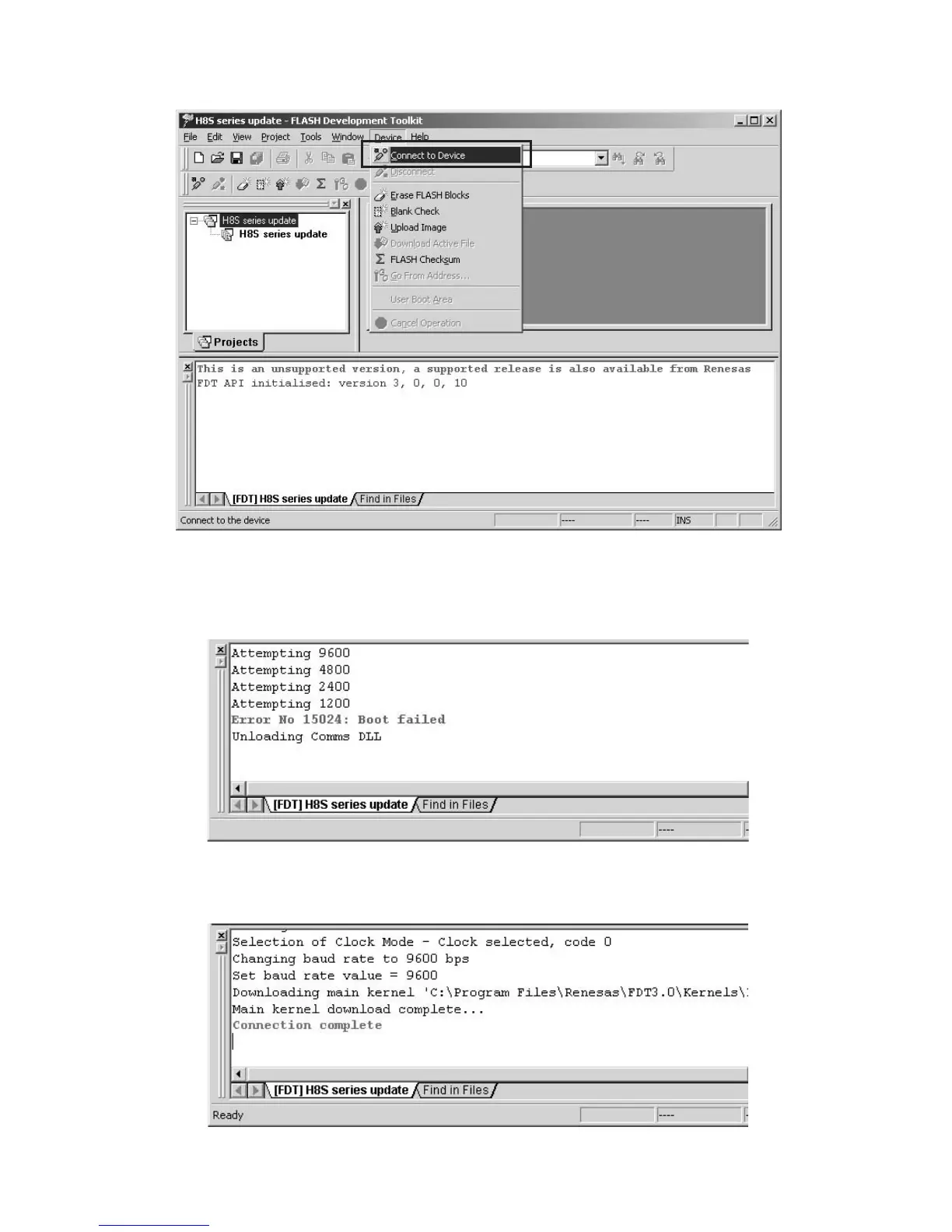
Click Device in the menu bar and select Connect to
Device.
書き込みソフトウェアのDevice から ConnecttoDevice
を選びクリックします。
Error message will be displayed when an error occurs.
Check the connection cable and select Connect to Device
again.
接続に失敗すると下記のようなメッセージが出ます。
ケーブル、接続を確認してもう一度 ConnecttoDevice
を行ってください。
The following message is displayed that DVD Player
connects with PC.
PCとDVDPlayerの接続に成功すると下記のようなメッ
セージが出ます。



 To Next Page