33
SETTING THE LANGUAGE OPTIONS
ENGLISH
Code (0~2)
1001
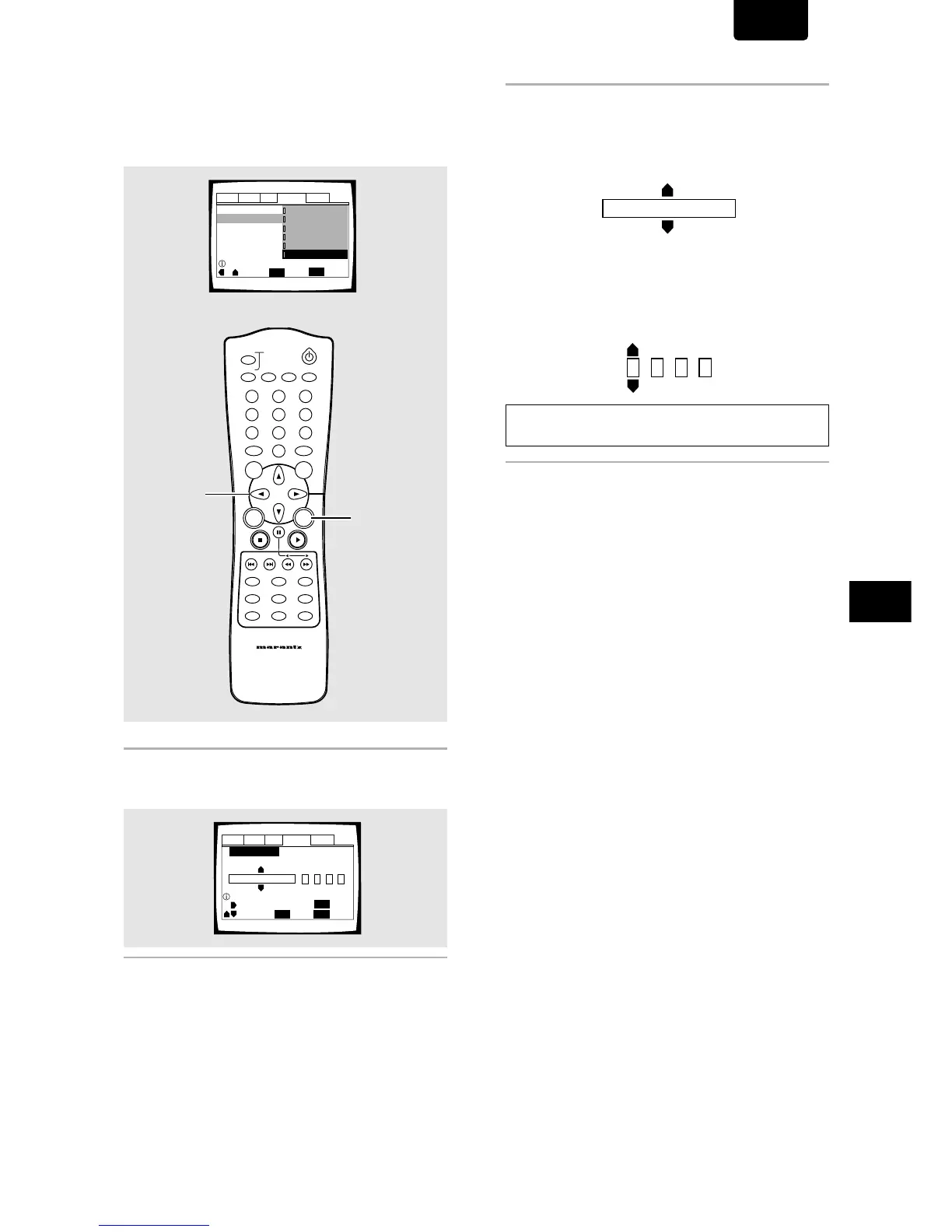
When “Other” is selected
When you want to select one of the 136 languages as the
main audio language, follow the steps below when the
following screen appears.
A language code list can be found on page 53.
1 Use the cursor buttons to select “Other” and
press ENTER.
The language selection screen appears.
2 Use the cursor buttons (
22
22
2/
33
33
3) to select either
“List of Languages” or “Code”.
Audio1 Audio2 GeneralLanguageVideo
Setup audio language
+/–
Audio Language
SETUP
Move
Exit
ENTER
Select
Return
ja: Japanese
List of Languages
Code (0~2)
1001
RETURN
Audio1 Audio2 GeneralLanguageVideo
OSD Language - English
Audio Language English
Subtitle Language - Japanese
Auto Language - Japanese
Move
Exit
ENTER
Select
English
French
Spanish
German
Italian
Other
SETUP
Setup audio language
3 If you select “List of Languages”, use the
cursor buttons (
55
55
5/
∞) to select the language.
For languages which are only shown as a code, please
refer to
“Language Code List”
on page 53.
If you select “Code”, use the cursor buttons
(
55
55
5/
∞) to input the numbers of the input code.
Use the cursor buttons (2/3) to change the position of
the cursor. You can also use the number buttons to enter
the code.
Note
To select number 0, press +10/0 rapidly.
4 Press ENTER to set the new language.
To exit the screen without making any changes, press
RETURN.
DIMMER
ENTER
RETURN
T-C
+10
RANDOMREPEAT
MENU
TOP
MENU
AUDIO
SUBTITLE
ANGLE
OSDPROGRAM
SETUP
LAST
MEMORY
CONDITION
MEMORY
CLEAR
0
987
654
321
A-B
TRAY
OPEN/CLOSE
REMOTE CONTROLLER
RC2100DV
DOOR
1, 4
1, 2, 3



 To Next Page