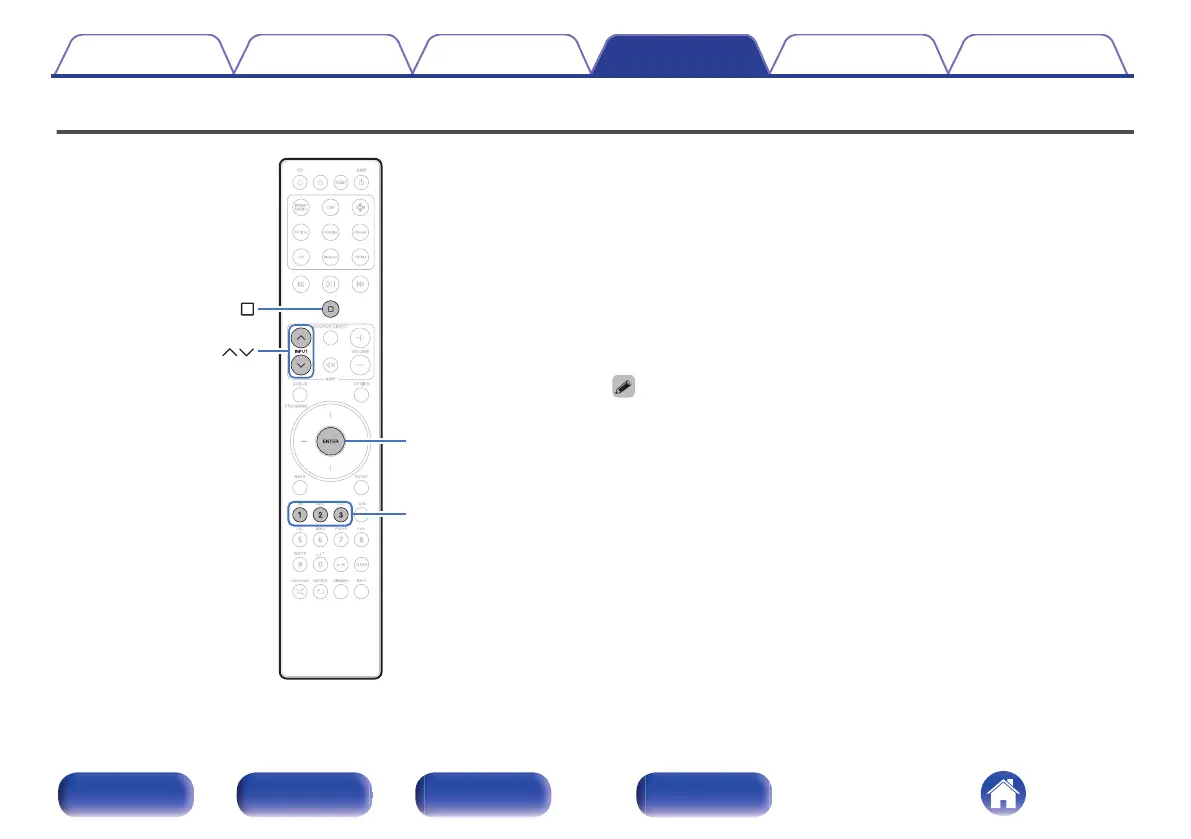
Setting remote control codes
Remote control codes are set between this unit and the included remote
control. You can select one of the three types of remote control codes, and
the remote control can be used to control the unit when the same remote
control code is used. If three of these units are used in the same location,
all three units can be controlled simultaneously using one remote control
in the default settings. By setting individual remote control codes between
a unit and the remote control, the remote control can be used to control
only the unit that has the same remote control code.
Be sure to check the operation of each unit after setting the remote control
codes.
The default setting is “AMP1”.
0
When remote control code setting is set to “AMP1”, the input source for this unit
cannot be switched to “PWR AMP” using INPUT ml on the remote control. To
switch with the remote control, change the remote control code setting to “AMP2”
or “AMP3”.
0
Set the remote control cord to “AMP 1” when controlling this unit from a Marantz
network CD player or other device connected using a remote connection cable to
this unit. (v p. 22)
Contents Connections Playback Settings Tips Appendix
33
Front panel Rear panel
Remote control
unit
Index



 To Next Page