EasyManua.ls Logo

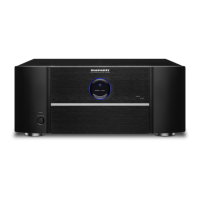
Marantz MM8003 - Service Manual

Marantz MM8003
84 pages
Print Icon
To Next Page IconTo Next Page
Loading...
Please use this service manual with referring to the user guide ( D.F.U. ) without fail.
Service
Manual
8 Channel Power Amplifier
MM8003 /
F B/K1B/N1B/U1B
TABLE OF CONTENTS
SECTION PAGE
1. TECHNICAL SPECIFICATIONS ........................................................................................... 1
2. POWER AMPLIFIER ADJUSTMENT.................................................................................... 2
3. SERVICE MODE ................................................................................................................... 3
4. FACTORY MODE .................................................................................................................. 4
5. SYSTEM ERROR ................................................................................................................. 6
6. UPDATE FIRMWARE .......................................................................................................... 10
Update CPU's software to internal Flash-ROM ............................................................. 10
7. WIRING DIAGRAM ............................................................................................................. 17
8. BLOCK DIAGRAM .............................................................................................................. 19
9. SCHEMATIC DIAGRAM ...................................................................................................... 21
10. PARTS LOCATION .............................................................................................................. 37
11. EXPLODED VIEW AND PARTS LIST ................................................................................. 55
12. MICROPROCESSOR AND IC DATA .................................................................................. 59
13. ELECTRICAL PARTS LIST ................................................................................................. 65
14. ABOUT REPLACE THE MICROPROCESSOR WITH A NEW ONE .............................102
MM8003
Part no. 90M47CW855010
First Issue 2008.07
MZ
8CH POWER AMPLIFIER MM8003
POWER ON/OFF
STANDBY

MM8003

Other manuals for Marantz MM8003

Questions and Answers

  • M
    Mrs. Mary MorrisJul 26, 2025
    Why is there no sound coming from my Marantz MM8003 Amplifier speakers?
    • J
      John TylerJul 26, 2025
      If you're not hearing any sound from your speakers, it could be due to a few reasons: * The connecting cables (input) or speaker cables may be incorrectly connected. Double-check all cable connections to ensure they are properly seated. * The input selector switch might not correspond to the input connector (BALANCED or UNBALANCED) to which the cable has been connected. Make sure the input switch is set to the correct position for the connected input.
  • D
    Diana McfarlandAug 15, 2025
    What does it mean when the power of Marantz MM8003 Amplifier suddenly goes off, and the standby indicator blinks rapidly?
    • C
      Courtney JacksonAug 15, 2025
      If the power suddenly goes off and the standby indicator blinks rapidly, it means that the amplifier's protection circuit has been tripped. Disconnect the power plug from the power outlet, and ask your nearest service center to repair the amplifier.
  • J
    jennifermillerNov 4, 2025
    What to do if my Marantz MM8003 Amplifier power suddenly goes off and the standby indicator blinks slowly?
    • T
      Tyler SolomonNov 4, 2025
      If your amplifier's power suddenly shuts off and the standby indicator blinks slowly, it indicates the protection circuit has been activated. This can happen due to several reasons: 1. The amplifier's internal temperature may have risen too high. Turn off the power and allow the amplifier to cool down before turning it back on. Also, ensure the amplifier is in a location that allows for proper heat dissipation. 2. There may be an issue with the speaker cables, such as the positive and negative conductors touching each other or making contact with the rear panel or another metal part. Turn off the power and inspect the speaker cable connections. Re-process the ends of the conductors if necessary. 3. The volume may be set too high for the amplifier's capabilities. Turn off the power, red...

Summary

Marantz Service Information

Ordering Replacement Parts

Instructions for ordering genuine Marantz replacement parts.

Critical Safety Warnings

General Safety Precautions

Emphasizes using original parts and highlights fire/shock hazards.

Service Safety Test

Procedure for a critical service test measuring unit resistance.

Technical Specifications

Power Amplifier Adjustment Procedures

Idling Current Alignment

Step-by-step guide for adjusting the idling current on the power amp boards.

Service Mode Operations

CPU Version Check and Reset

Procedures for checking CPU version and resetting the amplifier to factory settings.

Factory Mode Operation

System Error Diagnosis and Troubleshooting

Error Detection Codes (1)

Details first set of system error codes, their reasons, and check points.

Error Detection Codes (2)

Details second set of system error codes, their reasons, and check points.

Firmware Update Procedure

Update Equipment and Software

Lists necessary equipment and software for firmware updates.

CPU Software Update Process

Step-by-step instructions for updating the CPU's internal flash-ROM software.

Wiring Diagram

Block Diagram Overview

Circuit Schematic Diagrams

Parts Location Diagrams

Exploded View and Parts List

Microprocessor and IC Pin Data

Electrical Parts List

Safety Notes and Abbreviations

Key safety warnings, fusible resistor notes, and component abbreviations.

Microprocessor and Flash ROM Replacement

Marantz MM8003 Specifications

General IconGeneral
Damping factor100
Amplifier class-
Frequency range8 - 100000 Hz
Input sensitivity2400 mV
Audio output channels7.1 channels
Peak power per channel170 W
Signal-to-Noise Ratio (SNR)105 dB
Total Harmonic Distortion (THD)0.03 %
RMS power output per channel (8 Ohm)140 W
AC (power) inYes
Speakon ports quantity8
PurposeHome
Product colorBlack
Cables includedAC
Connectivity technologyWired
Power consumption (standby)0.4 W
Power consumption (typical)880 W
Weight and Dimensions IconWeight and Dimensions
Depth384 mm
Width440 mm
Height184.5 mm
Weight17900 g

Related product manuals