EasyManua.ls Logo

Marantz MM8077 - User Manual

Marantz MM8077
22 pages
Print Icon
To Next Page IconTo Next Page
Loading...
Owner’s Manual
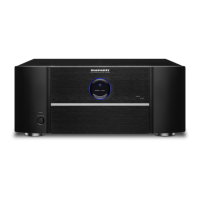
7 Channel Power Ampli er
MM8077
SVENSKA
ESPAÑOL
FRANÇAISNEDERLANDS
ITALIANO
DEUTSCH ENGLISH
РУССКИЙ
POLSKI
1.MM8077NENG2nd1030.indd11.MM8077NENG2nd1030.indd1 2012/11/0116:56:312012/11/0116:56:31

Other manuals for Marantz MM8077

Questions and Answers

  • D
    davidlivingstonAug 13, 2025
    Why does my Marantz MM8077 Amplifier power suddenly switch off during use, and the STANDBY and protection indicators flash?
    • T
      theresaparksAug 13, 2025
      This issue may occur because the internal temperature of the unit has increased, activating the protective circuit. To resolve this, remove the power plug from the wall socket, allow the unit to cool down, and then reinsert the power plug. Ensure the unit is installed in a well-ventilated location and that you are using speakers with the specified impedance. Also, check for any stray core wires from the speaker cables touching each other or the rear panel of the unit; if found, correct the wiring before reconnecting. Lastly, try turning the volume down on the connected amp before reinserting the power plug.
  • Q
    qgreenAug 16, 2025
    What to do if there is no sound from my Marantz Amplifier speakers?
    • V
      Vincent DavisAug 16, 2025
      First, check the speaker connections and the connections to other devices. Then, ensure that the input selector matches the input connector (BALANCED or UNBALANCED) of the connected device.
  • S
    Seth BaileyAug 20, 2025
    How to troubleshoot a Marantz MM8077 Amplifier that won't switch on?
    • S
      Stephanie MartinezAug 20, 2025
      First, verify that the power plug is correctly inserted into the wall socket. If the issue persists, the protective circuit may have been triggered. Remove the power plug from the wall socket, wait at least one minute, and then reinsert it.
  • T
    Tracey BrooksAug 25, 2025
    Why does my Marantz MM8077 Amplifier power off suddenly and the standby indicator flashes?
    • S
      Sarah LambertAug 25, 2025
      If your Marantz Amplifier suddenly switches off during use, and the STANDBY and protection indicators flash, it could be due to several reasons. The internal temperature of the unit might have increased, triggering the protective circuit. To resolve this, remove the power plug, allow the unit to cool down, and then reinsert the plug. Ensure the unit is installed in a well-ventilated area. Also, verify that you are using speakers with the specified impedance. If speaker wires are touching or a core wire is causing a short by touching the rear panel, remove the power plug, fix the wiring, and then reconnect. Finally, try turning down the volume on the connected amplifier before reinserting the power plug.
  • B
    Brian WallaceAug 27, 2025
    How to fix a Marantz Amplifier that won't turn on?
    • J
      Joseph BlackburnAug 28, 2025
      If your Marantz Amplifier doesn't switch on, or it switches off immediately after being switched on, ensure that the power plug is correctly inserted into the wall socket. Also, the protective circuit might have been activated. If this is the case, remove the power plug from the wall socket, wait for at least one minute, and then reinsert it.
  • L
    lawrence65Aug 31, 2025
    What to do if my Marantz Amplifier has no sound?
    • S
      Stephen TownsendAug 31, 2025
      If there is no sound coming from the speakers connected to your Marantz Amplifier, first check all speaker connections and connections to other devices. Then, ensure that the input selector matches the input connector (BALANCED or UNBALANCED) of the connected device.
  • B
    Brian StevensSep 4, 2025
    What to do if Marantz MM8077 turns off and standby indicator flashes?
    • A
      Alyssa NicholsSep 4, 2025
      If your Marantz Amplifier switches off suddenly during use, and the STANDBY indicator flashes quickly while the protection indicator flashes slower, the protective circuit has likely been activated. Remove the power plug from the wall socket, re-examine the installation conditions of the unit, and check the speaker cable connections.
  • A
    Anthony HarrisSep 7, 2025
    What to do if my Marantz MM8077 fuse is blown?
    • J
      Julie CrawfordSep 8, 2025
      If the primary fuse (F300, F302) is blown, check for short circuits in the rectifier. After repairing, also replace the fuse.

Summary

Safety Precautions

Caution: Risk of Electric Shock

Warning about electric shock risk and not opening the cover.

Warning: Fire or Electric Shock Hazard

Warning to prevent exposure to rain or moisture to reduce fire/shock risk.

Important Safety Instructions

List of essential safety instructions for operating the appliance.

General Warnings

General warnings and precautions for product usage and installation.

Hot Surface Warning

Warning not to touch hot surfaces when the unit is operating.

Installation Cautions

Getting Started

Features

Handling Cautions

Before Power On

Checks to perform before powering on the unit for correct connections.

Part Names

Connections

Speaker Connections

Guidance on connecting speaker cables, including polarity and impedance.

Connecting with AV Pre-Tuner (AV8801)

Shows connection examples for 7.1-channel surround using AV8801.

Operations

Turning the Power On

How to turn the unit on from standby mode.

Turning the Power Standby

How to put the unit into standby mode.

Troubleshooting

Specifications

Dimensions

Marantz MM8077 Specifications

General IconGeneral
Damping factor100
Amplifier class-
Frequency range10 - 100000 Hz
Output impedance8 Ω
Input sensitivity1200 mV
Audio output channels- channels
Peak power per channel- W
Signal-to-Noise Ratio (SNR)105 dB
Total Harmonic Distortion (THD)0.03 %
RMS power output per channel (8 Ohm)150 W
Pre out portNo
Line inputs (RCA)1
Speakers connectivity typeRCA
PurposeHome
MaterialAluminium, Glass, Metal
Product colorBlack
Channels quantity7 channels
Connectivity technologyWired
Power consumption (standby)0.4 W
Power consumption (typical)880 W
Weight and Dimensions IconWeight and Dimensions
Depth384 mm
Width440 mm
Height185 mm
Weight18000 g

Related product manuals