Connecting a PC or Mac
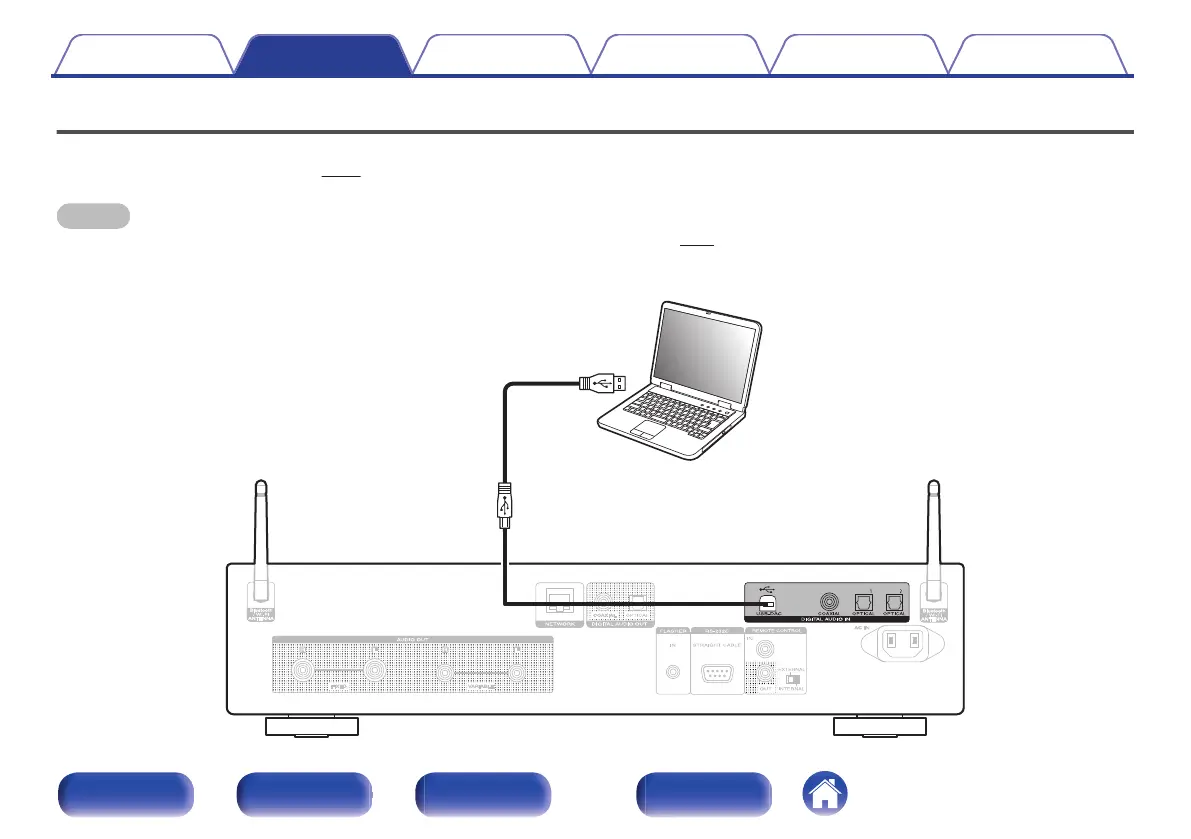
By connecting a computer to the USB port (USB-DAC) on the rear panel of this unit using a commercially available USB cable (Sold separately), this unit
can be used as a D/A converter. (v p. 61)
NOTE
0
Before USB connecting this unit to your computer, install the driver software in your computer. (v p. 62)
0
Download the driver software from the ND8006 page of the Marantz website.
0
Use a cable that is 10 ft (3 m) or less to connect to the computer.
.
Ty p e A
USB 2.0 cable
(Sold separately)
Ty p e B
Computer on which the driver software and
audio player software are installed
Contents
Connections Playback Settings Tips Appendix
24
Front panel Rear panel
Remote control
unit
Index


 To Next Page