D
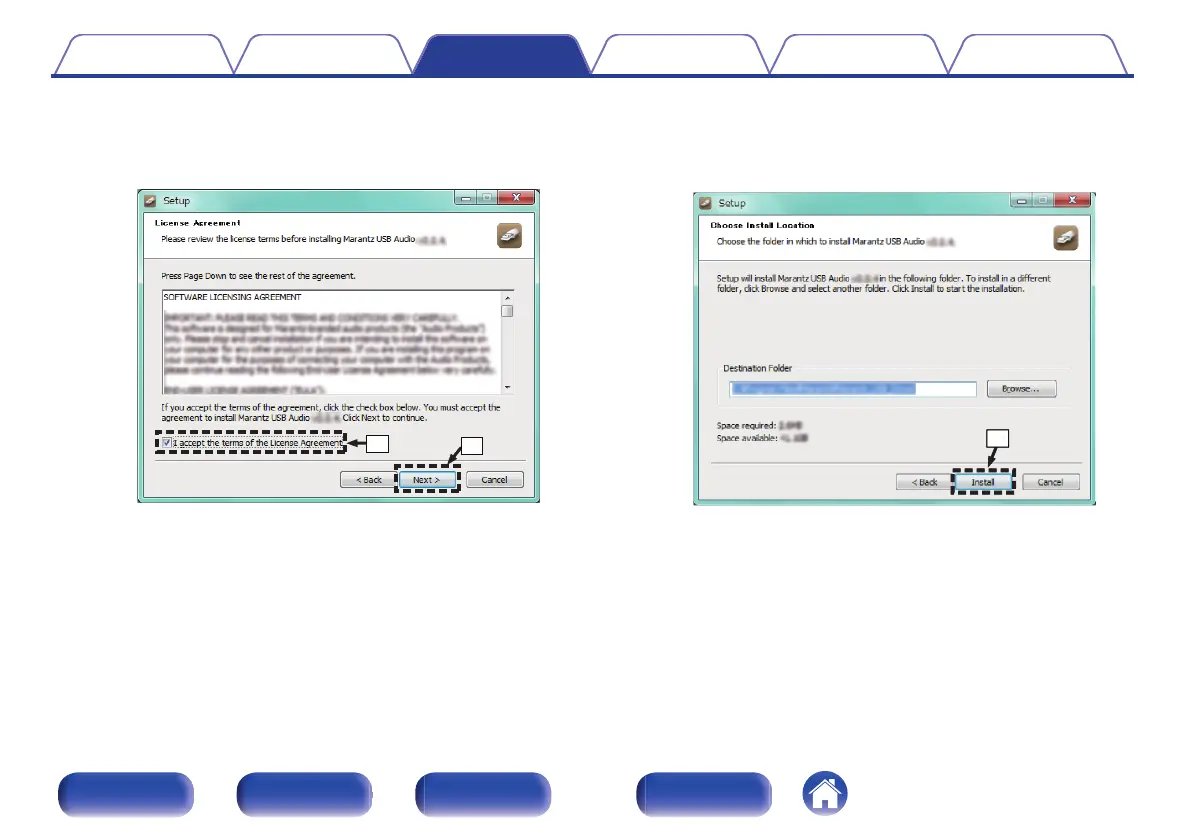
Read the Software Licensing Agreement, and click “I accept the
terms of the License Agreement”.
E
Click “Next”.
.
F
Click “Install” on the installation start dialog.
0
The installation starts. Do not perform any operation on the PC
until the installation is completed.
.
Contents
Connections Playback Settings Tips Appendix
64
Front panel Rear panel
Remote control
unit
Index


 To Next Page