EasyManua.ls Logo

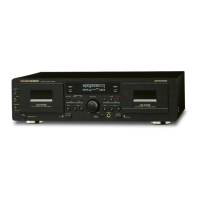
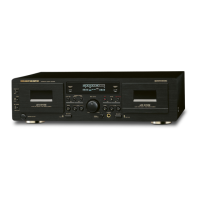
Marantz SD4050 - User Manual

Marantz SD4050
26 pages
Print Icon
To Next Page IconTo Next Page
Loading...
Model SD4050 User Guide
Cassette Deck
R

Other manuals for Marantz SD4050

Questions and Answers

  • R
    Ryan YoungJul 30, 2025
    Why does my Marantz Cassette Player sound warbled?
    • M
      Michael LaneJul 30, 2025
      If the sound from your Marantz Cassette Player is warbled or distorted, it could be due to several reasons. The heads, capstan, or pinch roller might be dirty and need cleaning. Alternatively, the tape could be wound too tight; try fast forwarding or rewinding it to loosen the winding. Also, check if the recording input level is too high and adjust it accordingly. Finally, the tape itself might be worn out and have 'drop-outs,' in which case you should replace it.
  • J
    Jessica ThompsonAug 4, 2025
    Why is my Marantz Cassette Player making excessive noise?
    • C
      Clayton CabreraAug 4, 2025
      Excessive noise from your Marantz Cassette Player can stem from a few issues. First, the tape might be worn and needs replacing. Second, the heads, capstan, or pinch roller could be dirty, requiring a thorough cleaning. Third, the heads might be magnetized and need demagnetizing. Lastly, the recording input level might be too low, so try adjusting it.
  • P
    Paul MurilloAug 9, 2025
    What to do if the tape does not run on Marantz Cassette Player?
    • S
      Scott BarajasAug 9, 2025
      If your Marantz Cassette Player's tape isn't running, there are several potential causes. Ensure the power cord is properly connected. If that's not the issue, the tape might be loose; try tightening it with a pencil. Also, make sure the cassette is loaded correctly. Lastly, the cassette itself might be defective, requiring a replacement. Check the power cord, tighten the tape, load the cassette properly or replace the cassette.
  • J
    Joseph RogersAug 14, 2025
    Why is the treble lost on my Marantz Cassette Player?
    • A
      Andrew StevensAug 14, 2025
      If the high frequency range (treble) is lost on your Marantz Cassette Player, it could be due to dirty heads, so you should clean them. Alternatively, the tape may be worn and need replacing.
  • E
    emilymillerAug 19, 2025
    Why is the treble emphasized on my Marantz Cassette Player?
    • E
      Elizabeth PenaAug 19, 2025
      If the high frequency range (treble) is emphasized on your Marantz Cassette Player, the Dolby NR switch might be set improperly. Ensure the Dolby NR switch is set correctly.
  • B
    Brian HuynhAug 25, 2025
    What to do if Marantz Cassette Player doesn't record when REC MUTE is pressed?
    • J
      jessica66Aug 25, 2025
      If the tape is not being recorded when you press the REC MUTE button on your Marantz Cassette Player, first, ensure that a cassette is loaded. If a cassette is loaded, check if the erase prevention tab is broken off; if it is, cover the hole with adhesive tape.

Summary

Important Safety Information

General Safety Precautions

Covers fire/moisture hazards, power cord handling, opening the top cover, and placing objects inside.

Electrical Shock and Servicing Warnings

Addresses risk of electric shock, not opening the unit, USA/Canada plug safety, and servicing referrals.

General Safety Instructions

Operational and Maintenance Safety

Covers power cord protection, cleaning, power lines, antenna grounding, nonuse periods, object entry, and servicing.

Note on Use

Controls and Functions Overview

Playback Operation Guide

Basic Playback Steps

Step-by-step instructions for playing a cassette tape.

Recording Operation

Recording Setup and Steps

Guide to setting up, adjusting levels, and performing recording operations.

Recording Level Guidelines

Dubbing Operation

Standard Dubbing Procedure

Steps for dubbing tapes from deck A to deck B at normal or high speed.

Synchro Dubbing Modes

Maintenance Procedures

Cleaning Components

Instructions for cleaning heads, pinch rollers, and capstans.

Head Demagnetization

Guidance on demagnetizing the tape heads to maintain sound quality.

Using the Remote Control Unit

Remote Operation and Range

How to operate the remote control unit within its effective range.

Troubleshooting Guide

Common Problems and Solutions

A table listing common issues, their causes, and remedies.

Technical Specifications

Deck Specifications

Detailed technical specifications for the cassette deck.

Marantz SD4050 Specifications

General IconGeneral
Tracks4-track, 2-channel stereo
Heads1 x playback, 1 x record/playback
Tape TypeType I, CrO2, Metal
Tape Speed4.76 cm/s
Signal to Noise Ratio (Dolby B)68dB
Signal to Noise Ratio (Dolby C)78dB
Total Harmonic Distortion1.0%
Track System4-track, 2-channel stereo
InputsLine in
TypeCassette Deck
MotorDC servo
OutputLine out
OutputsLine out
Signal-to-Noise Ratio58 dB (Dolby B off)
InputLine in

Related product manuals