9
ENGLISHFRANÇAIS
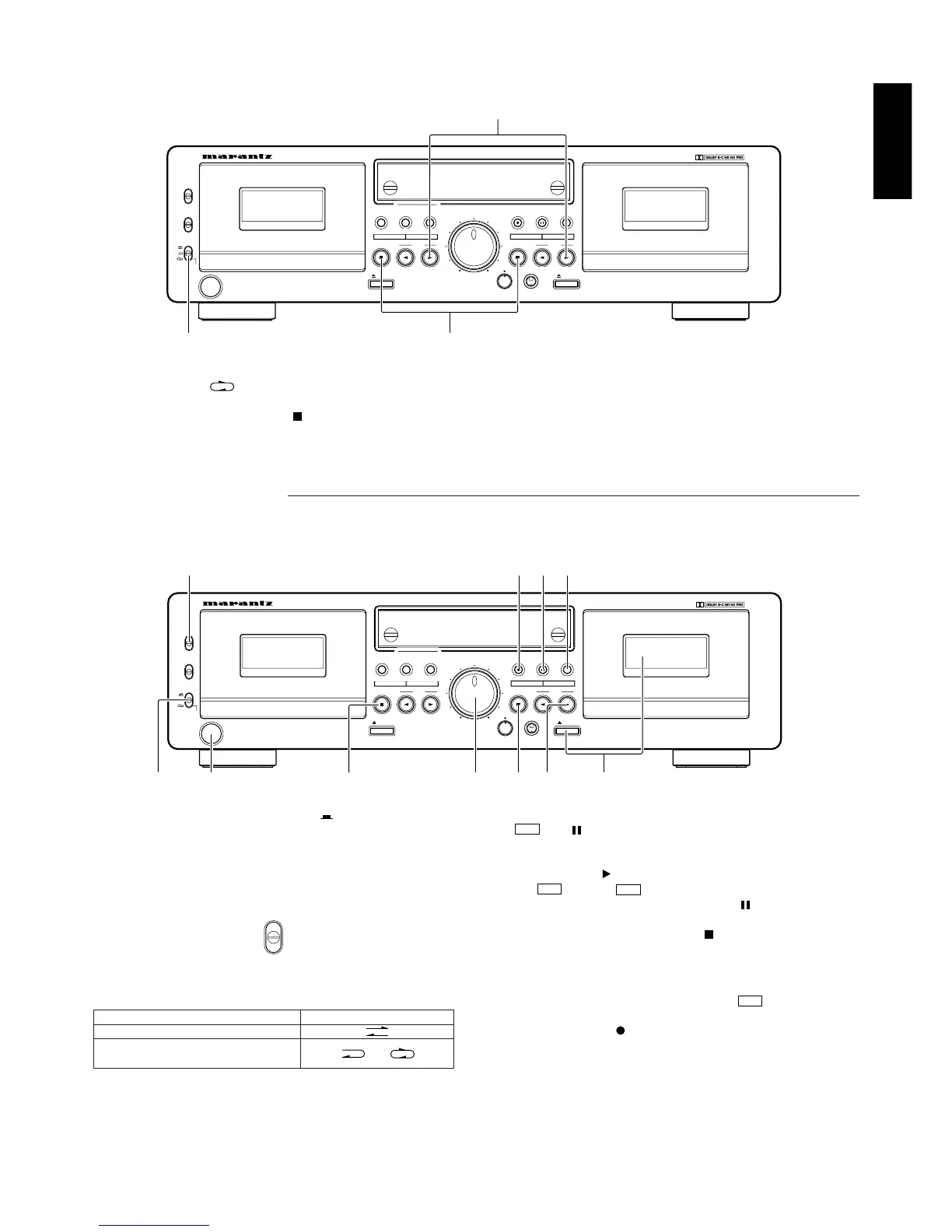
1. REV MODE set to q.
2. Press the PLAY button w of the deck you first wish to listen to.
3. To stop relay play, press the stop ( ) e of the deck currently playing the tape.
Relay play will play deck A and B in succession for 5 times,
(Deck A Deck B Deck A Deck B Deck A) or (Deck B Deck A Deck B Deck A Deck B).
RELAY PLAY
(continuous playback of the tapes in deck A and deck B)
Load a cassette tape into deck A and B, and set the Dolby NR button correctoly.
RESET
MIN
–
PHONES
CONTROL
PITCH
PLAY
+
RESET
COUNTERCOUNTER
REC/PLAY
EJECT
A
PLAY
PLAY
HIGH
PAUSE
NORMAL
REC MUTERECORD
REC LEVEL
SYNC REV
STOP
POWER
ON/OFF
STOP
CCONT. PLAY
B
OFF
PLAY
OFF
REC
C
B
REV. MODE
DOLBY NR
DOUBLE CASSETTE DECK SD4050
EJECT
TIMER
MAX
DUBBING SPEED
AUTO TAPE SELECT/HIGH SPEED DUBBING
AUTO REVERSE
AUTO TAPE SELECT/HIGH SPEED DUBBING
AUTO REVERSE
w
q
e
Switch on your amplifier or receiver and the source component.
Set the Function Selector or Tape monitor on your amplifier or receiver to the SOURCE or Tape monitor OFF position.
RESET
MIN
–
PHONES
CONTROL
PITCH
PLAY
+
RESET
COUNTERCOUNTER
REC/PLAY
EJECT
A
PLAY
PLAY
HIGH
PAUSE
NORMAL
REC MUTERECORD
REC LEVEL
SYNC REV
STOP
POWER
ON/OFF
STOP
CCONT. PLAY
B
OFF
PLAY
OFF
REC
C
B
REV. MODE
DOLBY NR
DOUBLE CASSETTE DECK SD4050
EJECT
TIMER
MAX
DUBBING SPEED
AUTO TAPE SELECT/HIGH SPEED DUBBING
AUTO REVERSE
AUTO TAPE SELECT/HIGH SPEED DUBBING
AUTO REVERSE
!0e ot
qwu
y i ur
RECORDING (DECK B only)
1. Press the POWER switch q to the ON ( ) position.
2. Load the cassette tape w.
(Check that the erasure prevention tabs of the cassette housing
have not been broken off.)
3. Press the DOLBY NR switch e and select the Dolby NR type that
suits the recording.
4. Select the type of tape transport with the REV MODE switch r.
Mode
To record on only one side
To continuously record on both
sides
Switch position
or
5. Press the REC button !0 to set the recording pause mode. The
and indicator will light up.
6. Adjust the recording level with the REC LEVEL control y while
watching the Peak Level Meter.
7. Press the PLAY ( ) button u to start the recording.
The and the Indicator will light during recording.
8. To pause the recording, press the PAUSE ( ) button o. Press
the PLAY u or PAUSE button o to resume recording.
9. To stop recording, press the STOP ( ) button i.
Caution:
Be careful not to erase important recordings by mistake.
Inadvertent start of recording will happen in the following cases:
1. If the PLAY button is pressed while the indicator lights,
recording starts.
2. If the PLAY and REC button are pressed at the same time,
recording starts.
The best way to avoid accidental erasure is to break off the two
erasure prevention tabs on the cassette housing.












 To Next Page