tnaPantz®
ENGLISH
Please Read
Please keep
this
for
future
reference
We
at Marantz appreciate your business. Please accept our thanks for purchasing our product. Your satisfaction with
our product
is
our main concern.
Information about firmware update
This unit has the ability to update its firmware over the internet. If an update is
interrupted or fails, a message (See below) may appear
on
the receiver front panel.
I 1Jpd.3te
E~··~··o~··
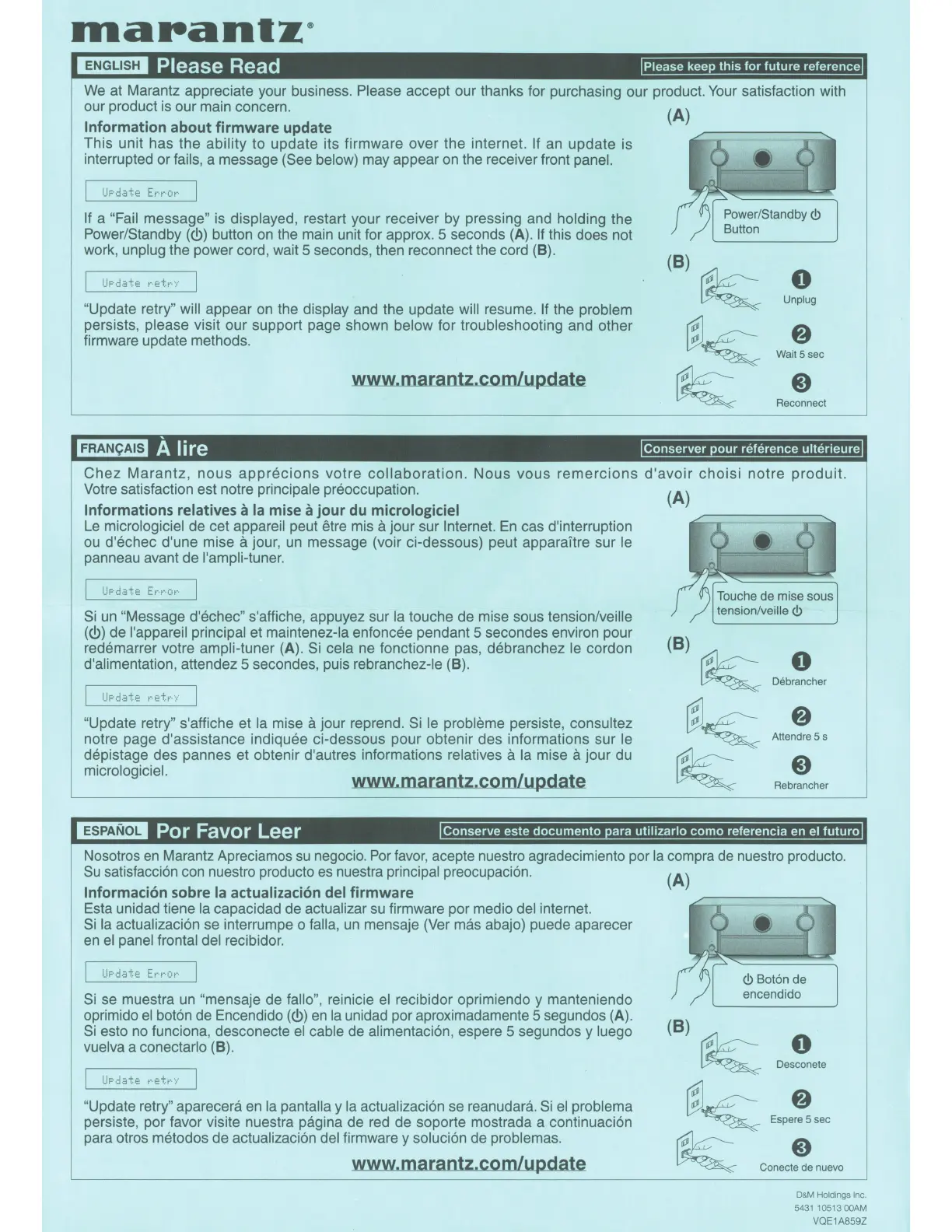
If a "Fail message" is displayed, restart your receiver by pressing and holding the
Power/Standby(<!>) button
on
the main unit for approx. 5 seconds (A).
If
this does not
work, unplug the power cord, wait 5 seconds, then reconnect the cord
(B).
I l_lpd.3te
~··etr··/
"Update retry" will appear on the display and the update will resume.
If
the problem
persists, please visit our support page shown below for troubleshooting and other
firmware update methods.
www.marantz.com/update
FRANCAIS
A lire
(A)
(B)
~
0
Unplug
~~
8
Wait5sec
~
8
Reconnect
Conserver
pour
reference
ulterieure
Chez
Marantz,
nous
apprecions
votre
collaboration.
Nous
vous
remercions
d'avoir
choisi
notre
produit.
Votre satisfaction est notre principale preoccupation.
Informations relatives
a
Ia
mise a jour du micrologiciel
Le
micrologiciel de cet appareil peut etre mis a jour sur Internet.
En
cas d'interruption
ou
d'echec d'une mise a jour,
un
message (voir ci-dessous) peut apparaitre sur le
panneau avant de l'ampli-tuner.
I
1Jpd.3te
E~··t··ot··
Si
un
"Message d'echec" s'affiche, appuyez sur
Ia
touche de mise sous tension/veille
(c!>)
de l'appareil principal et maintenez-la enfoncee pendant 5 secondes environ pour
redemarrer votre ampli-tuner
(A).
Si cela ne fonctionne pas, debranchez le cordon
d'alimentation, attendez 5 secondes, puis rebranchez-le
(B).
I
1Jpd.3te
r-·et~···/
"Update retry" s'affiche et
Ia
mise a jour reprend.
Si
le probleme persiste, consultez
notre page d'assistance indiquee ci-dessous pour obtenir des informations sur le
depistage des pannes et obtenir d'autres informations relatives
a
Ia
mise a jour du
micrologiciel.
www.marantz.com/update
(A)
(B)
~
0
Debrancher
~~
8
Attendre 5 s
~
8
Rebrancher
ESPANOL
Por Favor Leer
Conserve
este
documento
para
utilizarlo
como
referencia en el
futuro
Nosotros
en
Marantz Apreciamos
su
negocio.
Por
favor,
acepte nuestro agradecimiento por
Ia
compra
de
nuestro producto.
Su
satisfacci6n con nuestro producto
es
nuestra principal preocupaci6n.
Informacion sobre
Ia
actualizaci6n del firmware
Esta unidad tiene
Ia
capacidad de actualizar
su
firmware por medio del internet.
Si
Ia
actualizaci6n se interrumpe o falla,
un
mensaje (Ver mas abajo) puede aparecer
en
el
panel frontal del recibidor.
Si
se muestra
un
"mensaje de fallo", reinicie
el
recibidor oprimiendo y manteniendo
oprimido
el
bot6n de Encendido
(c!>)
en
Ia
unidad por aproximadamente 5 segundos (A).
Si
esto
no
funciona, desconecte
el
cable de alimentaci6n, espere 5 segundos y luego
vuelva a conectarlo
(B).
I
1Jpd.3te
~-ett··Y
"Update retry" aparecera
en
Ia
pantalla y
Ia
actualizaci6n se reanudara.
Si
el
problema
persiste, por favor visite nuestra pagina de red de soporte mostrada a continuaci6n
para otros metodos de actualizaci6n del firmware y soluci6n de problemas.
www.marantz.com/update
(A)
<!>
Bot6n de
encendido
(B)
~
0
~
Desconete
~~
Espe~sec
~
Conem~
nuevo
D&M
Holdings Inc.
5431
10513
OOAM
VQE1A859Z



 To Next Page