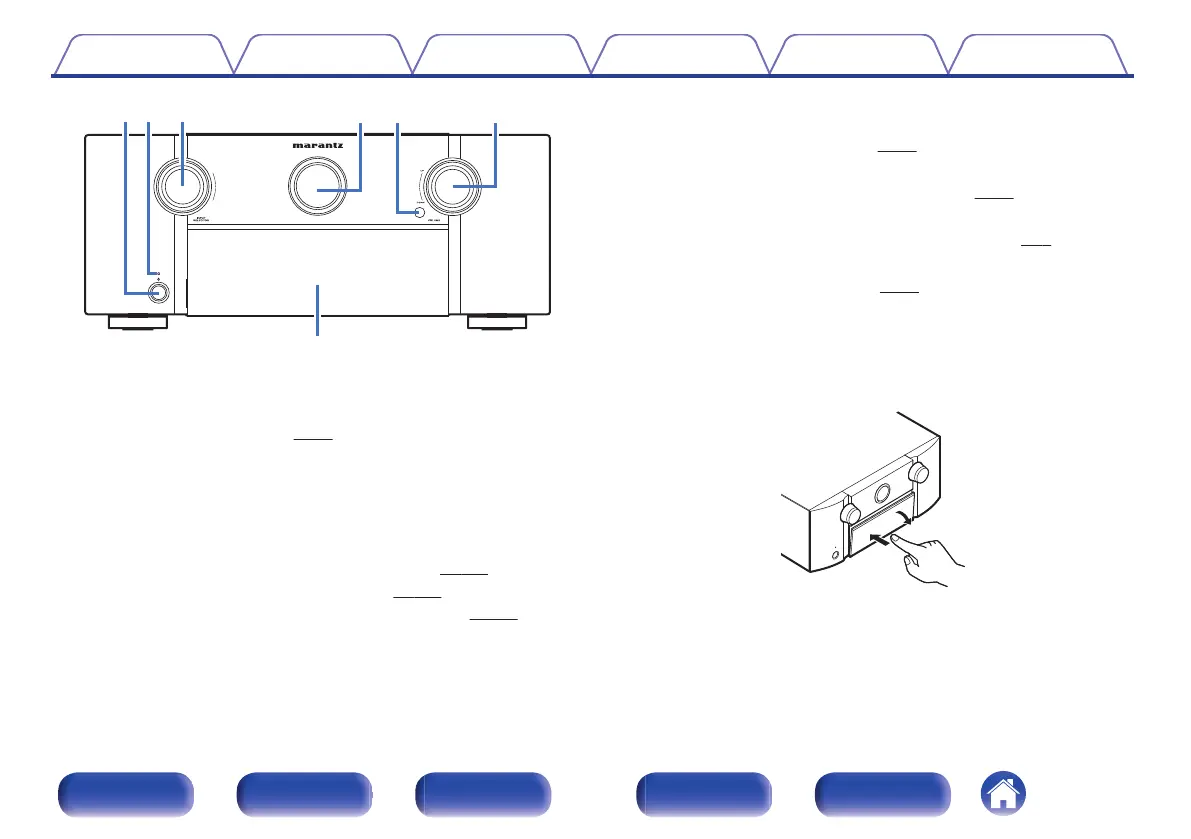
.
A
Power operation button (X)
Used to turn the power of the MAIN ZONE (room where this unit is
located) on/off (standby). (v
p. 94)
B
Power indicator
This is lit as follows according to the power status:
0
Off: Power on
0
Red: Normal standby
0
Orange:
0
When “HDMI Pass Through” is set to “On” (v
p. 185)
0
When “HDMI Control” is set to “On” (v
p. 187)
0
When “Network Control” is set to “Always On” (v p. 238)
C
INPUT SELECTOR knob
This selects the input source. (v
p. 94)
D
Main display
This displays various pieces of information. (v p. 22)
E
Remote control sensor
This receives signals from the remote control unit. (v
p. 9)
F
VOLUME knob
This adjusts the volume level. (v
p. 95)
G
Door
When you are using buttons and/or connectors behind the door, press
the bottom of the door to open it. Be careful not to catch your fingers
when closing the door.
.
Contents
Connections Playback Settings Tips Appendix
18
Front panel Display Rear panel Remote Index



 To Next Page