E
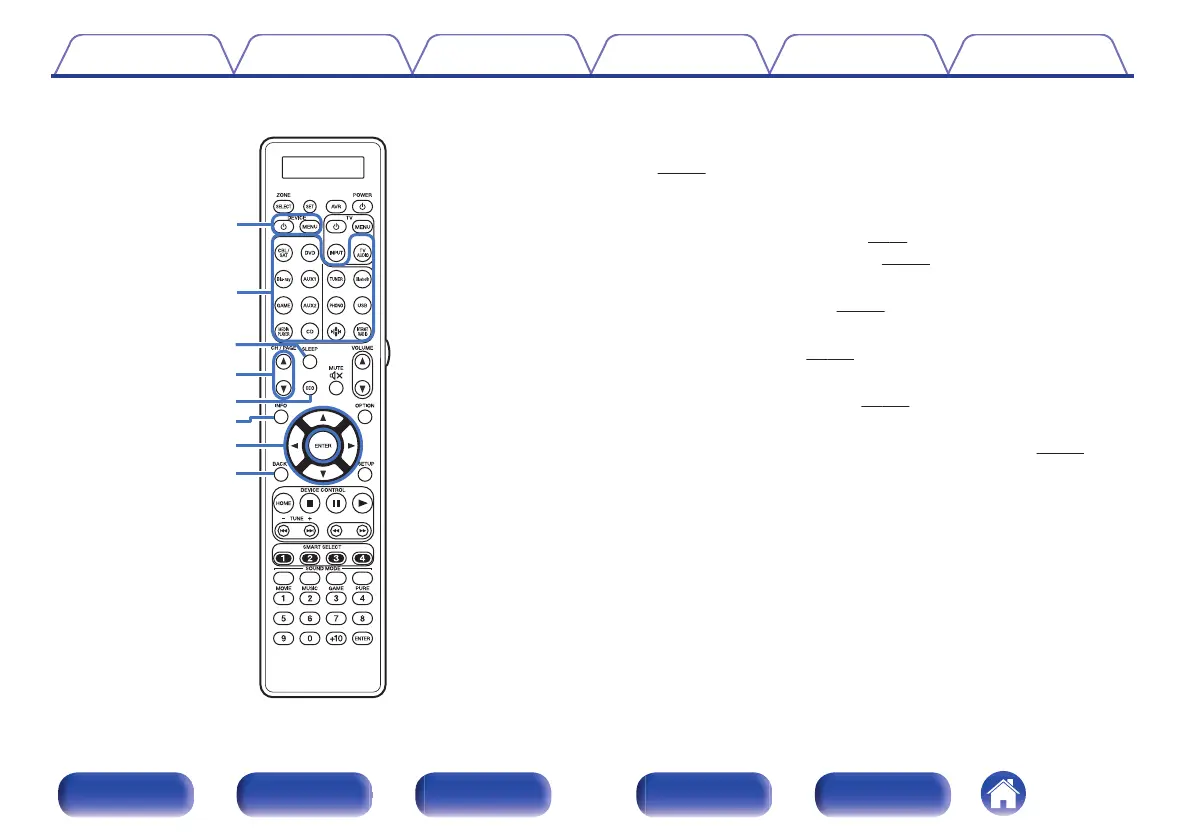
Device operation buttons (DEVICE X / DEVICE MENU)
These turn the power of external devices on/off and call up menus.
Preset codes need to be registered in order to use these buttons.
(v p. 254)
F
Input source select buttons
These select the input source.
0
“Selecting the input source” (v p. 94)
0
“Playback in ZONE2/ZONE3” (v p. 162)
G
SLEEP button
This sets the sleep timer. (v
p. 148)
H
Channel/page search buttons (CH/PAGE df)
These switch pages. (v p. 106)
I
ECO Mode button
This switches to ECO Mode. (v p. 241)
J
Information button (INFO)
This displays the status information on the TV screen. (v p. 252)
K
Cursor buttons (uio p)
These select items.
L
BACK button
This returns to the previous screen.
Contents
Connections Playback Settings Tips Appendix
31
Front panel Display Rear panel Remote Index



 To Next Page