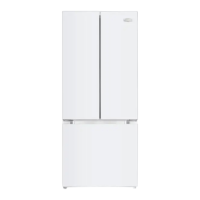
MAR45W/MAR45BLS
Care and Cleaning
• Keep ventilation openings on appliance clear of obstruction.
• Before maintaining or cleaning, turn off the refrigerator and disconnect the plug from the power outlet.
• Do not clean the appliance with any abrasive cleaners.
• Clean the appliance and the interior accessories with a cloth and luckwarm water. After cleanning wipe with
fresh water and rub dry
• Do not use sharp objects to remove frost from the appliance.
• Regularly examine the defrost drain of the refrigerator for defrosted water. If necessary, clean the drain line. If
the drain is blocked, water will overflow into the bottom of the refrigerator and may cause water damage on
the floor which is not covered under this manufacturer's warranty.
Use and Care
Temperature Settings
Once your refrigerator is plugged in, the thermostat dial has 8 settings:
''0'' is OFF and ''7'' is the coldest setting.
Accesories
To permit storage of food packages of various sizes, the adjustable
door bins can be replaced at different heights. To adjust, pull gently the
door bin upwards until it comes free, then position as required.
Defrosting the refrigerator
Your refrigerator compartment features ''Automatic Defrost'' and
does not require manual defrosting
Cleanning the Defrost Drain
To avoid defrost water overflowing into the fridge and possiblly
onto your floor, periodically clean the drain hole at back of
refrigerator compartment. (showed in right picture)
Energy Savings
• Avoid putting hot food in the refrigerator.
• Avoid packing too much in the refrigerator which limits air circulation.
• Avoiding having items pushed back against the rear of the refrigerator as
they restrict cooling and may get wet when defrosting.
• During an electrical failure, avoid opening the refrigerator door.
• Avoid opening and closing the door frequently.
• Avoid leaving the door open for an extended period.
• Avoid setting the thermostat on the coldest setting.
5


 To Next Page