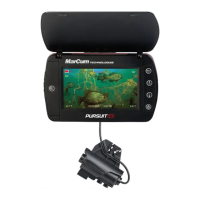
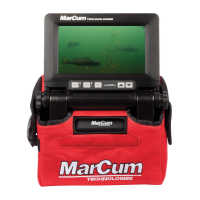
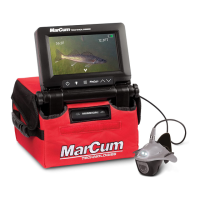
The MarCum Quest HD is an advanced underwater viewing system designed for various applications, including ice fishing, searching for underwater treasures, observing fish in their natural habitat, and learning about fish reactions to lures or bait. It incorporates several cutting-edge technologies to provide a clear and vivid viewing experience.
Function Description
The Quest HD serves as an underwater camera system that allows users to view the underwater environment on a monitor. It provides real-time video feed, along with on-screen displays of crucial data like camera direction, water depth, water temperature, and battery voltage. This system is designed to simplify underwater observation and enhance fishing or exploration activities.
Important Technical Specifications
Monitor:
- Type: 7" Solar-Intelligent, H2D LCD monitor
- Resolution: 480v x 800h
- Visibility: Daylight viewable, though a visor is recommended for direct sunlight.
- Housing: Ultra-thin, sealed with a rubber gasket, and potted plug-in connections for protection against harsh elements.
Camera:
- Image Sensor: Sony CMOS HD Image Sensor
- Low-light Capability: .01 lux
- Angle of View: 90°
- Lighting: MarCum's exclusive Darkwater lighting technology, which reduces particulate reflection and increases viewing distance by positioning lights above and behind the camera lens.
- Design: Manta camera design, which can be fitted with a fin for open water stability or down-viewing.
- Sensors: Digital temperature sensor, pressure sensor for depth measurement, and electronic compass sensor for direction heading.
Battery:
- Type: Sealed Lead Acid
- Voltage: 12 volts
- Amperage: 7 to 9 amps (higher amperage provides longer run time)
Video Output:
- Jack: HD video out jack
- Interface: Supports version 1.4 interface for connecting to larger monitors or external recording devices.
Usage Features
Monitor Adjustments:
- OSD Menu: Accessed via the menu key on the digital keypad.
- Settings: Brightness, Color Kill, Color, Contrast, Reset, and Exit.
- Navigation: UP and DOWN arrows on the digital keypad to change settings within a selected menu.
- Brightness: Adjusts pixel illumination, affecting image washout.
- Color: Increases or decreases color saturation and vividness.
- Contrast: Adjusts the difference between light and dark tones for optimal picture detail.
- Color-Kill: Allows switching between color and black & white viewing. Recommended for low-light, dirty water, or after-dark conditions. Activates automatically if insufficient light is detected for optimal color viewing.
On-Screen Display (OSD) Features:
- Displayed Information: Water temperature, water depth, battery status, and relative camera direction heading.
- Camera Direction: An arrow on the screen perimeter indicates the camera's direction relative to the monitor's facing.
- Display Modes: Toggled by the OSD/DISPLAY button:
- Mode 1: Direction, temperature, depth (default)
- Mode 2: Direction and depth
- Mode 3: Direction only
- Mode 4: All OSD off
- Units: F/C button alternates between Fahrenheit and Celsius. Initial press also briefly displays battery voltage.
Camera Deployment:
- Cable Spool: Camera can be unwrapped from the cable spool and deployed to the desired depth.
- Down-Viewing Fin: Snaps into the rear of the Manta camera housing, allowing direct downward viewing. Recommended to leave about six inches of excess cable in a loop before locking it into place.
Ice Fishing Application:
- Search Tool: Drill a series of holes to search for weed lines, cribs, or rock piles.
- Spotting Fish: Use directional and depth indicators to pinpoint fish hideouts.
- Lure Presentation: Lower the camera into a second hole (3-4 feet away from the fishing hole) to observe fish reactions to lures or bait.
- Automatic Camera Panner: Recommended for maintaining desired depth and direction.
Maintenance Features
Battery Charging:
- Charger: Comes with a 3-stage battery charger.
- Charging Process: Connect the charger to the battery's wiring harness. A red LED indicates charging, and a green LED indicates a full charge.
- Safety: Charge on a flat, hard surface away from flammable materials. Disconnect the charger from the wall when not in use.
- Frequency: Recharge battery promptly after each use (8-12 hours overnight). Overcharging with a low-amp charger is not a concern.
- Battery Replacement: Sealed Lead Acid batteries are expendable and should be replaced periodically.
Calibration:
- Temperature Sensor: Pre-calibrated.
- Depth Sensor: Automatically calibrates itself and can be manually zeroed by powering the system down and back on if it shows a non-zero depth out of water.
- Compass Calibration:
- Initiation: Press and hold F/C (Ft/M) and OSD DISPLAY buttons simultaneously until "Calibrate the display" appears.
- Monitor Calibration: Rotate the monitor 720 degrees clockwise. Press F/C and OSD DISPLAY buttons again.
- Camera Calibration: With the camera suspended horizontally, rotate it 720 degrees clockwise. Press F/C and OSD DISPLAY buttons again until "Calibrated" appears.
- Purpose: Necessary if the compass appears magnetized, direction is incorrect, or if tilt (e.g., from added weights or fins) causes errors.
Warranty and Service:
- Warranty: One-year warranty covering defects in materials and workmanship from the date of purchase. Requires online product registration and an original sales receipt.
- Battery Warranty: Standardized policy, requires proof of purchase.
- Service: If malfunctioning, check the support section of www.Marcumtech.com/support. For repairs, fill out a MarCum Warranty Claim form online and ship the unit as described on the website.
- Out-of-Warranty Service: Fill out a non-warranty claim form online. Repair pricing is determined upon receipt of the system.
- Shipping: Customer is responsible for shipping costs to MarCum. MarCum covers return shipping for in-warranty repairs. Units should be securely packed, pre-paid, and insured. Do not include batteries or other accessories unless specified.

 Need help?
 General

 To Next Page