20
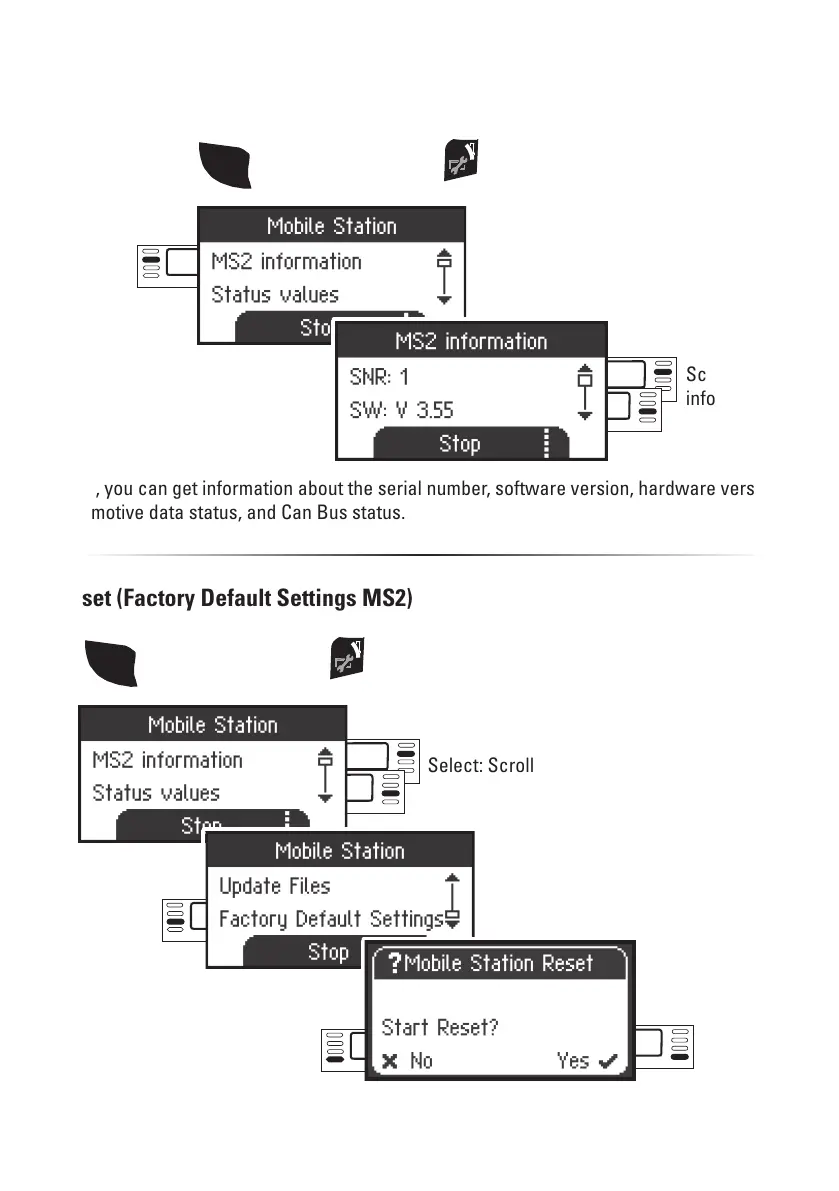
Select: Scroll
Select
Reset (Factory Default Settings MS2)
Select
! Important. When you do a Reset, all of the data and settings are deleted.
Select:
Factory Default
Settings
Scroll for
information
MS2 Information
Here, you can get information about the serial number, software version, hardware version,
locomotive data status, and Can Bus status.
Menu
Select:
MS2 information
SHIFT
then additionally press
SHIFT
then additionally press



 To Next Page