◢MR6100 Serial UHF reader user manual(Ver 1.0)◣
Address:
Floor 3/5, Block D,Changyuan New Material Port, No 2 Central 1st Hi-tech Av., Nanshan Shenzhen, P.
R.C. Post:518057
Phone:0755-2654 6392 FAX:0755-2655 3743
E-mail:technical@marktrace.com Website:www.marktrace.com
the Matched EPC tag reading.
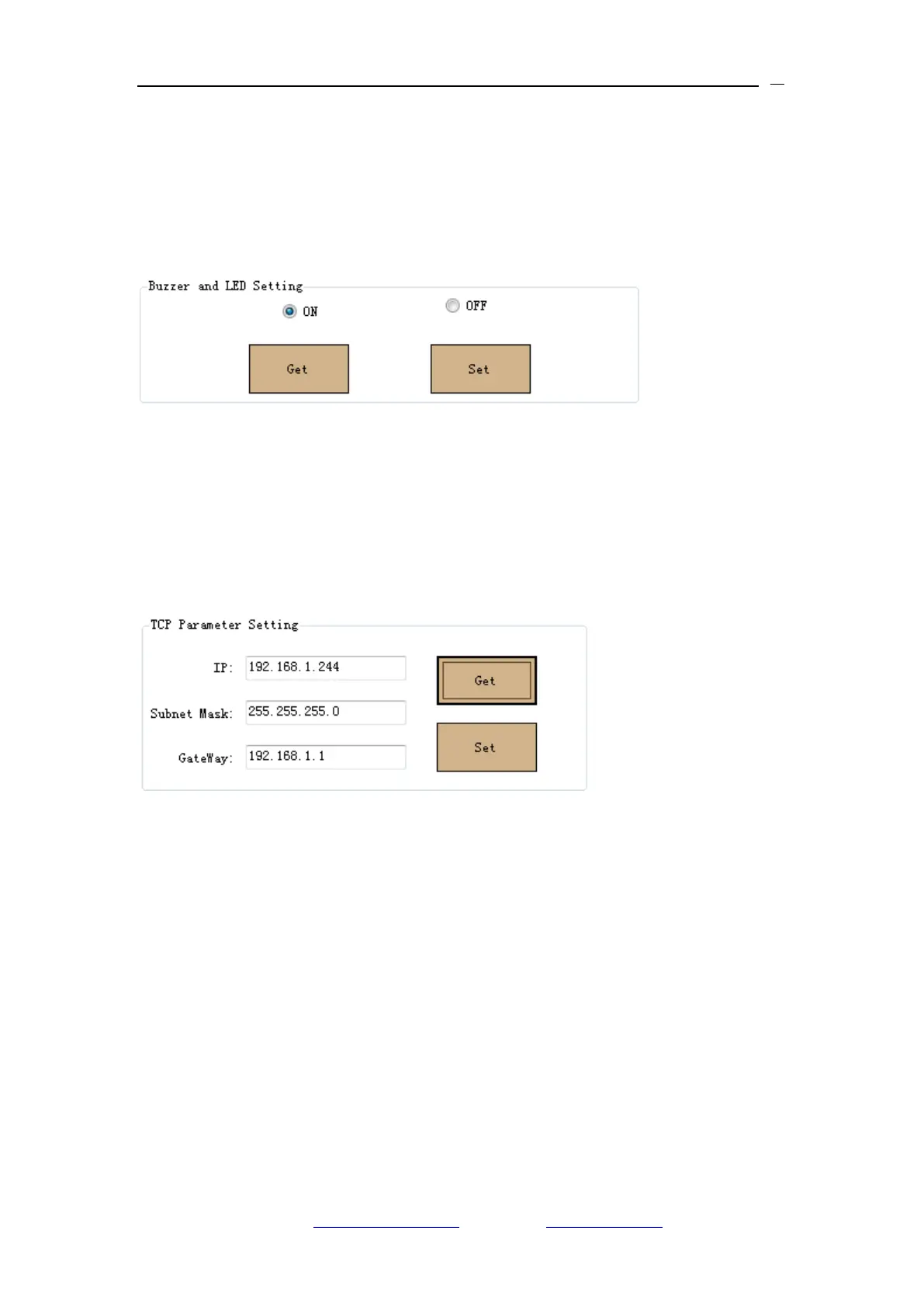
5.2.5 Buzzer & LED Setting
1、On Setting interface‟s Buzzer & LED Setting menu for Querying and Setting
Buzzer & LED ON/OFF. Take below image for the reference.
2、After setting Buzzer & LED ON/OFF, Reader automatically reset, and need
to reconnect the reader.
5.2.6 IP Address Setting
1、On setting interface‟s TCP Parameter Setting menu for querying and setting
reader‟s IP, take below image for the reference.
2、Reader automatically reset when set a new IP address, and need to
reconnect the reader with new IP address
5.2.7 GPIO Setting
On Setting interface‟s Set Out Port menu for the reader output port setting.
The reader has two sets output port and one set Relay port. IO Port0 and IO
Port1 are output port with default High level voltage (5V) and Low level voltage
(0V) configurable. IO port2 is Relay output port with default OFF setting. take
below image for the reference.


 To Next Page