18
WEIGHING
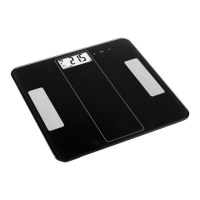
Place the scales on a hard, at surface. Stand
on the scales in your bare feet. The weight
shown stabilises and then ashes, after
which it is transferred. The scales switch o
automatically after a few seconds. Data and
history are stored and shown in the app.
1. Place the scales on a hard, at surface.
2. Make sure that your bare feet are placed
on the electrodes on the scales.
3. Check the data in the app.
FIG. 2
NOTE:
To measure body fat correctly your bare feet
must be placed on the electrodes on the
scales.
BUTTON FUNCTIONS AND SETTING
OF PERSONAL PARAMETERS
SET
Start the scales and browse to next
parameter.
The value increases by one when
pressed. Keep pressed to increase the
values more quickly.
The value decreases by one when
pressed. Keep pressed to decrease the
values more quickly.
NOTE:
1. If the product model does not have any
buttons, set personal parameters in the
app.
2. The buttons are only intended for guests
and the user code is as standard set to 0.
It is not possible to set the user code on
the scales. A user code is automatically
allocated by the app. Set personal
parameters in the app.
NOTE:
Replace the battery cover after inserting
batteries. Only use batteries of the
recommended type. Remove the batteries
if the scales not going to be used for three
months, or longer.
USE
DOWNLOADING AND INSTALLING
APP
Search for the app MovingLife at App Store or
Google Play and download the app.
Compatibility
• Online version in App Store for IOS system.
• Android 4.3 or later.
NOTE:
The app is continuously updated and
therefore can dier from the information in
these instructions. Search for updates to nd
the relevant information.
REGISTRATION AND CONNECTION
Open the app MovingLife, connect the scales
to the app and register your personal prole.
Check before connecting that Bluetooth is
enabled and that the display on the scales is
on.
1. Step softly onto the scales to start them.
2. The display goes on.
3. Connect the scales to the app.
FIG. 1
NOTE:
Make sure to specify your correct personal
data to get correct results.


 To Next Page