33
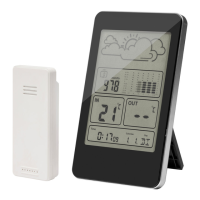
7. Histogram, barometer pressure
8. Temperature outdoors
9. Calendar
10. Day
11. MODE button (mode)
12. Up button (up)
13. DOWN button (down)
14. Hole for hanging
15. HISTORY button (history)
16. SNOOZE button
17. Battery compartment main unit
18. Hole for hanging
19. Battery compartment wireless outdoor sensor
FIG. 1
HOW TO USE
BEFORE USING FOR THE FIRST TIME
1. Open the battery compartment for the main unit.
2. Insert 2 AAA batteries with the correct polarity as shown by
the markings.
3. When the batteries are inserted all the icons on the display
go on for 3 seconds and a beep is heard. The indoor
temperature is registered.


 To Next Page