EasyManua.ls Logo

Mars FLAVIA Barista - User Manual

Mars FLAVIA Barista
28 pages
Print Icon
To Next Page IconTo Next Page
Loading...
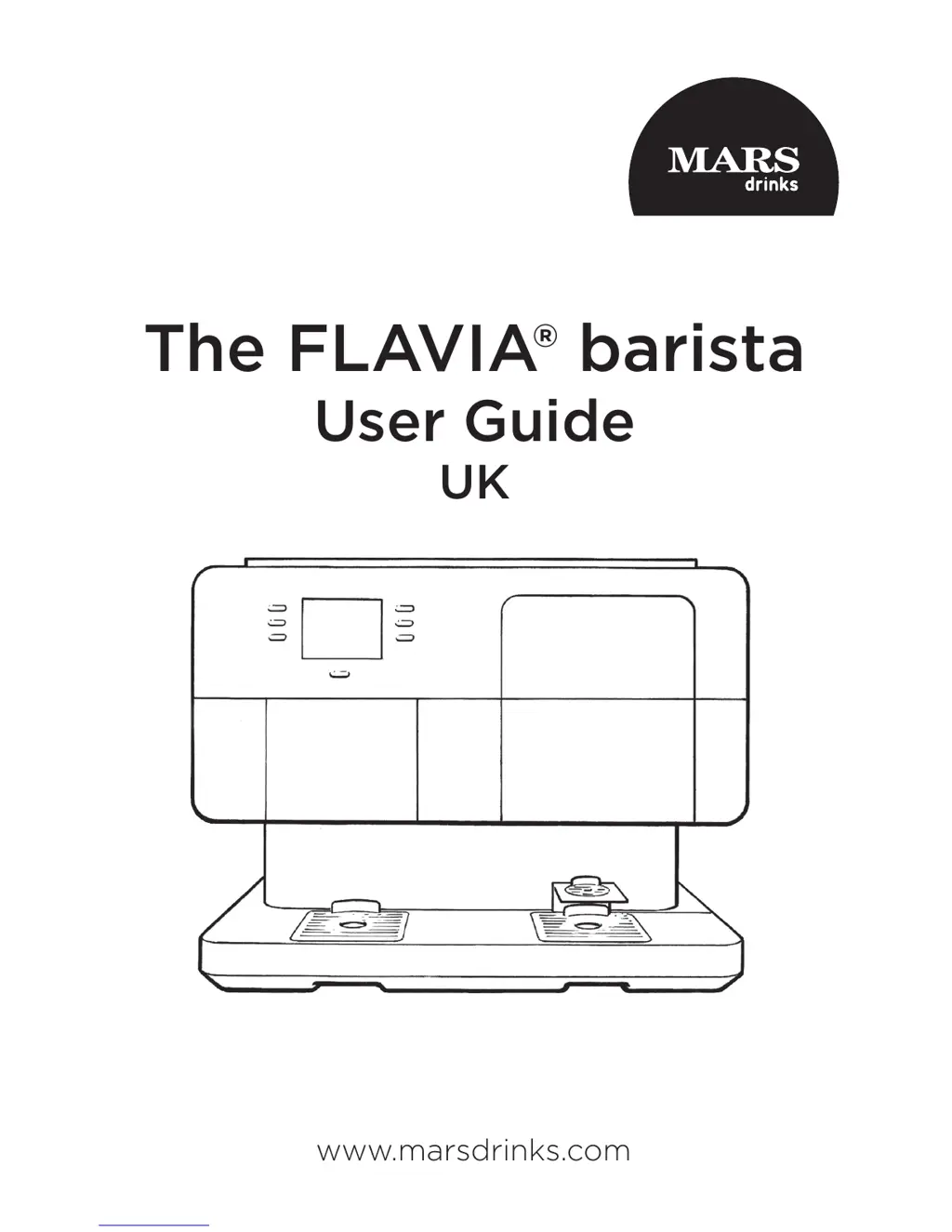
The FLAVIA® barista
User Guide
UK
www.marsdrinks.com

Questions and Answers

  • W
    William MorrisAug 19, 2025
    How to fix “Please empty pack bin” message on Mars FLAVIA Barista Coffee Maker?
    • S
      srobinsonAug 19, 2025
      The message “Please empty pack bin” on your Mars Coffee Maker indicates that the filterpack bin is full. To resolve this, pull out and empty the filterpack bin. If necessary, clean the bin before replacing it.
  • M
    Michael WilliamsAug 21, 2025
    What to do if Mars Coffee Maker says “Please open lid and add more water”?
    • D
      dylan48Aug 22, 2025
      The “Please open lid and add more water” message on your Mars Coffee Maker means the brewer’s cold water tank needs to be filled. If you're using manual fill, fill the tank with a jug of cold water. If plumbed in, change the “Water Supply:” menu setting to “Plumbed-In”.
  • M
    Matthew LeeAug 25, 2025
    How to fix “Please empty espresso bin” message on Mars Coffee Maker?
    • P
      Peter VelasquezAug 25, 2025
      The message “Please empty espresso bin” on your Mars Coffee Maker indicates that the espresso pack bin is full. To solve this, pull out and empty the espresso bin. Clean the bin if needed, and then replace it.
  • K
    kaitlin28Aug 26, 2025
    Why does my Mars FLAVIA Barista say “Please wait while the cold tank fills up”?
    • R
      Randall PetersAug 26, 2025
      If your Mars Coffee Maker displays “Please wait while the cold tank fills up”, it means the brewer’s cold water tank needs to be filled. If using manual fill, change the “Water Supply:” menu setting to “Jug-Filled”. If plumbed fill, this is normal if displayed briefly after use. If the message persists for over 20 seconds, ensure the water supply is on and the delivery pipe isn’t kinked.
  • E
    Elizabeth CoxAug 28, 2025
    What to do if Mars Coffee Maker says “Please check that the water is turned on, then press ‘Retry’”?
    • S
      Sean OnealAug 28, 2025
      If your Mars Coffee Maker displays the message “Please check that the water is turned on, then press ‘Retry’”, it means the brewer’s cold water tank needs to be filled. If you're using manual fill, change the “Water Supply:” menu setting to “Jug-Filled”. If plumbed fill, check that the water supply is turned on and that the delivery pipe is not kinked, then press the “Retry” button.
  • R
    rnguyenAug 30, 2025
    What does “Check pack bin” mean on Mars FLAVIA Barista?
    • C
      Christopher DaltonAug 30, 2025
      The “Check pack bin” message on your Mars Coffee Maker indicates that the filterpack bin hasn't been returned properly. Ensure the filterpack bin is correctly returned. If the message persists, further assistance is needed.
  • L
    Lucas TerrellSep 1, 2025
    What does “Check espresso bin” mean on Mars FLAVIA Barista?
    • M
      Matthew LeeSep 1, 2025
      The “Check espresso bin” message on your Mars Coffee Maker indicates that the espresso pack bin has not been returned properly. Make sure the espresso pack bin is returned correctly. If the message remains, further assistance is needed.
  • B
    Brenda McmillanSep 3, 2025
    What to do if Mars FLAVIA Barista says “Please wait while the water heats up” for too long?
    • A
      April HarrisSep 3, 2025
      If your Mars Coffee Maker displays “Please wait while the water heats up” for more than 20 minutes, switch off the brewer.
  • J
    Jeremy ClaytonSep 5, 2025
    Why is there spillage around my Mars FLAVIA Barista?
    • C
      Christine GallagherSep 5, 2025
      If there is spillage around your Mars Coffee Maker, a drip tray may have overflowed. Remove, empty, and replace the drip tray.
  • K
    khodgeSep 7, 2025
    Why do cups not fit in my Mars Coffee Maker?
    • S
      Sarah TrujilloSep 7, 2025
      If cups do not fit in your Mars Coffee Maker, it could be due to the wrong height cup stand. The brewer comes with two cup stands. The Espresso cup stand can also be adjusted.

Summary

Safety and Installation Guidelines

General Use

Safety instructions for general use of the appliance.

Plumbed Systems

Requirements for connecting to the mains water supply.

Regulatory Compliance

Compliance with European legislation for safety and EMC.

Installation of Your FLAVIA barista

Details on brewer dimensions, weight, and space requirements.

Electrical Supply

Requirements for electrical connection and supply.

UK Specific Requirements

Specific electrical requirements for the UK market.

UK Electricity at Work Regulations

Recommended annual electrical safety tests and checks.

Brewer Layout

Exterior

Diagram and labels of the brewer's external components.

The FLAVIA barista Beverage Range

Filter Pack Differences and Usage

Explains how to use different filter packs in the correct brewer slots.

Setting Up Your Brewer

Switching On

Instructions for powering on the FLAVIA barista.

Entering Operator Menu

Steps to access and navigate the operator menu.

Selecting Water Supply

How to choose between jug-filled or plumbed-in water supply.

Plumbed In Water Supply

Specific instructions for mains water connection.

Jug Filled - Manual Filling with Water

Steps for manually filling the brewer with water.

Priming the Hot Water System (Initial Install Only)

Explains the necessity and process of priming the hot water system.

Priming the Hot Tanks (Initial Install Only)

Detailed steps for priming the brewer's hot water tanks.

Priming the Espresso System (Initial Install Only)

Instructions for priming the espresso system.

Selecting Cups to Use

Large;Travel Mug Facility

How to accommodate larger mugs by removing drip trays.

Preparing an Espresso

Espresso Cups and Espresso Cup Stand

Guidance on using espresso cups and the cup stand.

Making an Espresso

Step-by-step instructions for brewing an espresso.

Preparing Cappuccinos, Lattes, Mochas

2-Pack Drinks

Explanation of how cappuccinos, lattes, and mochas are made using two packs.

Options

Lists drink combinations using Espresso or Filter Coffee as the second pack.

Making a Cappuccino, Latte or Mocha with Espresso

Instructions for preparing these drinks using espresso.

Making a Cappuccino, Latte or Mocha with Filter Coffee

Instructions for preparing these drinks using filter coffee.

Preparing Filter Coffee, Tea, Chocolate

Daily Care

Emptying the Drip Trays

Steps to empty and clean the drip trays.

Emptying the Filterpack or Espresso Bin

Instructions for emptying and cleaning the pack bins.

Weekly Care

General Cleaning

General cleaning instructions for the brewer's exterior.

Cleaning the Water Filler Funnel

Steps to clean the water filler funnel assembly.

Cleaning the Filterpack (Left) Door

Instructions for cleaning the filterpack door.

Cleaning the Cup Detect and Air Duct

Cleaning instructions for cup sensors and air ducts.

Cleaning the Espresso (Right) Door

Instructions for cleaning the espresso door.

Sanitising

Guidance on sanitising surfaces after cleaning.

Auditing Your Brewer

Collecting Audits

How to access and view various audit data from the brewer.

Controlling Access to Audits and Price Setting

Instructions for setting or changing the operator password.

Configuring Energy Saving Mode

Steps to set up the brewer's energy saving standby mode.

Draining Your Brewer

Instructions for draining the brewer, recommended before moving.

Trouble Shooting

Mars FLAVIA Barista Specifications

General IconGeneral
ModelFLAVIA Barista
Voltage120V
Water Reservoir Capacity1.5 liters
Coffee Pod CompatibilityFLAVIA single-serve pods
MaterialPlastic
ColorBlack
Beverage OptionsCoffee, Espresso
Brewing CapacitySingle serve

Related product manuals