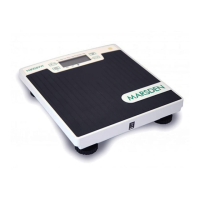
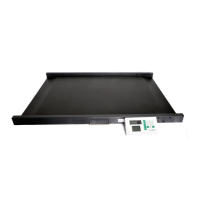
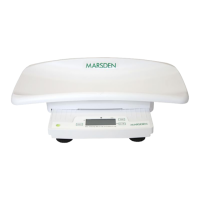
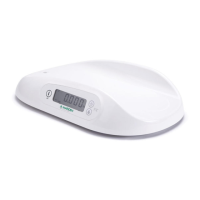
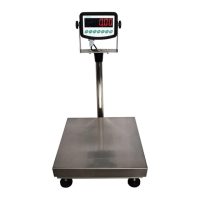
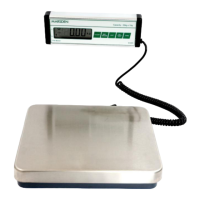
The Marsden M-225 is a professional medical scale designed for accurate weighing in various healthcare settings. It is a Class III precision weighing instrument, capable of weighing up to 250kg with a division of 100g. The scale itself weighs approximately 18kg and measures 400mm x 380mm for the chair, with an indicator measuring 174mm x 107.6mm x 50mm.
Function Description:
The primary function of the M-225 is to provide precise weight measurements for patients. It supports various units of measure, specifically kilograms (Kg). Beyond basic weighing, the scale offers several advanced functions including:
- ON/ZERO/OFF: For powering the scale on and off, and zeroing the display.
- HOLD/BMI: To hold a stable weight reading and calculate Body Mass Index.
- SEND: To confirm selections or send data.
- TARE/BSA: To tare off unwanted weight and calculate Body Surface Area.
Important Technical Specifications:
- Model: Marsden M-225
- Accuracy Class: Class III
- Capacity/Division: 250kg x 100g
- Weight of Scale: Approximately 18kg
- Units of Measure: Kg
- Function Keys: ON/ZERO/OFF, UNIT, SEND, HOLD/BMI, TARE/BSA
- Stabilisation Time: 1-2 Seconds
- Operating Temperature: 5 °C to 35 °C
- Power Supply: 6x 1.5V AA batteries or 12V 1A adaptor (UE24WCP1 – 120100SPA)
- Indicator Display: 3cm display with 5 active digits
- Dimensions: Chair: 400mm x 380mm; Indicator: 174mm x 107.6mm x 50mm
- Warranty: 2 years
Usage Features:
- Switching On/Off: Press the ON/ZERO/OFF button to turn the scale on. The display will show 0.0, indicating it's ready for weighing. To switch off, hold the ON/ZERO/OFF button for three seconds.
- Setting to Zero: If the display shows a reading other than 0.0 when nothing is on the scale, press ON/ZERO/OFF once to reset it to zero.
- Hold Function: This feature allows the scale to lock onto a stable weight reading. Press the HOLD/BMI button once while the patient is on the scale. After a few seconds, the scale will lock on the patient's weight. To disable the hold function, press HOLD/BMI again, and the scale will return to 0.0. Note that if the weight reading remains on the display for more than five minutes, the hold function will automatically disable.
- Body Mass Index (BMI) Function:
- The patient first sits on the scale.
- Hold down the HOLD/BMI button to enter BMI mode. The scale will enter height setting mode, and the extreme left digit will flash.
- Enter the patient's height using the TARE/BSA button to increase the value and the HOLD/BMI button to decrease the value. Press SEND to move to the next digit.
- To confirm the height, hold down the ON/ZERO/OFF button. After a few seconds, the display will alternate between weight, height, and Body Mass Index.
- To exit BMI mode and return to normal weighing mode, hold down the HOLD/BMI button.
- Body Surface Area (BSA) Function: After calculating BMI, you can then calculate BSA. Following the steps for BMI calculation, press TARE/BSA to display Body Surface Area.
- Tare Function: This feature allows you to deduct the weight of an item placed on the scale.
- Place the item(s) you wish to deduct from the reading (e.g., a pair of shoes) on the scale and press TARE/BSA.
- The scale will show a minus reading, indicating the tared weight.
- When the patient is weighed, the negative weight reading will be deducted from the total weight.
Power Supply and Low Battery:
The scale can be powered by 6x AA batteries or an external 12V 1A adaptor. When using batteries, ensure they are correctly installed in the battery box located on the side of the indicator. If the batteries are flat, the display will show "LoBAt", indicating they need to be replaced.
Maintenance Features:
- Cleaning: Use alcohol-based wipes or similar when cleaning the scale. Avoid corrosive liquids, large amounts of water, or high-pressure washers. Always disconnect the scale from the mains power supply before cleaning.
- Routine Maintenance: The scale does not require any routine maintenance. However, regular accuracy checks at regular intervals are recommended. Contact your local dealer or service partner for any inaccuracies. Marsden can provide service contracts for weighing scales; contact them at 01709 364296.
- Disposing of the Scale: This product should not be treated as regular household waste. It should be handed in to an electrical/electronic equipment recycling centre. For further details, contact your local council, municipal waste disposal company, or the place where you purchased the product. The scale is marked with a crossed-out wheeled bin symbol, indicating it must be disposed of at a communal collection point.
Safety Instructions:
- Always read the user manual for proper installation, use, and maintenance.
- Marsden/the manufacturer is not liable for damages arising from failure to heed the following instructions.
- When using electrical components, adhere to increased safety requirements and comply with appropriate regulations.
- Improper installation/use will render the warranty null and void.
- Ensure the voltage marked on the power supply unit matches your mains supply.
- The device is designed for indoor use.
- Observe permissible ambient temperatures for use.
- The device meets the requirements for electromagnetic capability.
- Batteries should be kept away from small children. If swallowed, promptly seek medical assistance.
- If you have any problems, contact Marsden/your local dealer/your service partner.
ROHS Compliance:
The M-225 restricts the use of 6 substances below in the manufacture of specified types of electrical equipment, in compliance with EU Directive 2011/65/EU. The product does not contain any restricted substances in concentrations and applications banned by the directive, and for components, the product is capable of being worked on at higher temperatures required by lead-free soldering.
Error Messages:
- LoBAt: Low Battery. The scale's AA type batteries are flat; replace the batteries.
- Err: Overload. The scale's load sensor(s) have been overloaded. Reduce the loading and retry.
- ErrS: Counting Error. The signal from the load cells is too high or too low. Remove any weight from the scale, switch the scale off, and power on again. If the scale continues to show this message, it indicates a fault with the electronics or wiring.
- 00000 (High/Low Zero Count):
- The scale is above its zero range. Remove any weight from the scale and power on again. If the scale continues to show this message, it indicates a fault with the electronics.
- The scale is below its zero range. Check there is nothing jammed underneath the scale and power on again. If the scale continues to show the error message, it indicates a fault with the electronics.
- ErrAd: AD Error. There is a fault with the scale's software, or it is caused by a fault with the PC board. Contact your local service representative.
- -----: Negative weighing. The weight reading is below -2kg. Press ZERO to return to 0.0.

 Need help?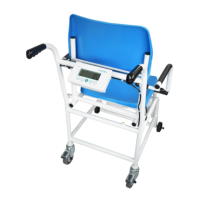

 To Next Page
 General