EasyManua.ls Logo

Marshall Amplification GV-2 Guv’nor Plus - User Manual

Marshall Amplification GV-2 Guv’nor Plus
5 pages
Print Icon
To Next Page IconTo Next Page
Loading...
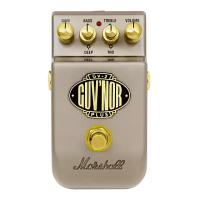
GV-2 Guv’nor Plus
Guv’nor Plus Suggested Settings
Owners Manual
FAT BLUES (Amp: Clean)
CRUNCH (Amp: Clean)
GRUNGE / HARDCORE (Amp: Clean)
SCREAMING SOLO (Amp: Clean)
Whilst the information contained herein is correct at the time of
publication, due to our policy of constant improvement and
development, Marshall Amplification plc reserve the right to alter
specifications without prior notice.
7 / 05
Marshall Amplification plc
Denbigh Road, Bletchley, Milton Keynes,
MK1 1DQ, England.
Tel : +44 (0)1908 375411 Fax : +44 (0)1908 376118
www.marshallamps.com

Questions and Answers

  • S
    stephen41Jul 30, 2025
    How to troubleshoot no output on Marshall Amplification GV-2 Guv’nor Plus?
    • K
      Kevin BarrettJul 30, 2025
      If your Marshall Amplification Music Pedal isn't producing any sound, there are several things you can check: the battery, the leads, the pedal controls, the DC inlet, the amplifier controls, and the guitar itself.
  • T
    tammyguzmanAug 4, 2025
    What to do if the indicator LED is not on for Marshall Amplification GV-2 Guv’nor Plus Music Pedal?
    • B
      Briana FuentesAug 4, 2025
      If the indicator LED on your Marshall Amplification Music Pedal isn't lighting up, you should check the battery, the input lead, and the DC inlet.
  • B
    Brian EvansAug 8, 2025
    What to do if Marshall Amplification Music Pedal sounds too trebly or fizzy?
    • W
      Wayne JohnsonAug 8, 2025
      If your Marshall Amplification Music Pedal's sound is too trebly or fizzy, examine the pedal and amp controls.
  • N
    Nicole JohnsonAug 13, 2025
    How to fix unusual feedback from Marshall Amplification GV-2 Guv’nor Plus?
    • K
      Kimberly GriffithAug 13, 2025
      If you're getting unusual feedback from your Marshall Amplification Music Pedal, check the leads, reduce the treble, check the DC inlet, and check the amp controls.
  • K
    Kenneth HendricksAug 18, 2025
    How to eliminate noise in bypass on Marshall Amplification Music Pedal?
    • B
      Brian Hart DDSAug 18, 2025
      To address noise in bypass with your Marshall Amplification Music Pedal, check the leads.
  • M
    millerdaleAug 25, 2025
    What causes bass feedback in Marshall Amplification GV-2 Guv’nor Plus Music Pedal?
    • P
      pthompsonAug 25, 2025
      The pickups may be vibrating, causing bass feedback with your Marshall Amplification Music Pedal.

Summary

Guvnor Plus Suggested Settings

FAT BLUES (Amp: Clean)

Suggested settings for Fat Blues tone, using a clean amp.

CRUNCH (Amp: Clean)

Suggested settings for Crunch tone, using a clean amp.

WARNING!

IMPORTANT Precautions

Essential safety precautions for operating the apparatus.

WARNING

Warnings regarding exposure to water, moisture, and liquids.

Clean only with dry cloth.

Instructions for cleaning the apparatus using a dry cloth.

Setting Up

Connecting the Pedal

Guidance on connecting the pedal to an amplifier and guitar using shielded leads.

Features

Trouble Shooting

Marshall Amplification GV-2 Guv’nor Plus Specifications

General IconGeneral
Current Draw9mA
TypeOverdrive
ControlsGain, Level
Power Supply9V DC
Input Impedance1 MΩ
Output Impedance10 kΩ

Related product manuals