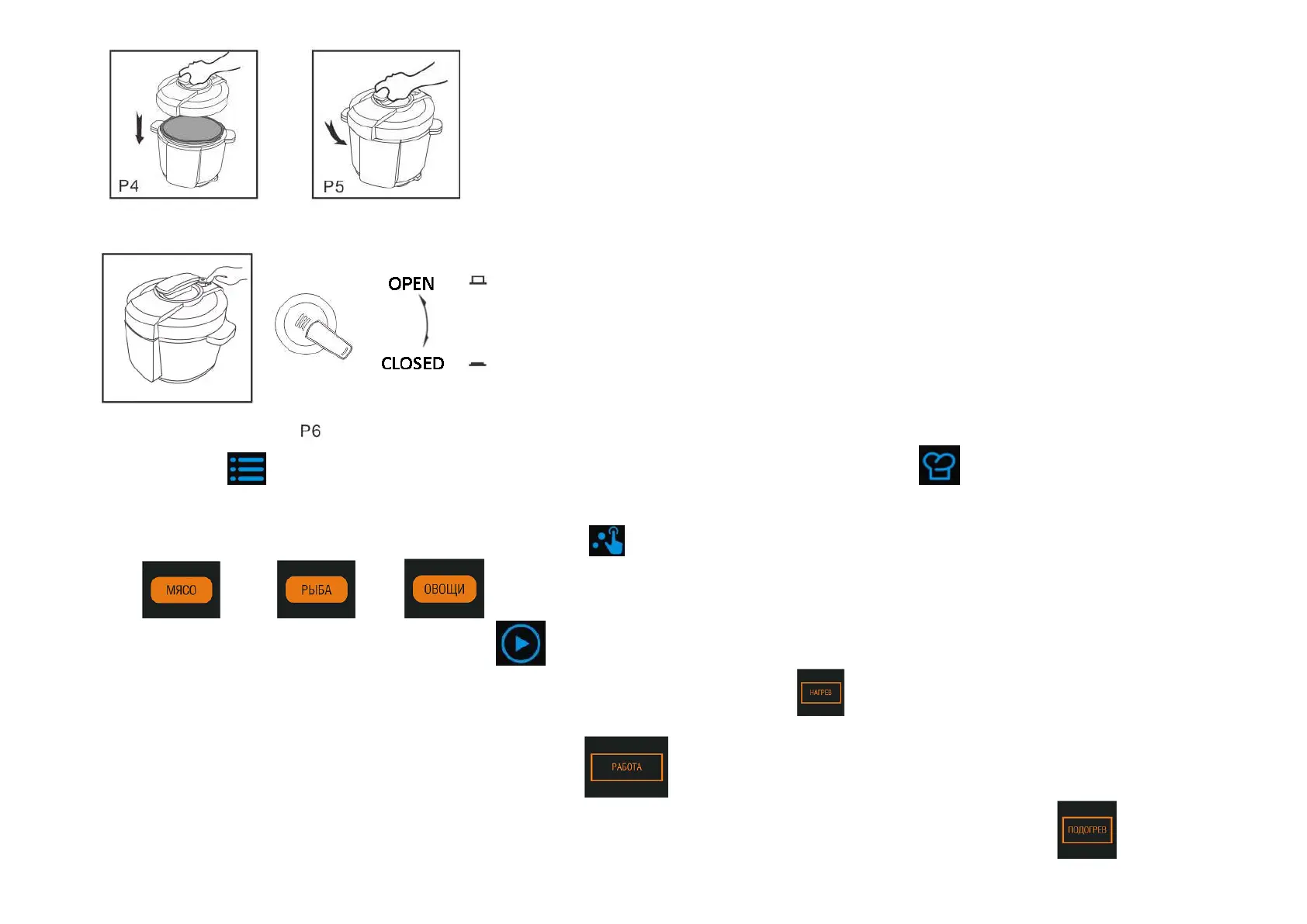
Close the steam relief valve (pic 6).
Press “MНЦЭ” button
until you see indication of required cooking program on the display If you need «/CРНО» choose it with button .
Preset for the program cooking time will be shown on the display.
You could choose product type in next programs: «//Steam/Boil», «/Broth», «/Stew». Next product types are available in those programs: «/Meat», «/FСЫР»,
«/Vegetables»). For choosing product type please press “ЇrЧМЭЛЬ ЫНФНЛЬСЧЦ”
(after you choose cooking program) and go on pressing it until required product indication is shown on the
display for meat, for fish, for vegetables.
IП вШЮ НШЧ’Э аКЧЭ ЭШ МСКЧРО ЩrОЬОЭ ЭТЦО ЦОКЧТЧР, ЩrОЬЬ ЛЮЭЭШЧ “SЬЙrЬ” . Cooking process starts.
The multicooker informs you about cooking process stages. While heating to working pressure ТЬ РШТЧР, ТЧНТМКЭТШЧ įHОКЭТЧР”
is shown on the display and you see dynamic sign in cooking time
and temperature indication.
When pressure inside the multicooker reaches working pressure, ТЧНТМКЭТШЧ įCШШФТЧР”
is shown on the display and time countdown starts.
When cooking is over you hear sound signal and the multicooker goes automatically to “KННШ ЯЙrХ” mode. You will see indication of “KННШ ЯЙrХ” stage on the display .


 To Next Page